
Instant Notifications
A lead notification app that puts new enquiries on your phone
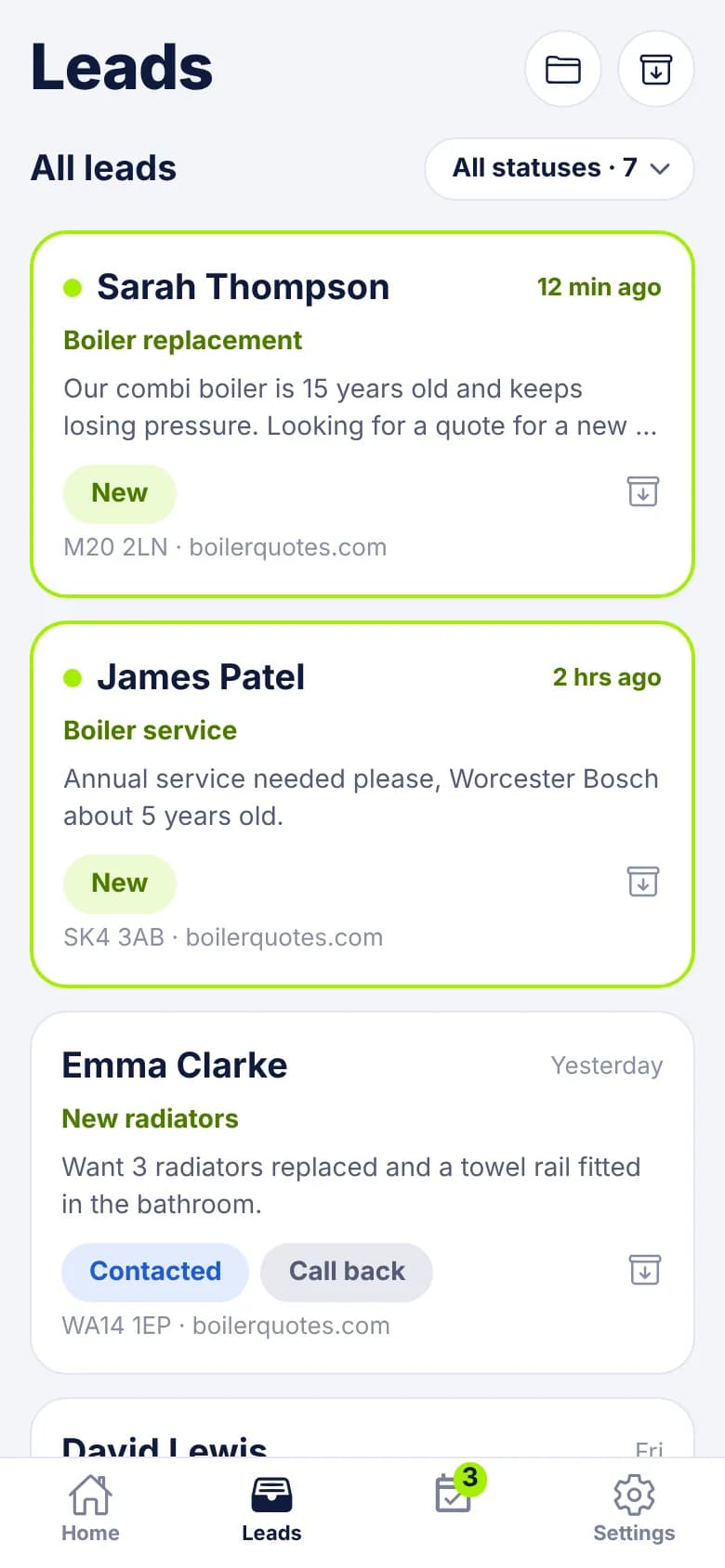
When a lead reaches your LeadCentre account, everyone on the account with the Android app and alerts switched on gets a push notification with the enquiry type, name and postcode. Tap it and that lead opens, with the Call button ready.
- Coming Soon iPhone app
- Coming Soon Automatic SMS replies
What happens when a lead comes in
- 1
The lead reaches your account
It comes from whatever you've connected: a website form, an ad lead form or another system posting to your webhook URL.
- 2
Phones get a push
The alert says "New lead" and the enquiry type, then the name, the postcode and the start of the message. "New lead: Boiler service" tells you what it is before you open anything.
- 3
You tap it
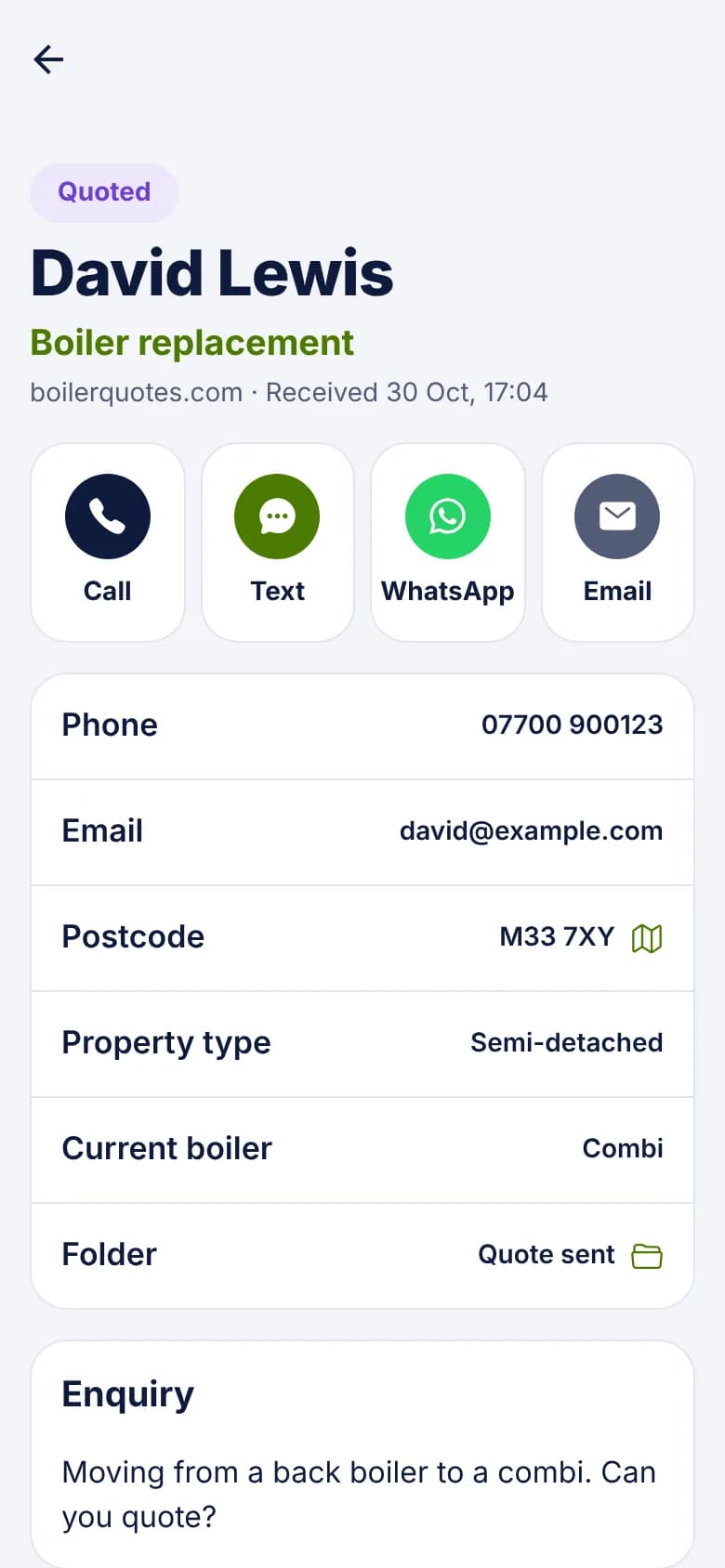
The lead itself opens, not the list. Call, Text, WhatsApp and Email buttons sit above the contact details and the enquiry.
- 4
You make contact
Tap a button and your phone's own dialler or messaging app opens. If the lead still said New, it moves to Contacted by itself.
- 5
The lime marker clears
An unread lead has a lime border and dot. Once anyone on the account opens it, it shows as seen for everybody, so colleagues can tell someone has looked.
Who gets notified, and for what
Three things send a push, and each goes to different people. This matters once there's more than one of you on the account. Assignment decides who a lead belongs to.
- New lead: everyone on the account who has the app installed, has allowed notifications and has New lead alerts switched on. New leads arrive unassigned, so nobody is left out.
- Lead assigned to someone: only that person. They get a push in the app, plus a bell notice and an email from the portal. If you take a lead yourself, you aren't told about your own action.
- Follow-up due: only the person the follow-up is assigned to, not the whole team.
- Two phones on one login: each signed-in phone gets alerts and has its own switch.
- Someone not on call: they can turn off New lead alerts in Settings on their own phone. That silences all pushes to that phone, follow-up reminders included. Their leads still show in the app.
Reply with the words already written
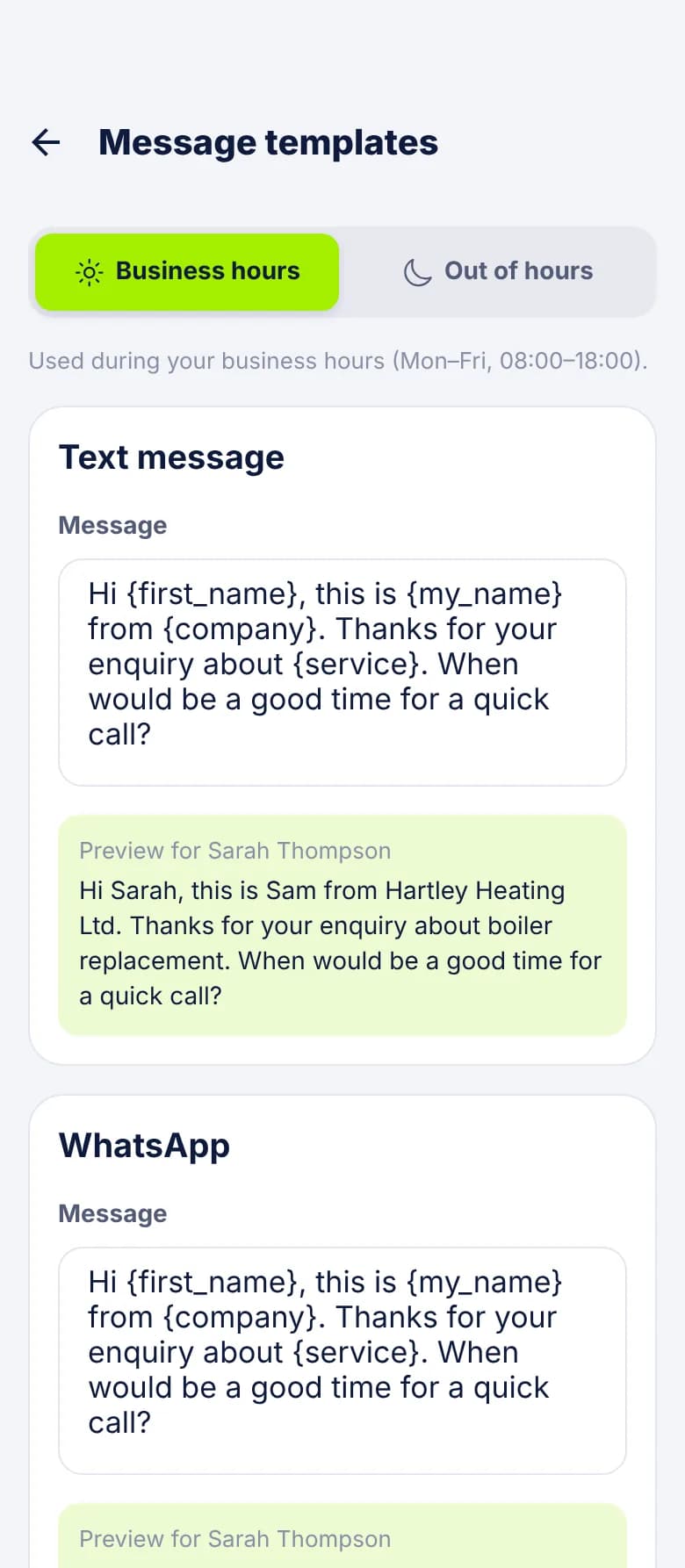
The Text, WhatsApp and Email buttons open a pre-written message from your templates, with placeholders such as {first_name}, {service} and {company} filled in. You keep separate wording for during and outside business hours, and the right one is picked when you tap.
The message goes from your own number or email account after you press send. LeadCentre doesn't send it for you.
If you want something to go without you, Instant Replies can send a new lead an automatic email. One address gets at most one reply per account per day. Automatic SMS replies aren't available yet.
On a busy day
What it doesn't do
- It needs the app. Push comes from the Android app on Google Play. Someone using only the online portal sees new leads in the list with the lime marker, but gets no push.
- iPhone app coming soon. It isn't on the App Store yet.
- Business hours don't pause alerts. They only choose which template wording you get. For quiet nights, use your phone's Do Not Disturb or the New lead alerts switch.
- It can't promise a time. A push depends on your phone's signal, battery settings and notification permissions, and on the services that carry it.
- It only knows about enquiries that reach LeadCentre. A call to your mobile doesn't create a lead unless a call tracking service posts it to your webhook. Missed-call leads are Coming Soon.
Common Questions
Do I need the app to get notified?
Yes, for push. The Android app is on Google Play and you sign in with your portal login. The portal shows new leads in the list, but it doesn't send a push when one arrives.
Will my whole team get an alert for every new lead?
Everyone on the account with alerts switched on gets the new lead push. Anyone who doesn't want them can turn off New lead alerts on their own phone. Once a lead is assigned, later alerts about it go only to that person.
Can I stop alerts at night?
LeadCentre doesn't pause them for you, because business hours only affect message wording. Use your phone's Do Not Disturb, or turn off New lead alerts in Settings and turn it back on in the morning.
What does a follow-up reminder say?
It's headed "Follow-up reminder" and shows the lead's name and your note. Tap it and the lead opens.
Why didn't my phone get an alert?
Check three things. Your phone allows notifications from LeadCentre, New lead alerts is on in the app's Settings, and the lead really arrived. If a connection's fields haven't been matched yet, anything sent is held and only becomes a lead once matching is saved.
Get your next enquiry on your phone
Connect your lead sources, install the Android app and stop checking inboxes between jobs.