
Mobile App
A mobile lead management app for people who aren't at a desk
The LeadCentre app is on Google Play and uses your portal login. It does the daily work: see new leads, contact them, update the status, set follow-ups and record what the job was worth.
- Coming Soon iPhone app
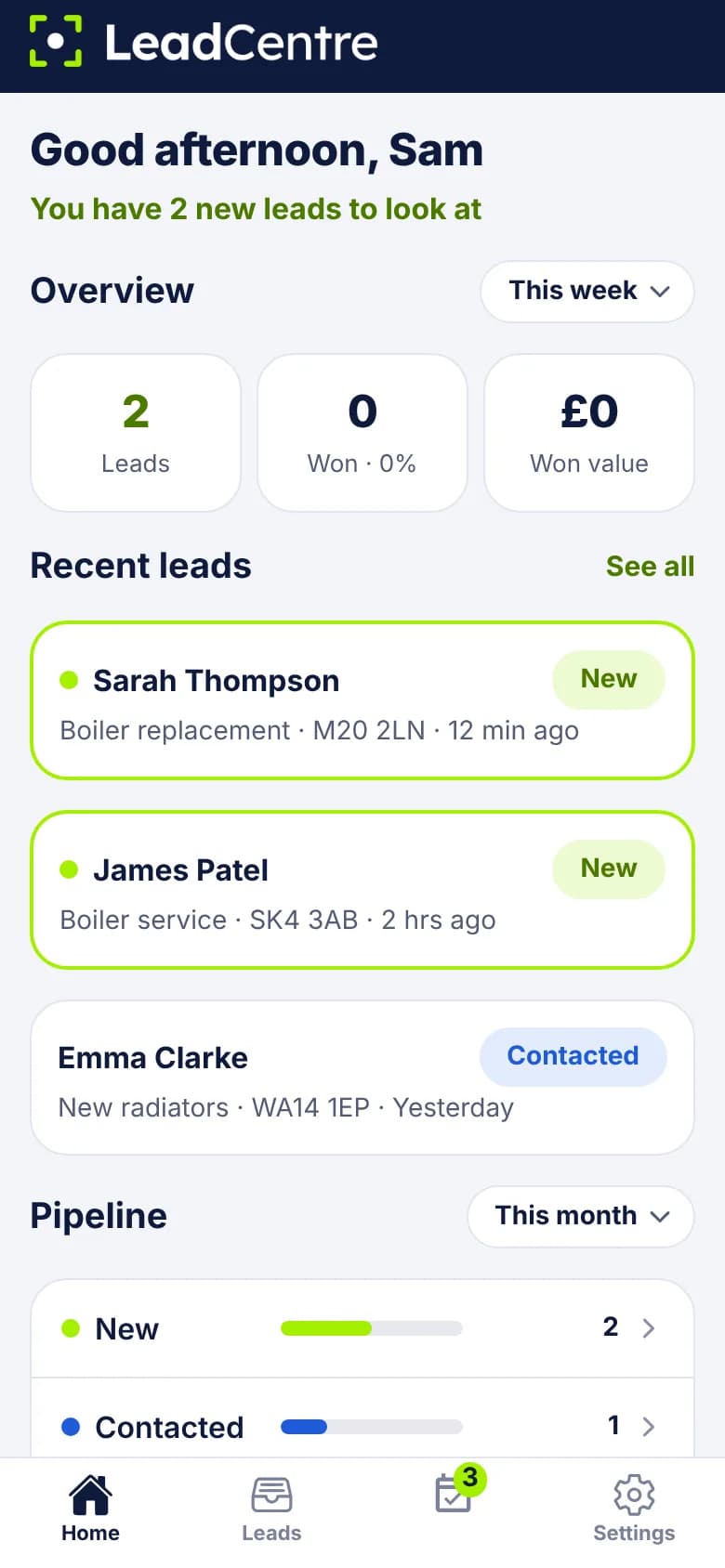
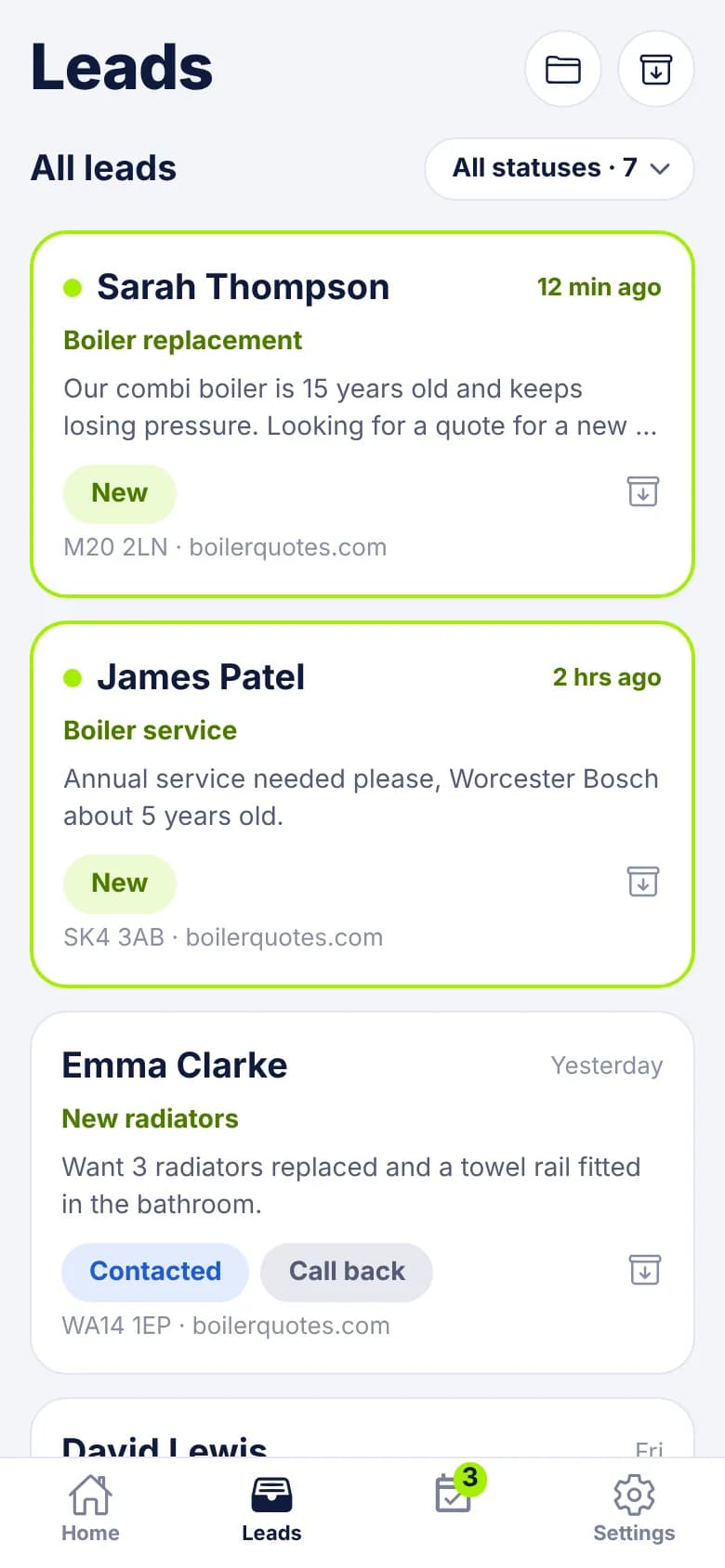
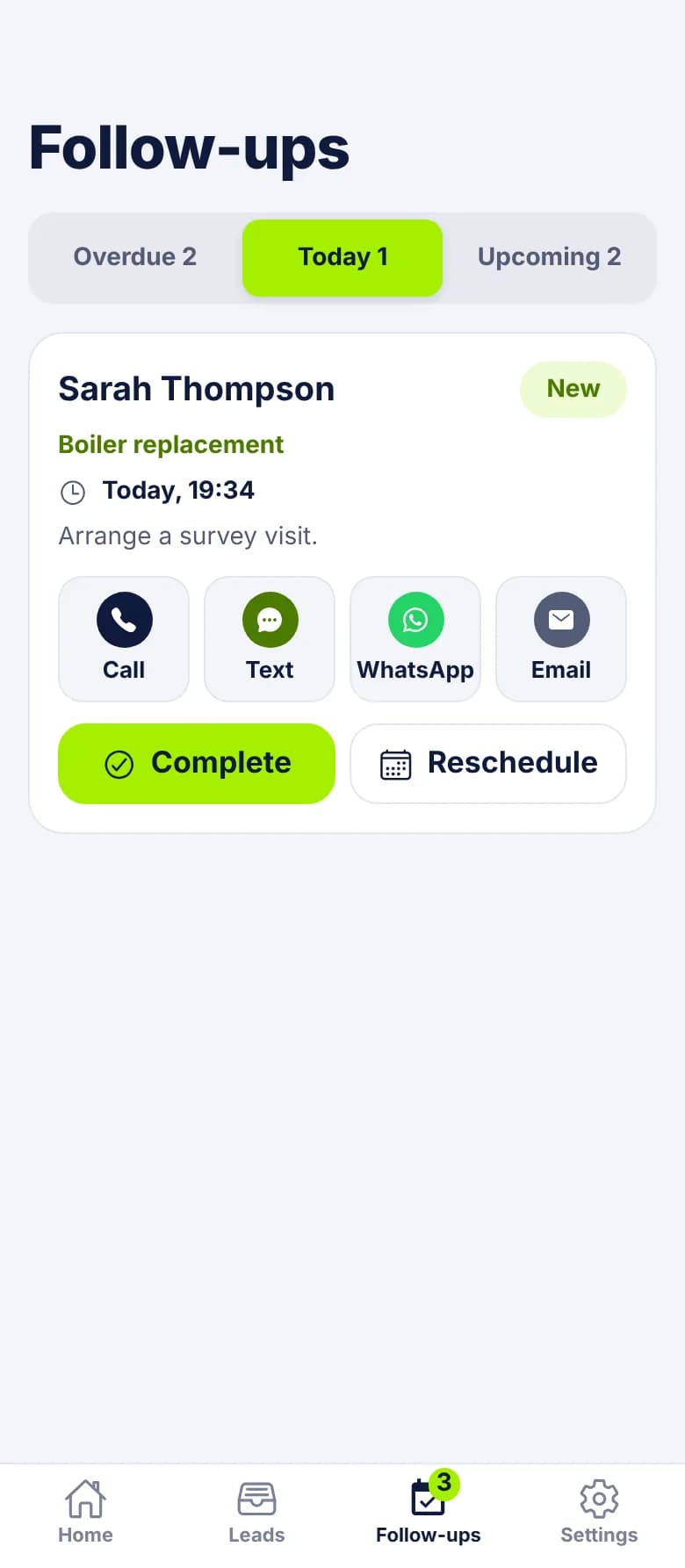
The four tabs
- Home: a greeting that says how many new leads are waiting, three tiles (leads, won with win rate, won value) over a time frame you pick, your recent leads, and the pipeline by status.
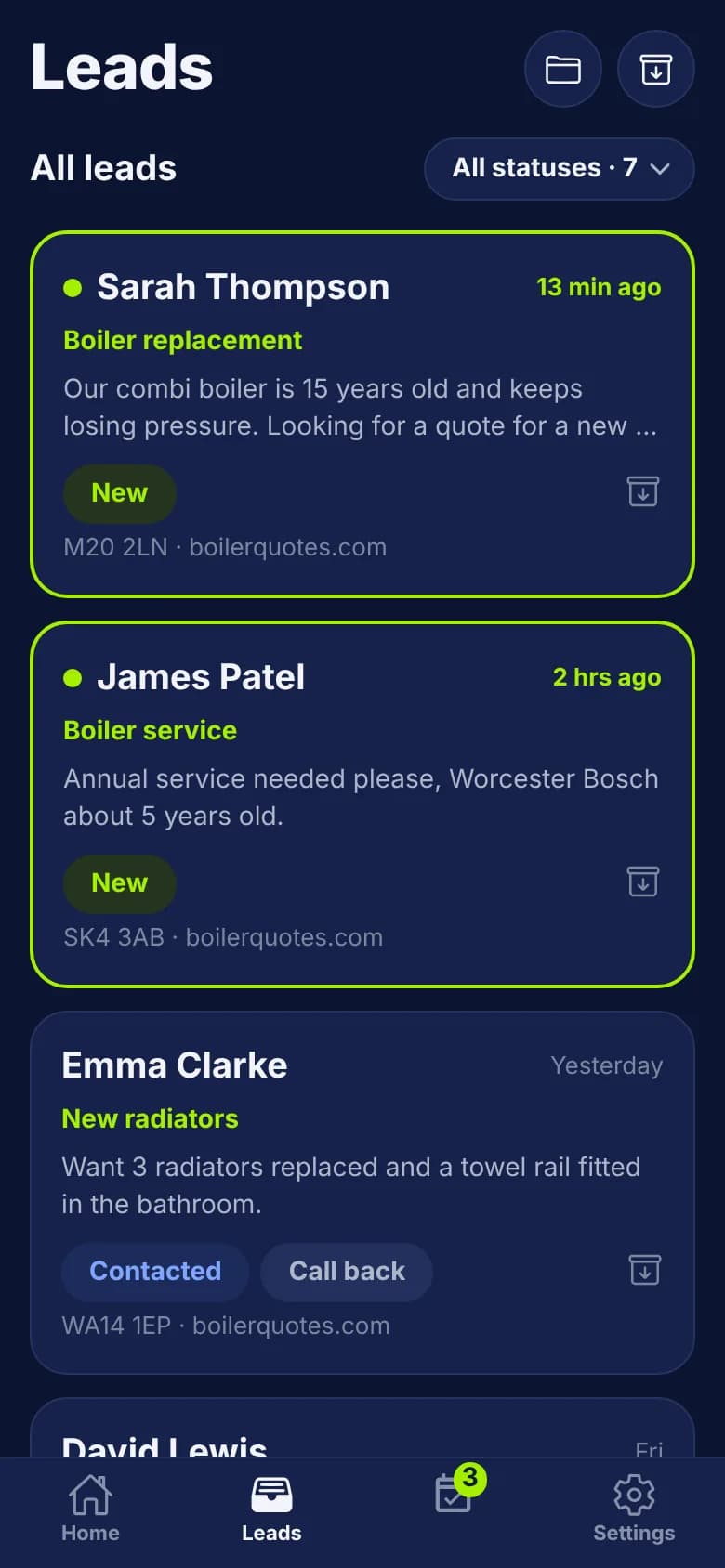
- Leads: the full list with a status filter and counts. Unread leads have a lime border and dot. Folders and Archived are at the top.
- Follow-ups: Overdue, Today and Upcoming, with contact buttons on every card. A badge on the tab counts what's overdue or due today.
- Settings: your profile, light or dark mode, business hours, message templates, currency and new lead alerts.
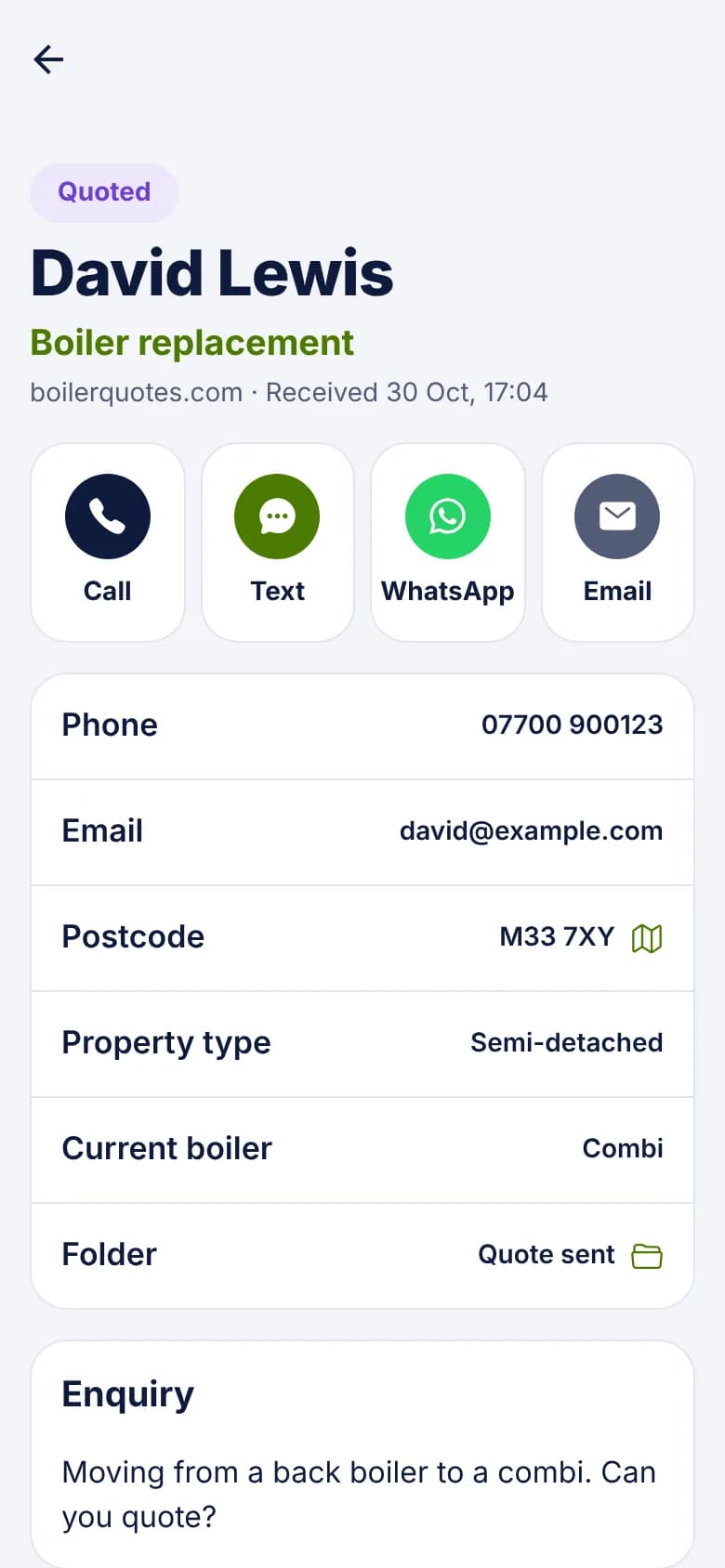
What the buttons on a lead do
Call, Text, WhatsApp and Email hand you over to the apps already on your phone. So your customer sees your number or your email address, and there's no separate inbox to check.
- 1
Call
Opens your phone's dialler with the number filled in.
- 2
Text and WhatsApp
Open your messaging app with a pre-written message from your templates. Placeholders such as {first_name} and {service} are already filled in, and you check it and press send.
- 3
Email
Opens your email app with the subject and message written.
- 4
The status moves for you
The first time you tap any of them on a New lead, it moves to Contacted. Buttons only appear when the lead has a usable phone number or email address.
Phone or portal: which does what
Day-to-day work happens in both. Setting things up happens in the online portal, usually once.
- In both: leads, statuses, job values, follow-ups, folders, archive, business hours and message templates.
- Only in the app: push notifications for new leads, due follow-ups and assigned leads.
- Only in the portal: connections, custom fields setup, team and roles, Instant Replies, and the agency platform.
Between two jobs
Small things that matter on a phone
- Light and dark mode, or follow your phone's setting.
- Job values use the currency of the region you choose in Settings.
- Outside your business hours, the buttons use your out-of-hours wording.
- If the lead has an address, Open in Maps takes you to it.
- Agency staff can switch between the client accounts they can reach.
If you or your team use iPhones
The iPhone app is coming soon, and isn't on the App Store yet. Until it is, iPhone users can sign in to the portal in their phone's browser. It fits a phone screen and covers the same leads and follow-ups, but it can't send push notifications. That means alerts only reach people using the Android app.
Common Questions
Do I need a separate login for the app?
No. You sign in with the same email and password you use at my.leadcentre.com.
Is there an iPhone app?
Not yet. It's coming soon. iPhone users can use the online portal in a browser, but won't get push notifications until the app arrives.
Do customers see my personal number?
The buttons use your own phone, so a call or text comes from your number and a WhatsApp from your WhatsApp account. If that's a problem, use a work phone for the app.
Does the app cost extra?
No. The app and the online portal come with every plan. The pricing page shows what each plan includes.
Run your leads from the van
Get LeadCentre, connect your lead sources and sign in to the Android app with your portal login.