
Never Let Another Enquiry Slip Through the Cracks.
You work hard to make the phone ring. LeadCentre is one simple app that tells you when a lead comes in, helps you reply in seconds and reminds you to follow up.
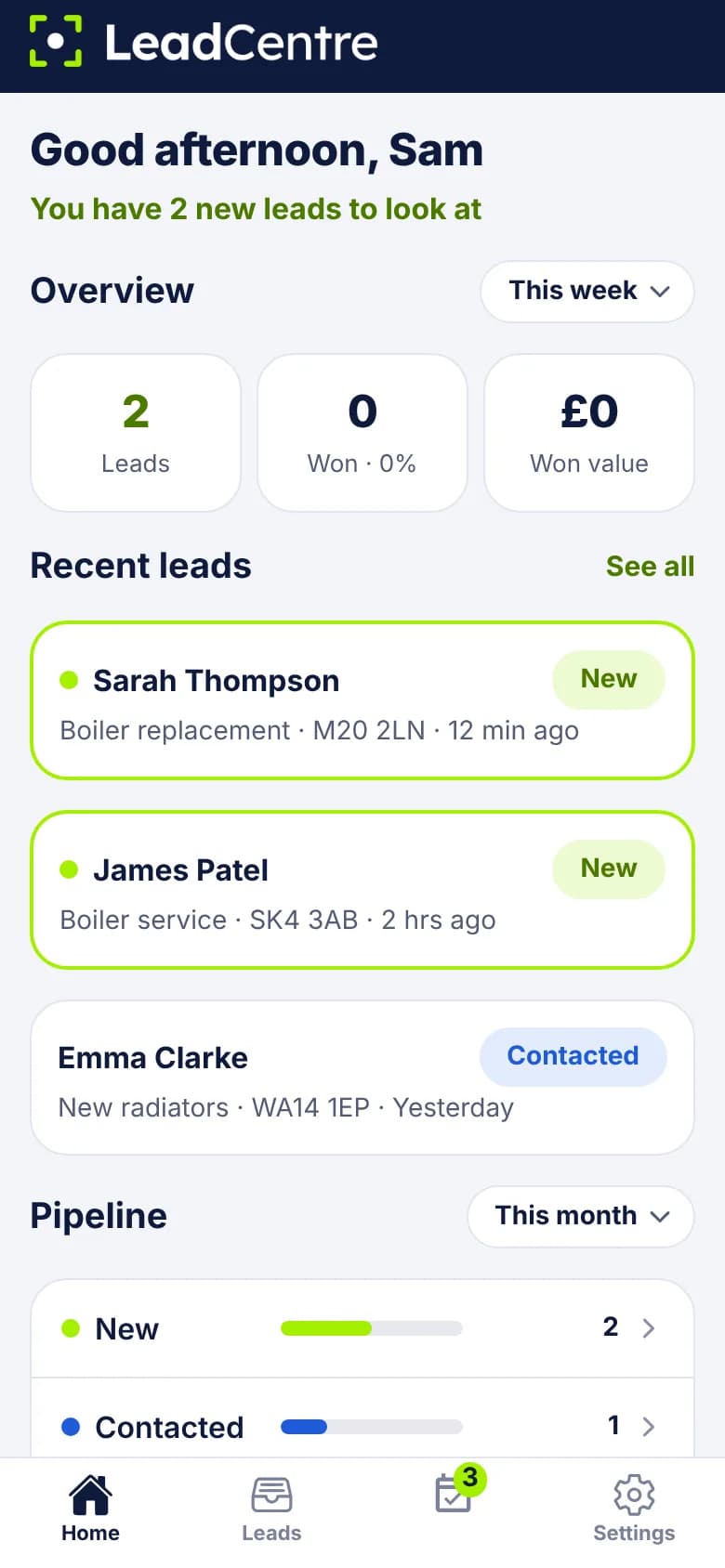
No Training Course Required
LeadCentre isn’t a big CRM with hundreds of settings. It does one job: gets you from “someone enquired” to “we won the work”, with as few taps as possible. Your team can pick it up the same day.
All your enquiries in one place
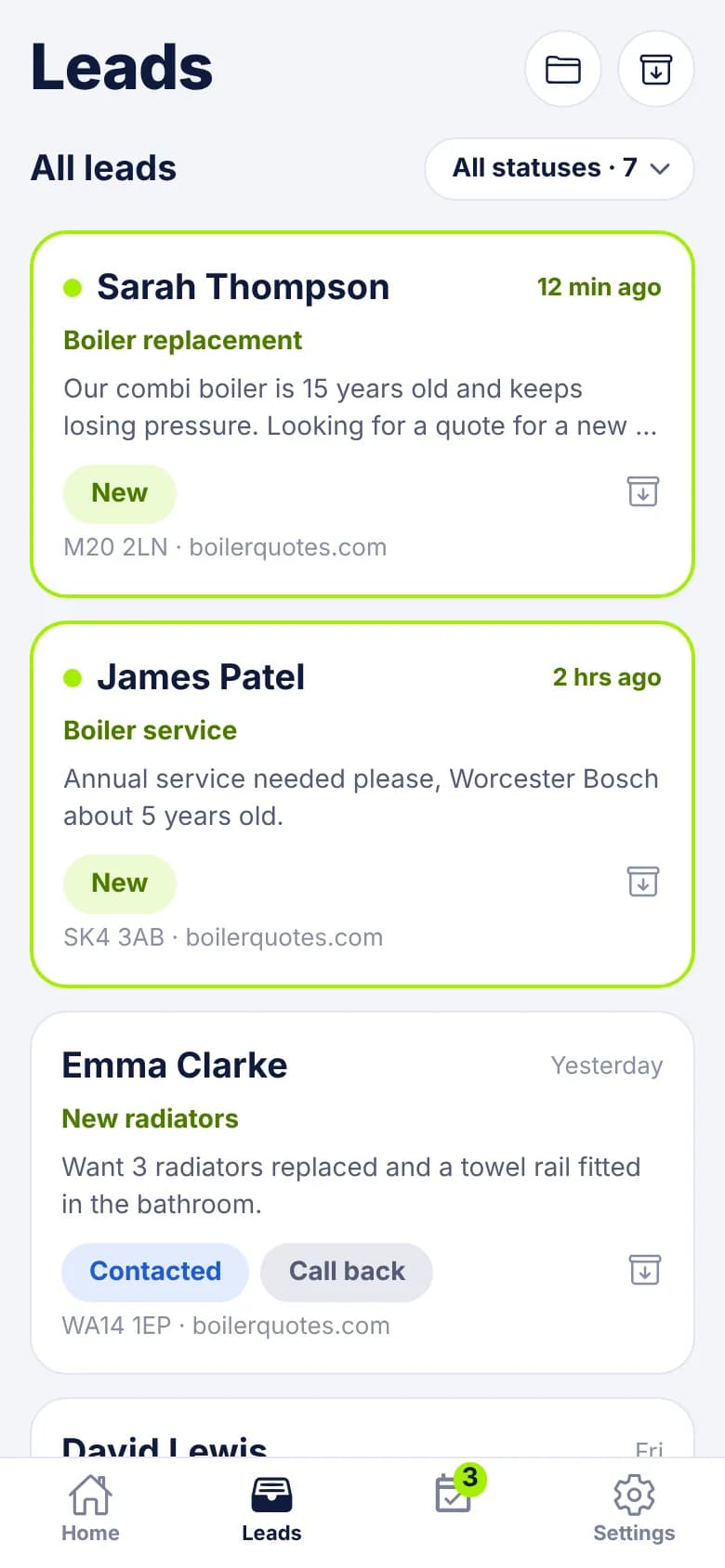
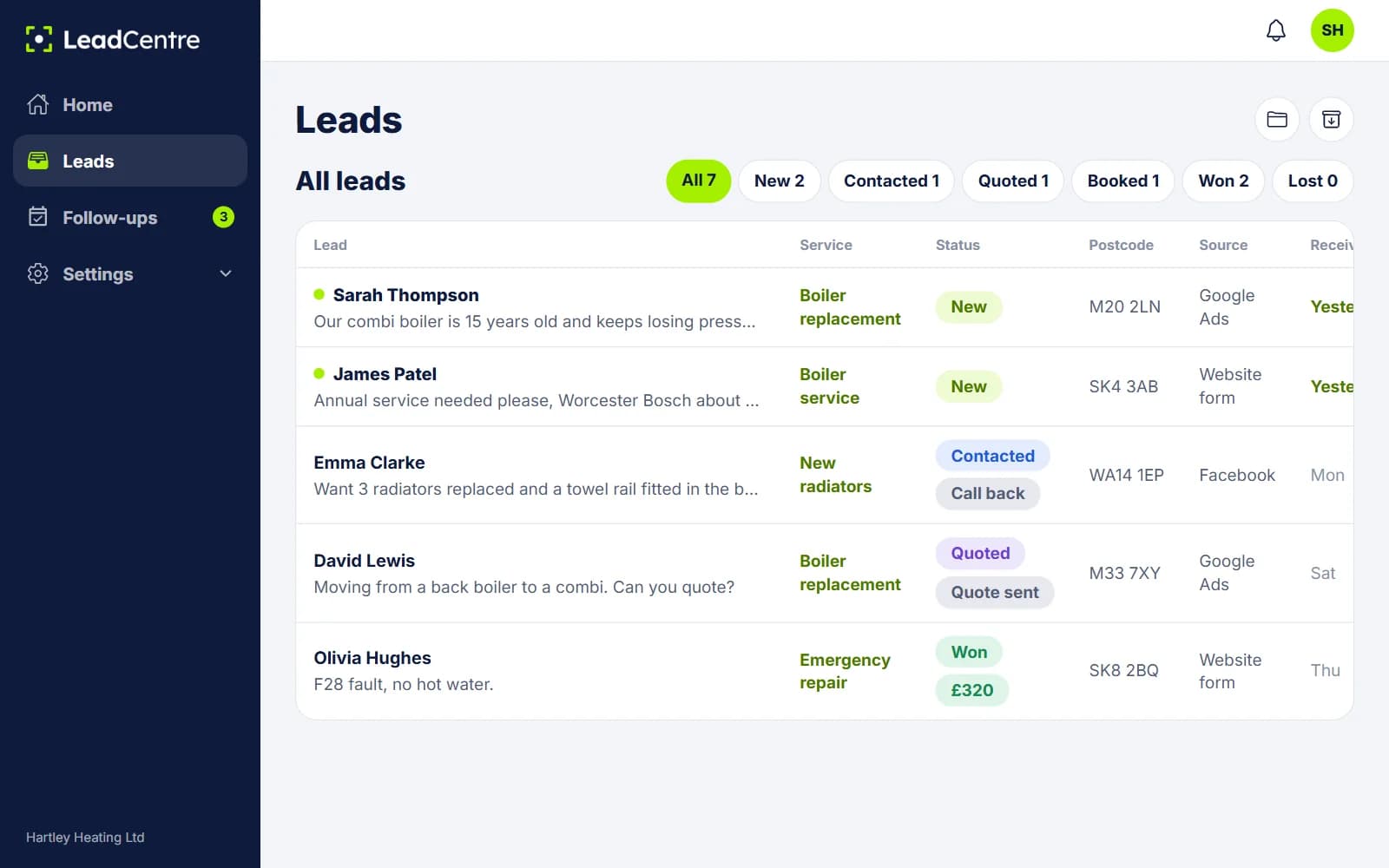
Stop checking your email, your Facebook page and your website inbox separately. New enquiries land in one list, with the newest highlighted so you can see what you haven’t looked at.
- Website forms, ad platforms and lead providers
- See the source of each lead
- Filter by status in one tap
A notification on your phone
When a lead comes in, your phone tells you. You don’t need to be at a desk or remember to check anything.
Reply in one tap
Each lead has Call, Text, WhatsApp and Email buttons. Text and email open with a friendly message already written, using the person’s name and what they asked about. Change the wording once and it’s right every time.
- Separate messages for during and after your opening hours
- Optional automatic email reply when a lead arrives
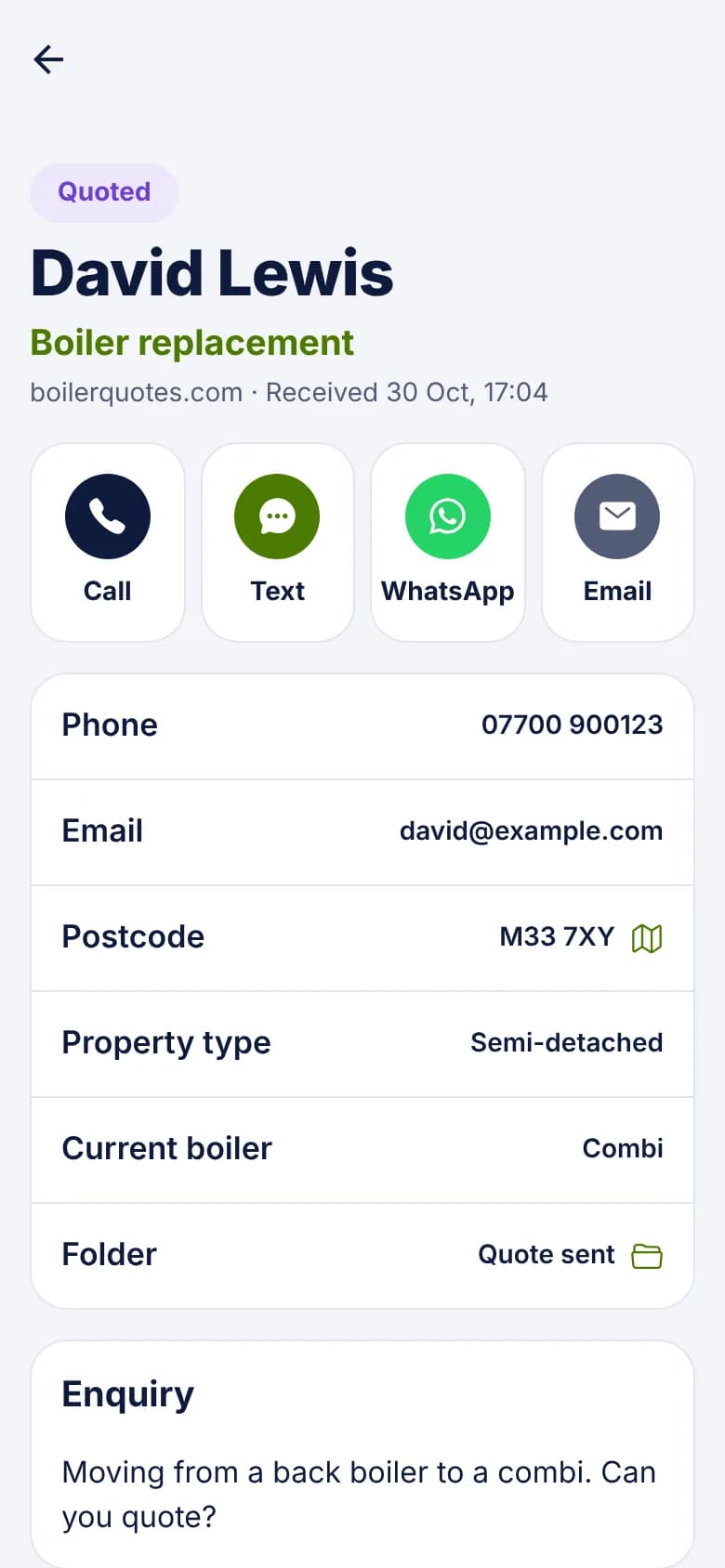
Simple statuses you’ll actually use
New, Contacted, Quoted, Booked, Won, Lost. Six words, and everyone knows what they mean. Tap one and move on.
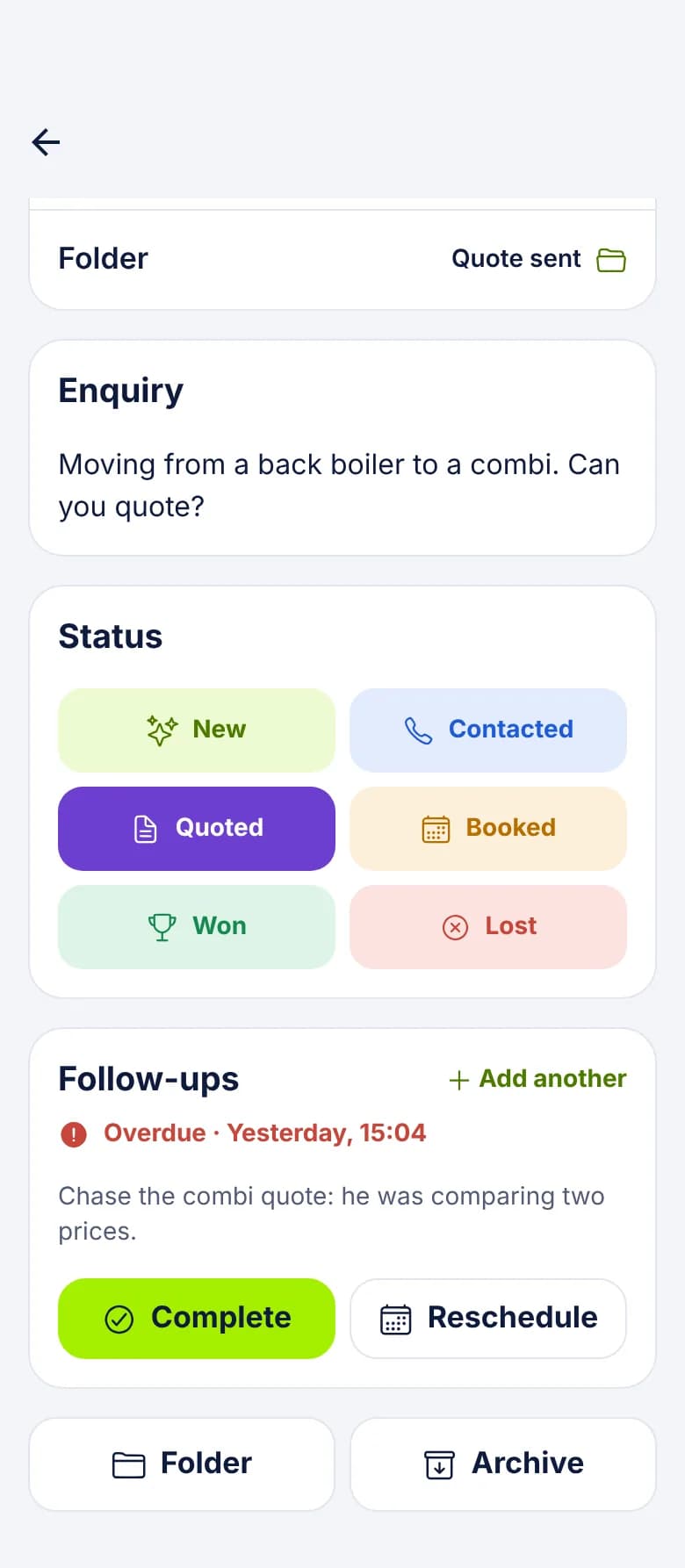
Reminders to follow up
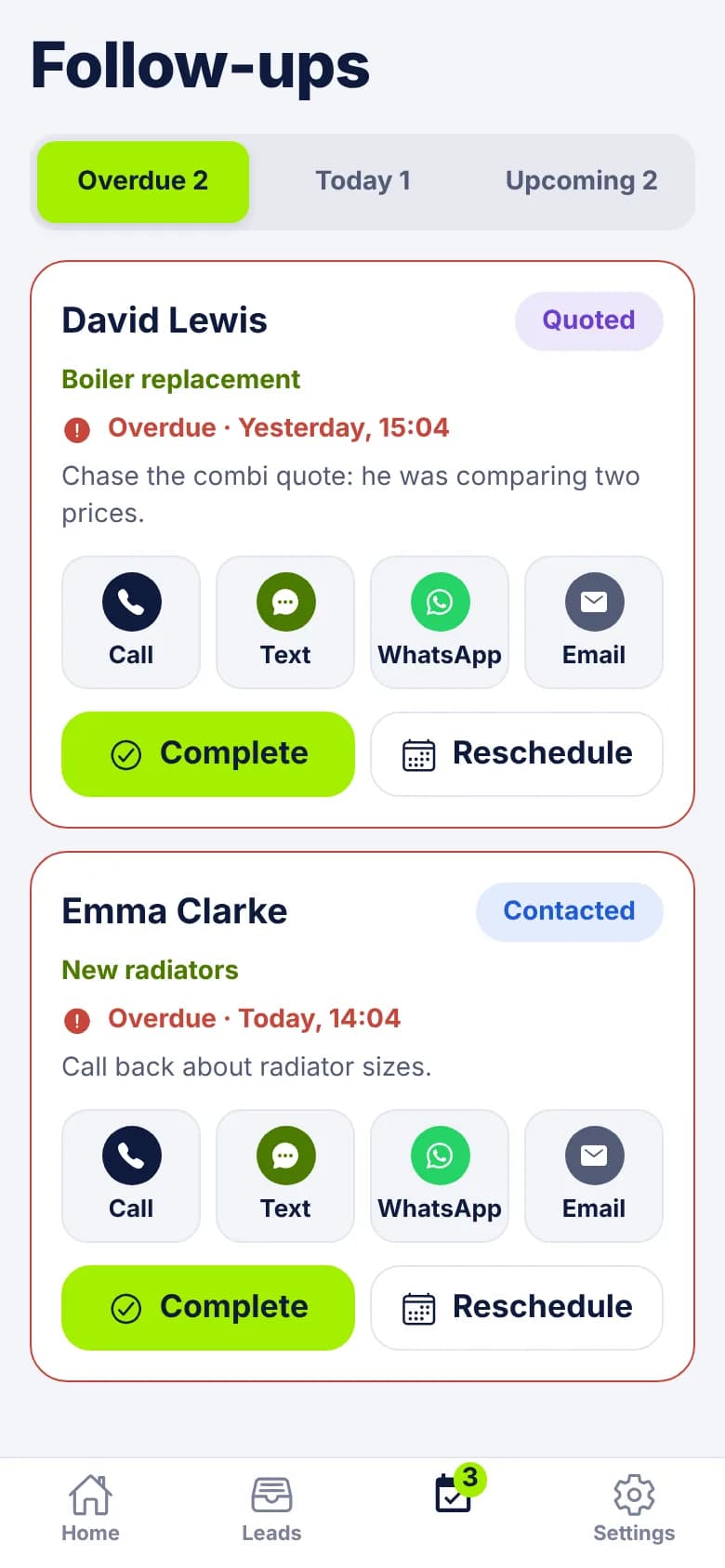
Sent a quote and want to check back on Thursday? Set a reminder with a note to yourself. Your phone reminds you when it’s due, and anything you’ve missed shows as overdue.
See your pipeline
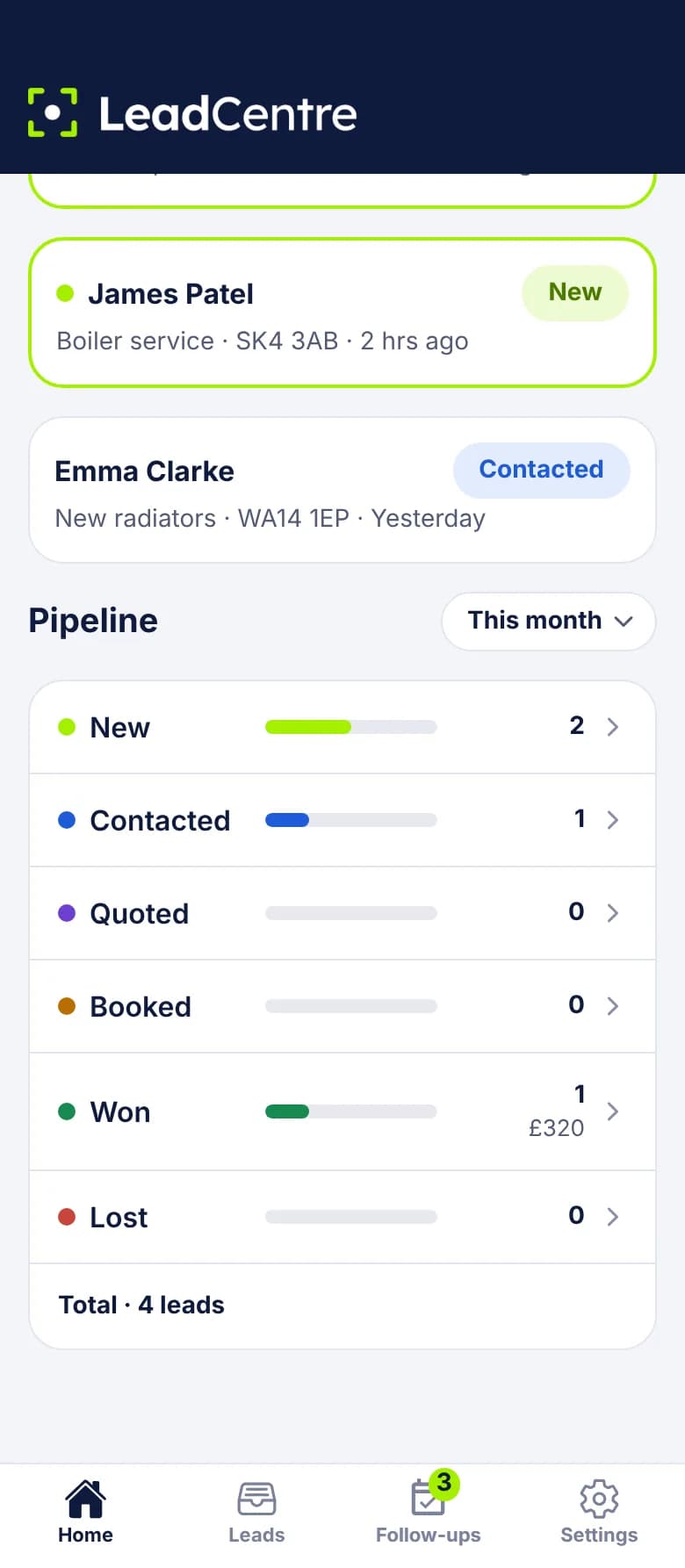
Home shows how many leads you have at each stage, so you can see at a glance whether quotes are piling up or new enquiries are drying up.
Know what you’ve won
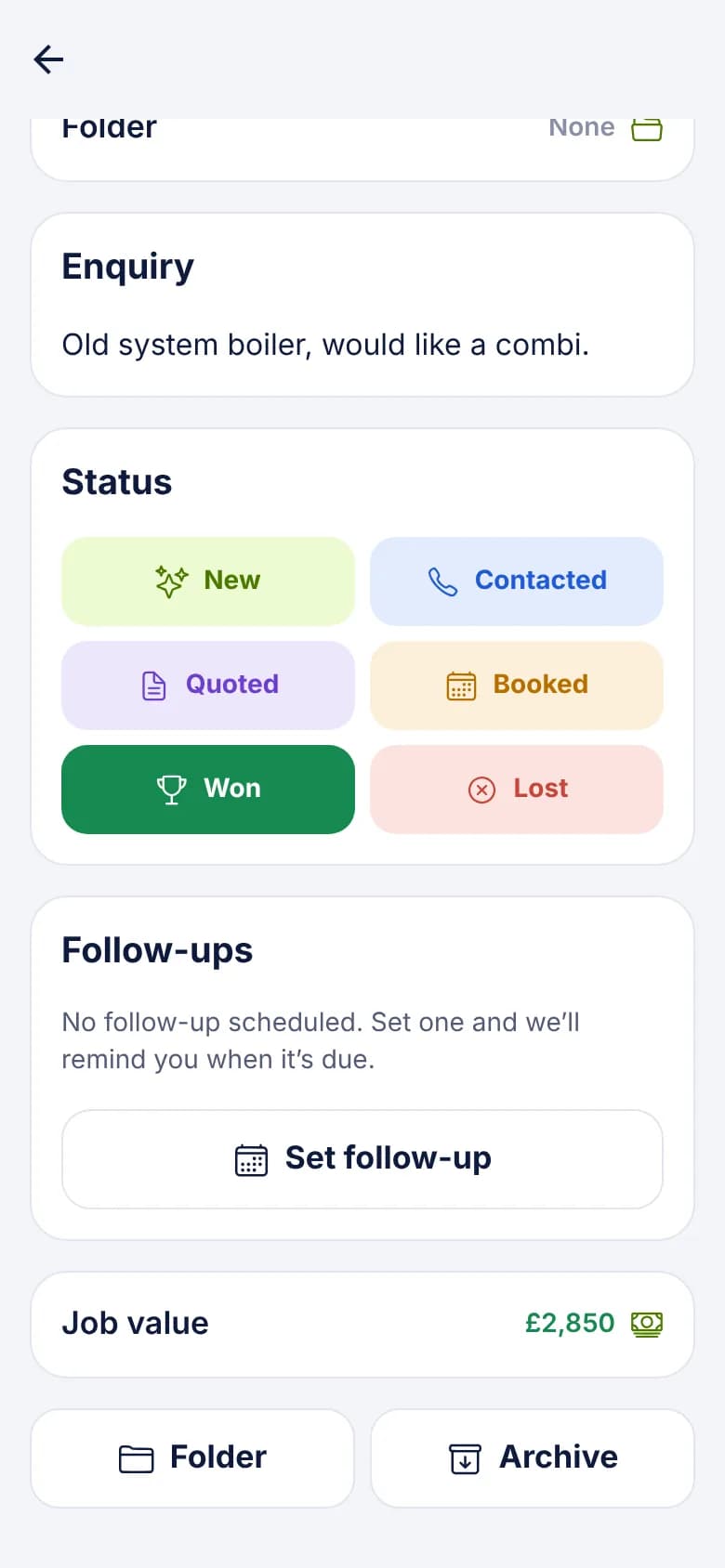
Mark a lead Won and record what the job was worth. Over time you can see your win rate and how much your leads have brought in, without a spreadsheet.
On Your Phone and at Your Desk
Handle leads from the van on your phone, and catch up in a browser at my.leadcentre.com. They’re the same leads, with the same login, so anything you do in one shows up in the other.
Android on Google Play. iPhone app coming soon.
Common Questions
How long does it take to learn?
If you can use WhatsApp, you can use LeadCentre. There are only four tabs in the app, and most days you’ll use two of them. Connecting your lead sources is the fiddliest part, and the connection guides walk you through it.
Can I use it on my computer too?
Yes. Everything is also available at my.leadcentre.com in any browser, with the same login. The Android app is on Google Play, and the iPhone app is coming soon.
Will it work with my website?
If your website form can send a webhook, or connect through Zapier or Make, yes. Have a look at the website form guide, or the guides for Webflow and WordPress.
Can I get leads from Google and Facebook?
Yes. Google Ads lead forms connect by webhook, and Facebook and Instagram lead ads connect through Zapier or Make.
My staff need access too. Is that OK?
Yes. The Business plan includes three users. You can assign leads to someone, and they’ll get an alert.
Stop Losing Leads You’ve Already Paid For.
One business, three users, one simple app. Connect your lead sources and start replying faster.