
PPC Agencies
For PPC agencies: show which client leads became customers
Your reports stop at cost per lead, and your client judges you on jobs won. LeadCentre records what happened after the form for each client, though it can't yet send those results back to the ad platforms.
- Coming Soon Meta and Google conversion feedback
- Coming Soon Cross-client reporting
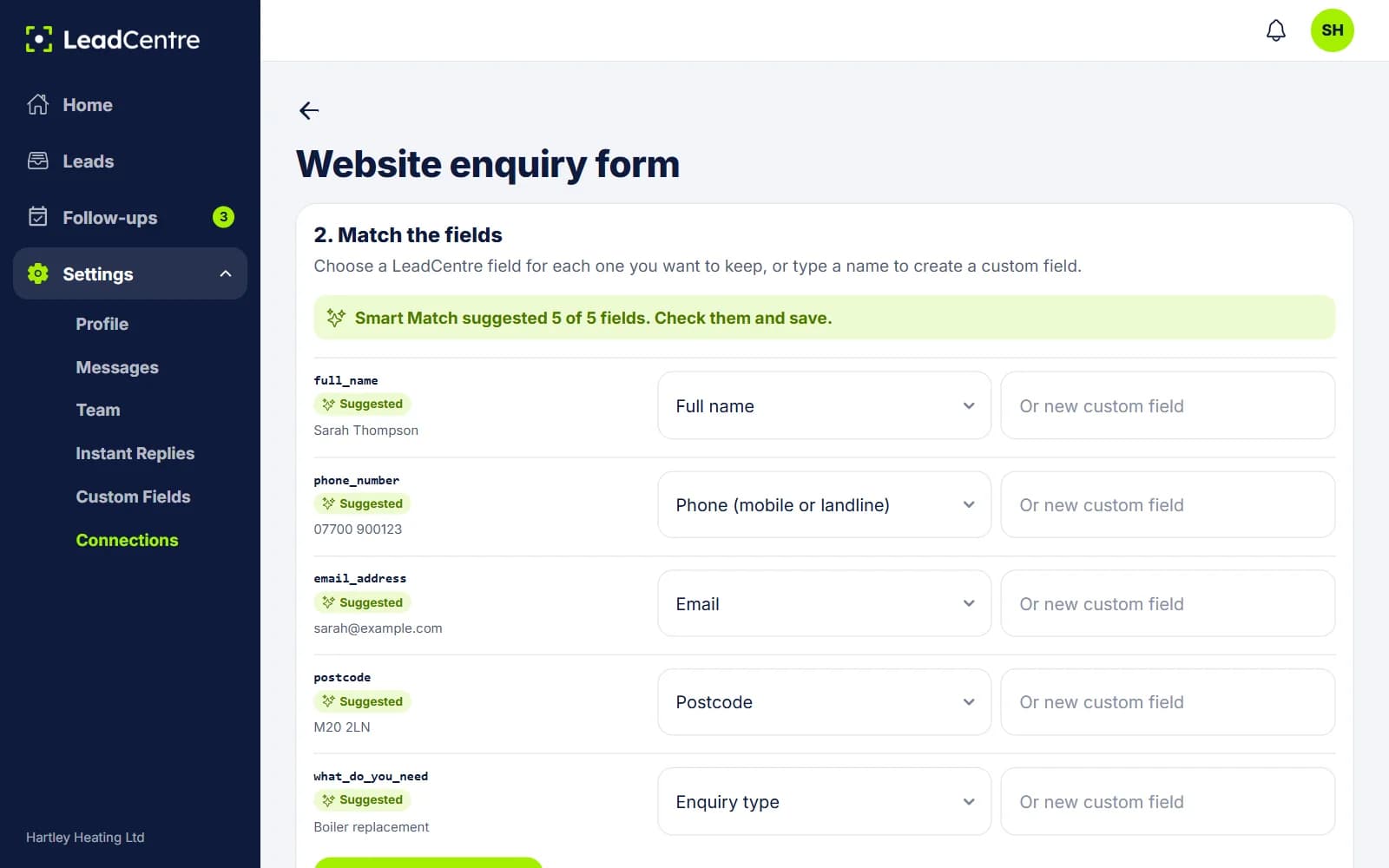
Getting campaign data onto each lead
Every client account has its own webhook URL, with named keys. Google Ads lead forms and landing page forms post to it directly. Meta Lead Ads go through Zapier or Make today.
- 1
Create a key for the source
Use the Default key, or add named ones such as Google Ads or Landing page. The secret shows once, so copy it then.
- 2
Send test data
The key listens while you send a test, and test data never becomes a lead. So you can check the post without alerting your client.
- 3
Match the fields
Point your campaign or UTM value at Lead source. Point anything else you want to keep, such as campaign ID, keyword or click ID, at custom fields. Smart Match suggests the rest.
- 4
Save field matching
Anything sent before you saved is held, and becomes leads now.
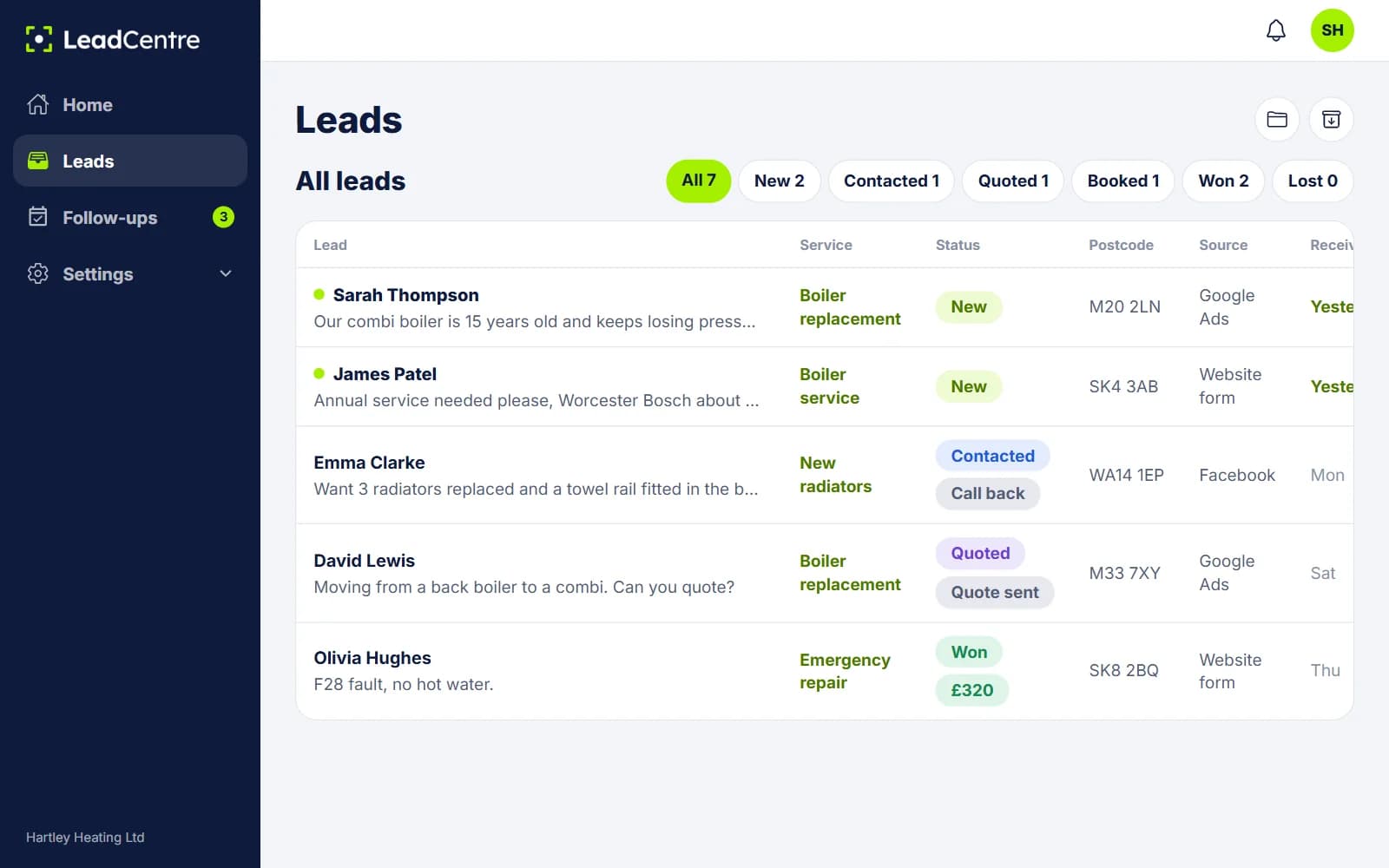
What the client's account then shows
- The Lead source on each lead, and a Source column in the portal's lead list.
- How far each lead got: New, Contacted, Quoted, Booked, Won or Lost.
- What won jobs were worth, entered by the person who won them.
- Why leads were lost. Invalid lead and Not a service we offer are about your targeting. Price too high, No response and Went with another company usually aren't.
- Leads, Won, win rate and won value for the client on Home, over the time frame you pick.
What you can and can't show today
You can show a list of real leads, each with its source, its outcome and its value. You can show the client's totals for a period. That's enough to answer "did those leads turn into anything?"
You can't yet:
- Upload offline conversions. Nothing goes back to Google or Meta, so smart bidding can't learn from LeadCentre's outcomes. Conversion feedback is Coming Soon.
- Get a report split by source or campaign. The totals on Home cover the whole client, and the lead list can't be filtered by source. You work it out by reading the Won list, or by keeping a folder per campaign.
- See cost per won job or return on ad spend. LeadCentre doesn't hold spend, so that sum happens outside it.
- Export the data. There's no export today.
- See all clients together. You open one at a time. Cross-client reporting is Coming Soon.
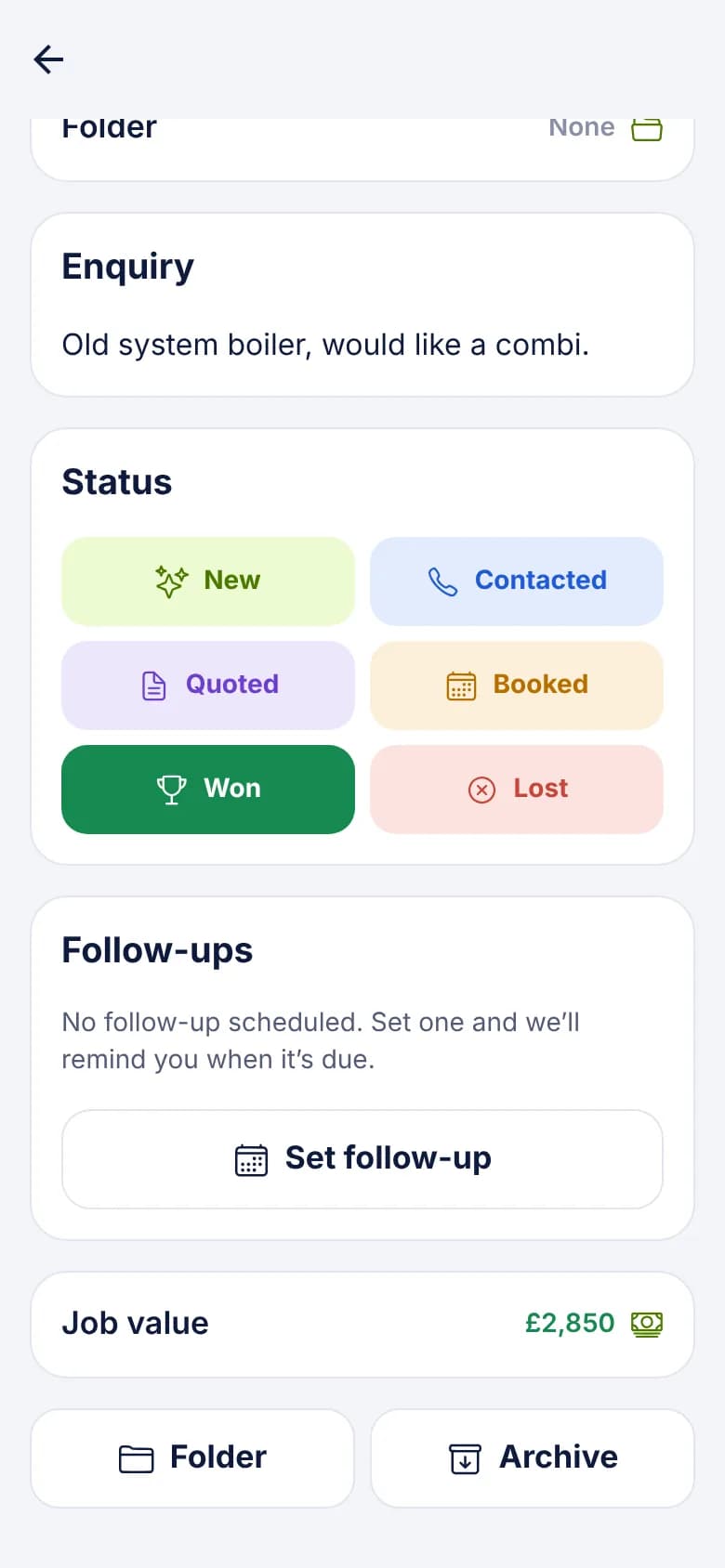
A worked example
Keeping the data clean
A client will trust your figures more if the leads look right. A few things help. There's more detail in our guide to tracking Google Ads leads to sales.
- Map a Unique ID, such as the ad platform's lead ID, to stop duplicates when a post is retried.
- Map Date received if your source sends it, so figures fall in the right period.
- Map Estimated value if your form asks for a budget. Won value is what the client enters later.
- If calls matter, use a call tracking service that can post to a webhook. Those calls then become leads with a source. Missed-call leads are Coming Soon.
- Agree with the client what Won means, and when they'll mark it. Your report depends on it.
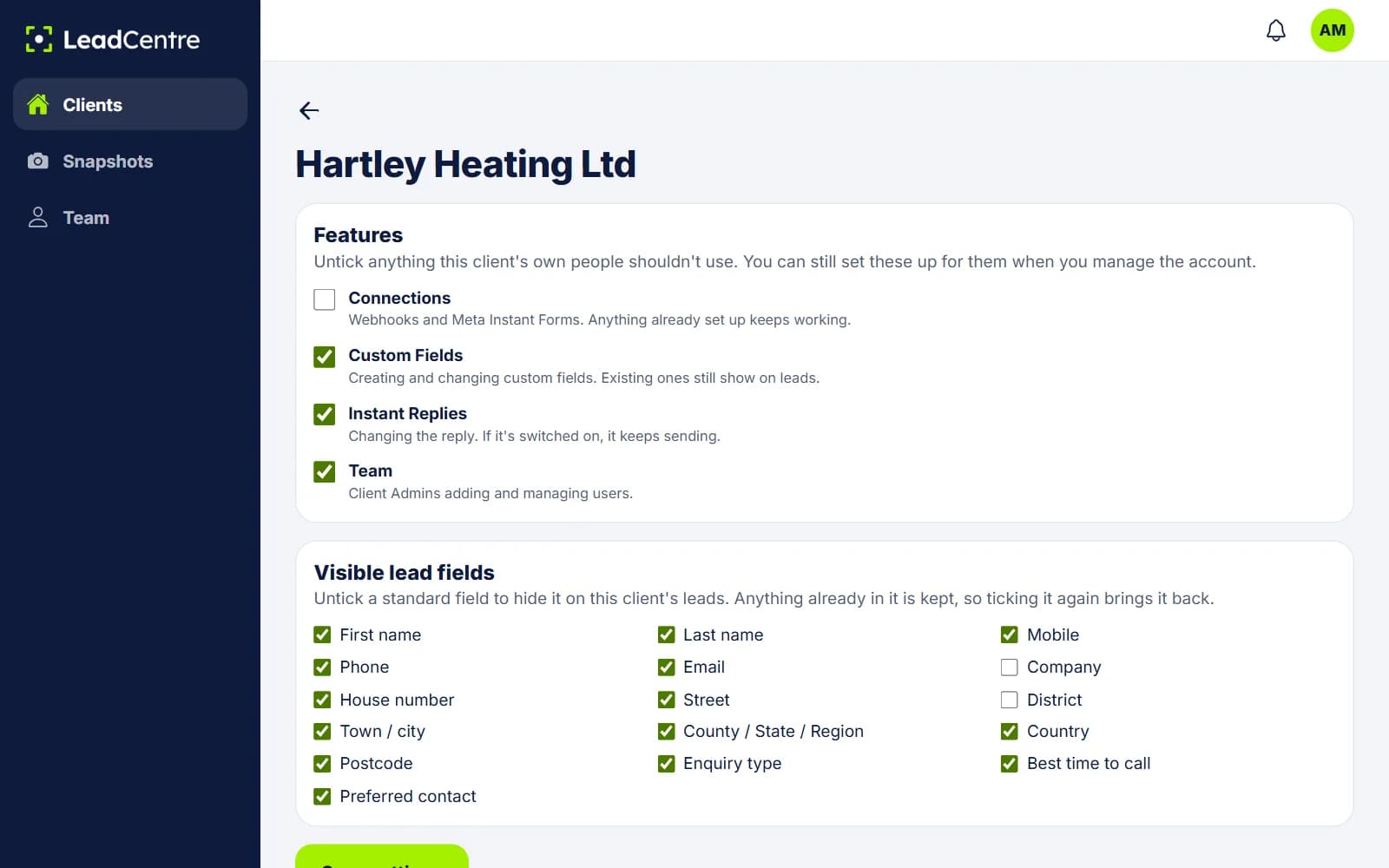
Roll it out across accounts
Once one client's matching works, save it as a snapshot. A new client starts with the same key names, field matching and custom fields, and gets its own URLs. Untick Connections for that client if you don't want their team changing the matching. Anything already set up keeps working.
Common Questions
Can LeadCentre upload offline conversions to Google Ads?
Not yet. Meta and Google conversion feedback is Coming Soon. Today, outcomes stay in LeadCentre, and you report them yourself.
Can I store the click ID on the lead?
Yes, if your source sends it. Match it to a custom field and it's kept on the lead. LeadCentre doesn't send it anywhere.
Can I see performance by campaign?
Lead by lead, yes, through the Lead source. There's no report that totals by campaign, so you'd read the Won list or keep a folder for each campaign.
Who marks a lead as won?
Whoever works the lead, usually someone at the client. You can also open the account and update leads yourself once the client has told you the result.
Does the client see the Lead source too?
Yes. It shows on the lead for anyone who can see it. If you use internal campaign names there, keep them readable.
Report on more than cost per lead
See which of your clients' leads became customers, and what they were worth.