
Conversion Tracking
Lead conversion tracking that ends with a job value
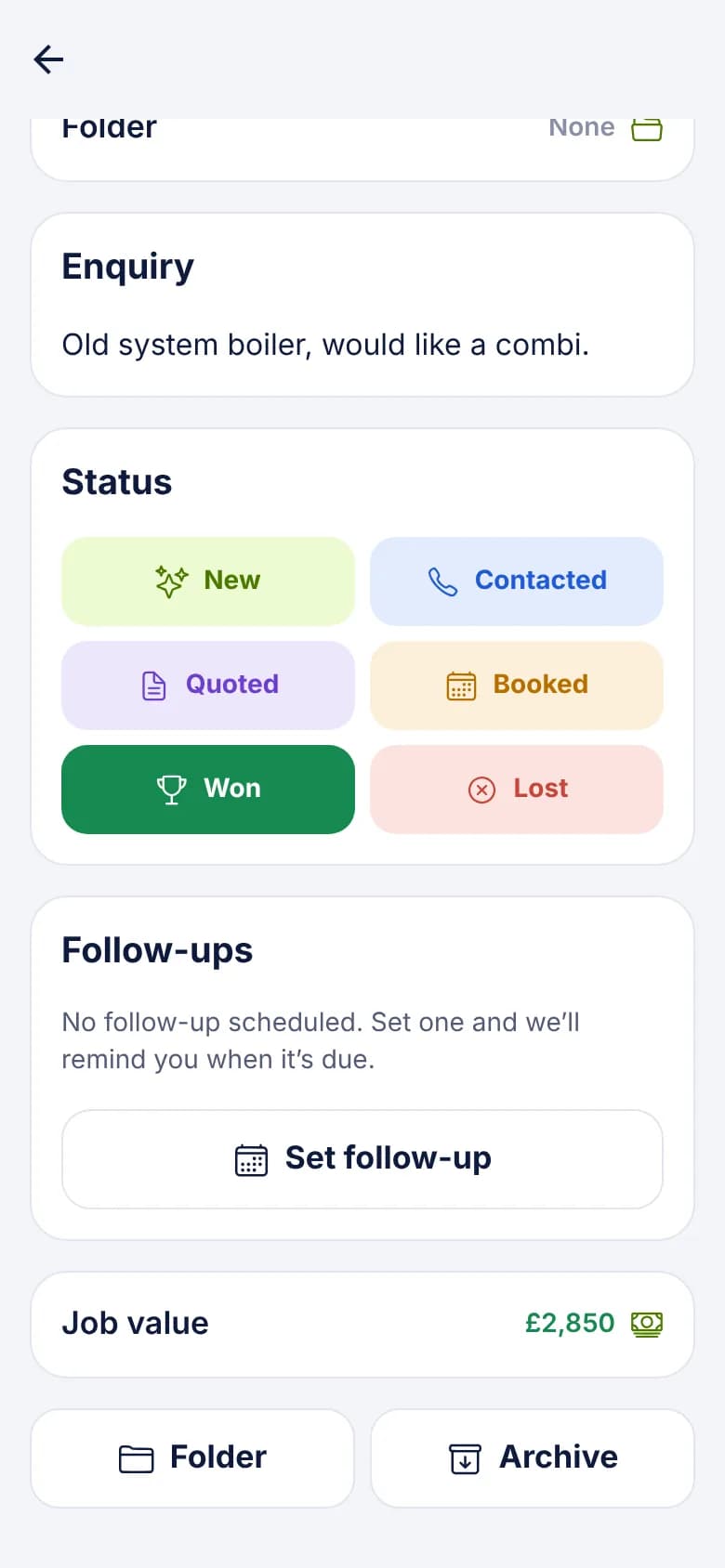
A form tool can tell you a lead arrived, but only the person who rang them knows if it became a job. In LeadCentre that person marks it Won and records what it was worth, and the figures add up from there.
- Coming Soon Meta and Google conversion feedback
How a lead becomes a conversion
- 1
It arrives with its source
If your connection maps a Lead source field, each lead shows where it came from.
- 2
Your team works it
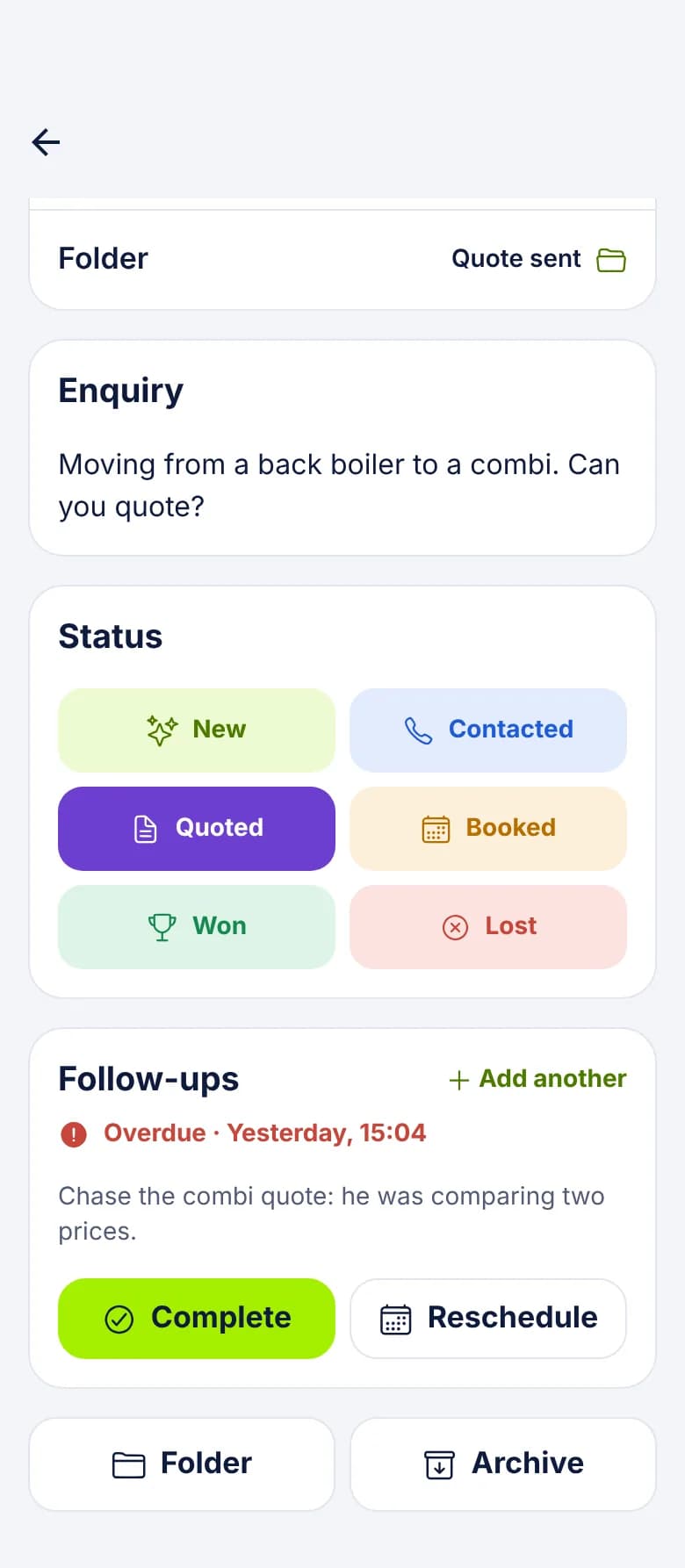
Contacted, Quoted, Booked. Status changes are one tap on the lead.
- 3
Someone marks it Won
You're asked "What was the job worth?" Enter it now or come back to it later. Leaving it blank still counts the win, with no value.
- 4
Home updates
The Won count, win rate and won value change for the period that lead belongs to.
What the figures mean
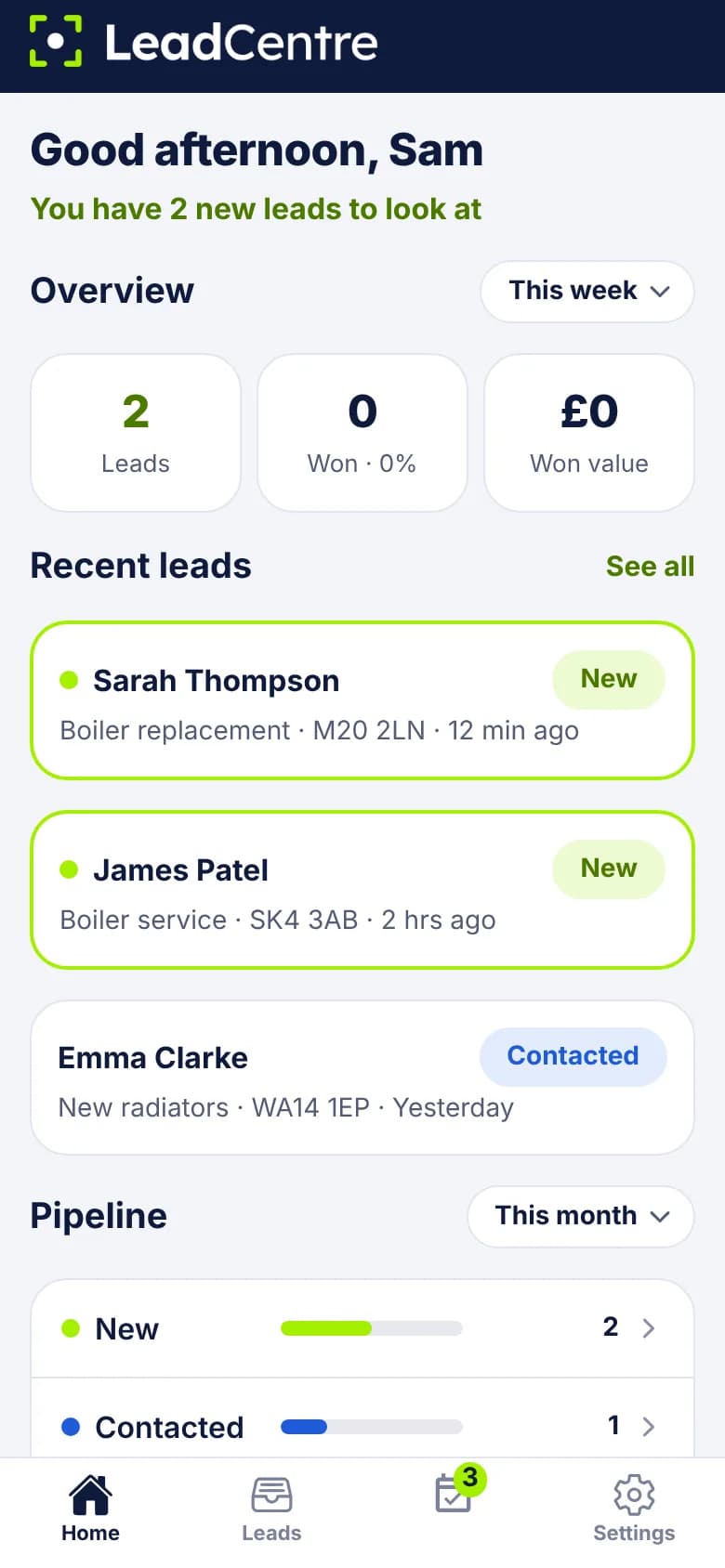
The overview on Home shows three tiles over a time frame you pick: Today, Yesterday, This week, This month or All time.
- Leads: how many were received in that time frame.
- Won, with win rate: how many of those leads are now marked Won, as a percentage of them.
- Won value: the job values on those won leads added together.
- Everything counts by the date the lead was received, not the date it was won. That keeps a lead and its outcome together, even on a slow sale.
- Archived leads still count.
- Values are totalled in the currency of your region. A value entered in another currency is left out.
Why leads were lost
Marking a lead Lost offers a list of reasons: Price too high, Went with another company, No response, Not ready yet, Job cancelled, Outside our area, Not a service we offer, Invalid lead and Other. You can skip it and add one later.
The reason is saved on the lead, so you can read it there. There's no report that totals reasons yet, so seeing a pattern means looking through your Lost list.
Tying results back to a source
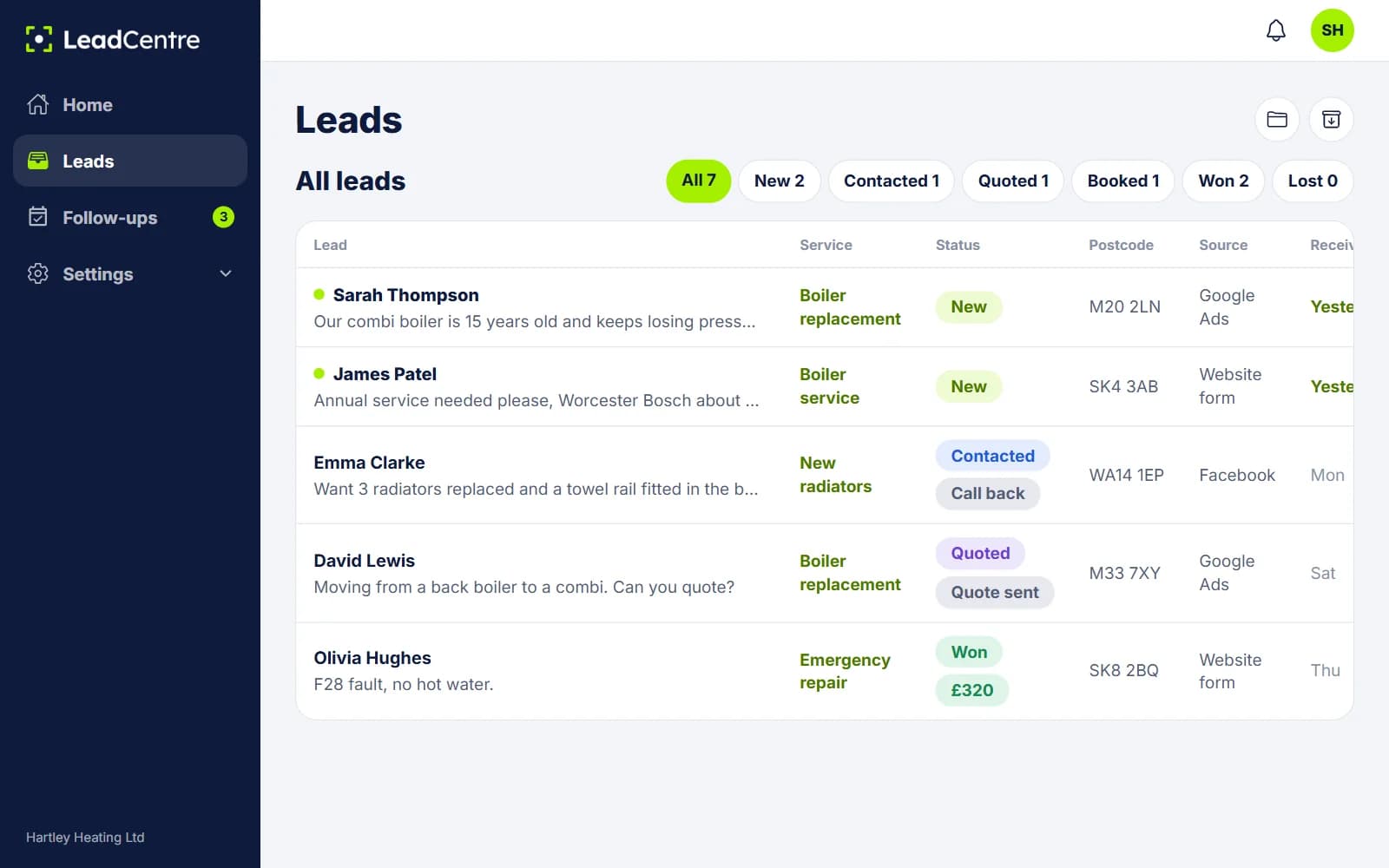
Each lead can carry a Lead source, filled from your connection. It shows on the lead, and the portal's lead list has a Source column.
The figures aren't split by source today, and the list can't be filtered by source. To compare sources, open your Won list and read down the Source column, or keep a folder for each one. Our guide to tracking Google Ads leads to sales covers the method.
What it can't do yet
- Nothing goes back to the ad platforms. Meta and Google conversion feedback is Coming Soon, so you can't upload offline conversions from LeadCentre today.
- It can't know a job was won unless someone marks it. It doesn't connect to your accounts or invoicing, so figures are only as good as your team's habits.
- It doesn't hold ad spend, so it can't work out cost per job or return on spend for you.
Common Questions
Does LeadCentre track sales automatically?
No. A person marks the lead Won and enters the value. That's deliberately simple, but it does mean a lead nobody updates won't show as a win.
Does it send conversions back to Google or Meta?
Not yet. Meta and Google conversion feedback is Coming Soon. Today your results stay inside LeadCentre.
Can I change a job value later?
Yes. Open the lead and edit the value, or clear it to remove it. The figures follow.
How is the win rate worked out?
It's the number of leads marked Won divided by all leads received in the time frame you've chosen. Leads still in progress count in the total, so a recent period will often look lower until those leads are decided.
Can I see win rate by lead source?
Not as a report today. The source shows on each lead, so you can work it out by reading your Won list, or by keeping a folder per source.
Find out which enquiries became paid work
Mark leads Won, add what they were worth and watch the figures build up.