
Pipeline
Lead pipeline software with six statuses and nothing to configure
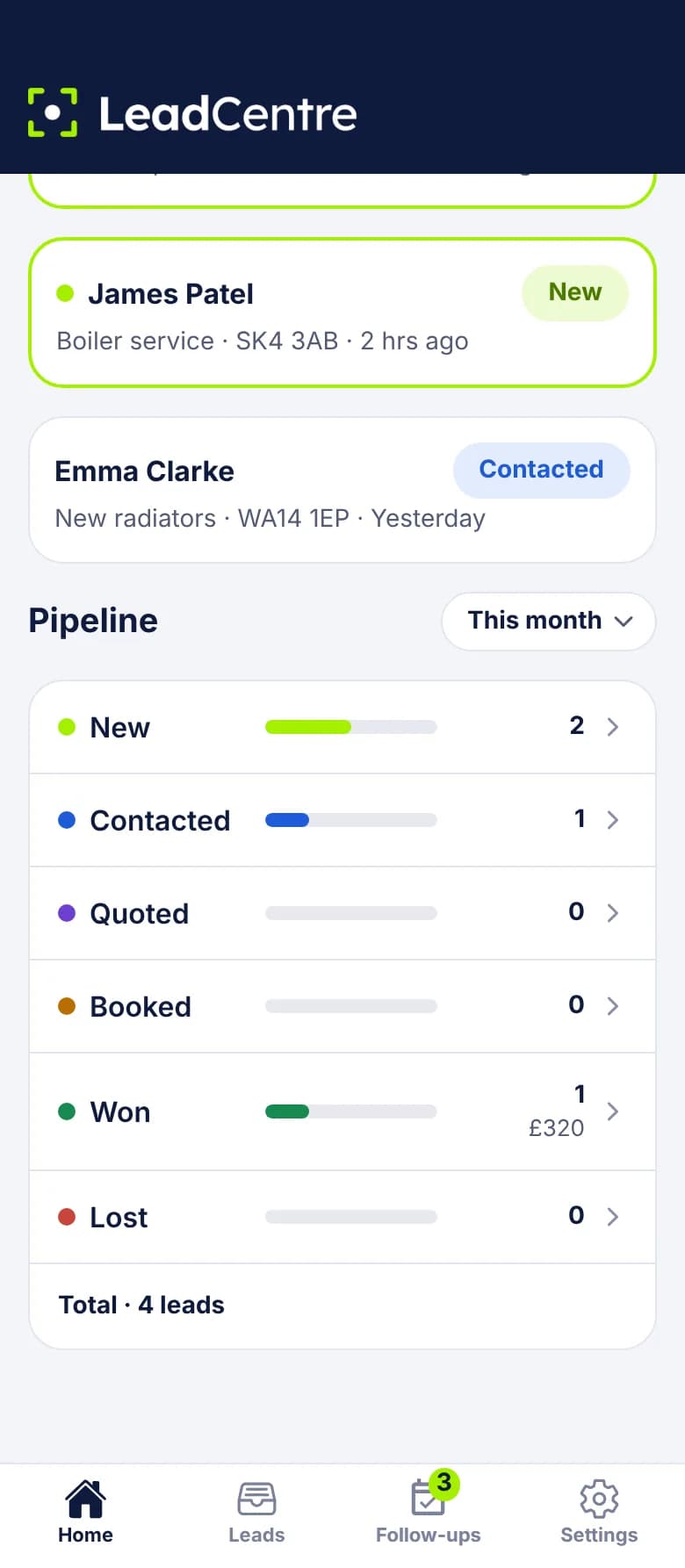
Every lead sits at one of six statuses. The pipeline counts them for the period you choose and shows what the won jobs were worth, so you can see where enquiries stall.
- Coming Soon Cross-client reporting
The six statuses, and a sensible way to use them
The names are fixed, so every lead on the account reads the same way. Agree between you what each one means.
- New: nobody has been in touch. Tap Call, Text, WhatsApp or Email on a New lead and it moves to Contacted by itself.
- Contacted: you've spoken to them or sent a message.
- Quoted: a price has gone out and you're waiting to hear.
- Booked: a visit or job is in the diary.
- Won: the job is yours. You're asked what it was worth.
- Lost: it's gone. You can record why.
What you see on the screen
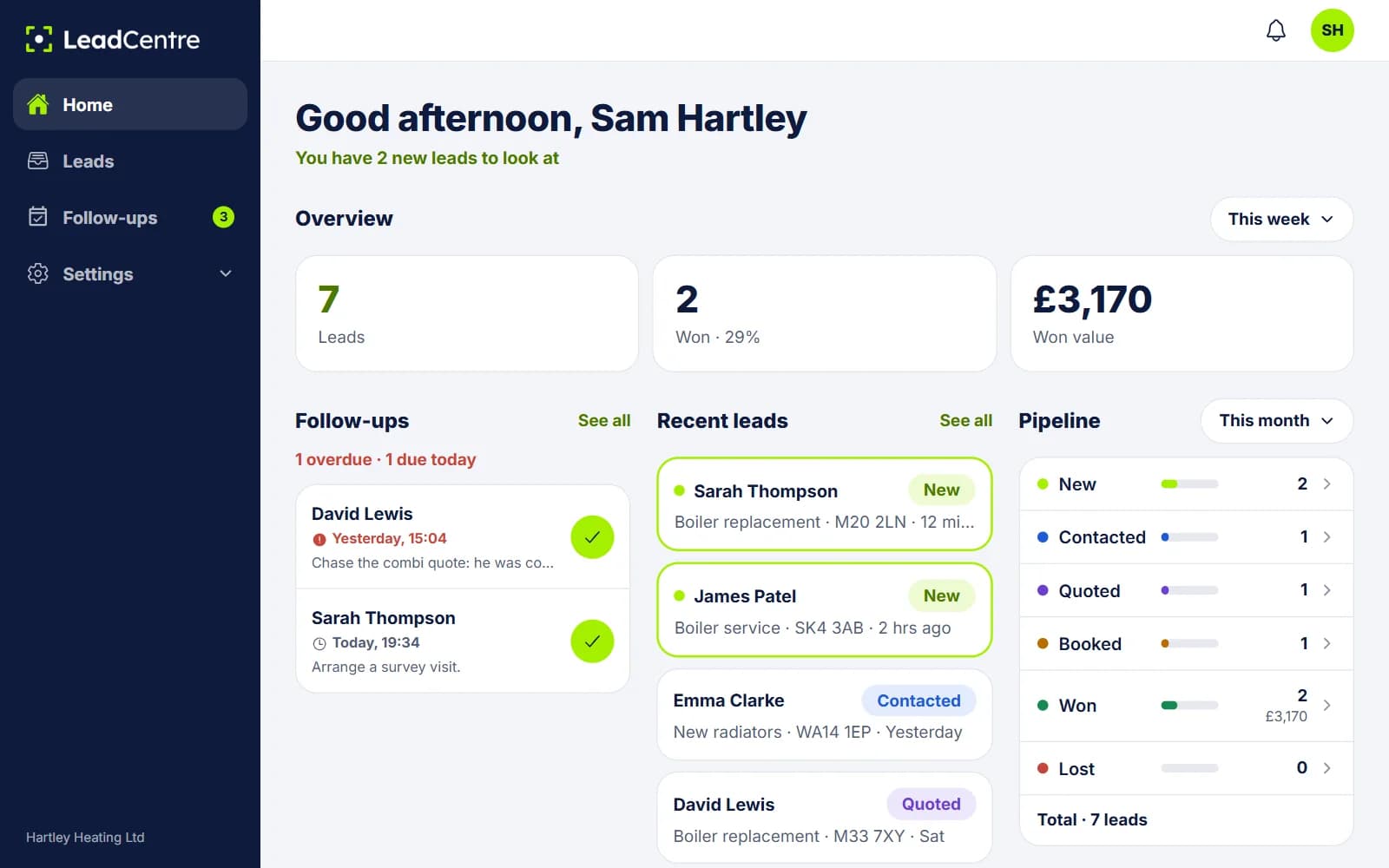
The pipeline sits on Home, in the app and the online portal. Each status has a bar and a count, and Won also shows the total value of those jobs. A total sits underneath.
Choose This month, Last month, This year or Last year. Tap a status and the lead list opens filtered to it.
Moving a lead along
- 1
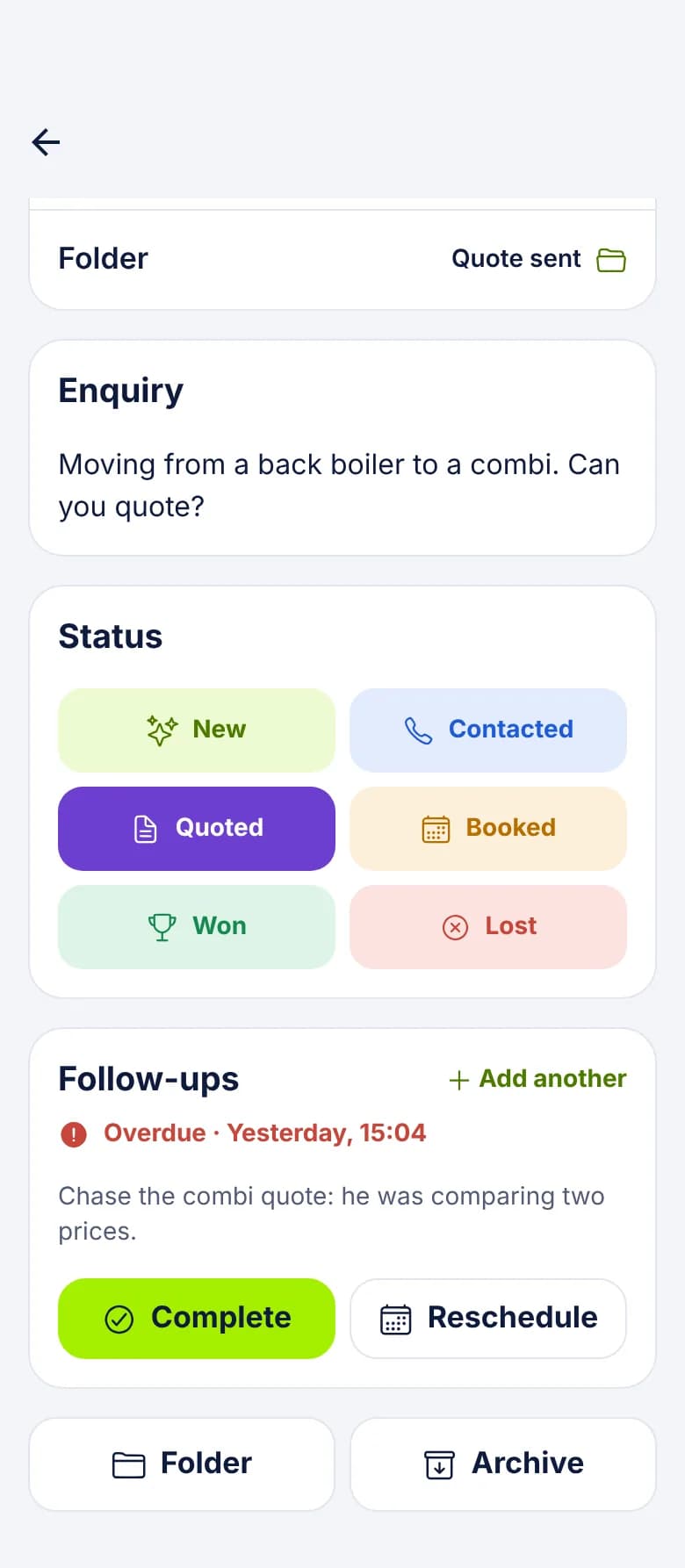
Open the lead and tap a status
Statuses don't have to go in order. A small job can go from Contacted straight to Booked, and a lost lead can come back.
- 2
Marking Won
If the lead has no value yet, you're asked "What was the job worth?" Enter it now, or leave it blank and add it later.
- 3
Marking Lost
You're asked why. The choices are Price too high, Went with another company, No response, Not ready yet, Job cancelled, Outside our area, Not a service we offer, Invalid lead and Other. You can skip it.
- 4
Open follow-ups
If a Won or Lost lead still has follow-ups waiting, you choose whether to keep or cancel them. Nothing is cancelled without asking.
How the figures are counted
- By the date the lead was received. A lead received in March and won in May counts in March, so last month's figures can change after the month has ended.
- Archived leads still count. A finished job can be cleared from your list without vanishing from your figures.
- Only Won carries a value in the pipeline. The Estimated value on a lead isn't added up, so this isn't a sales forecast.
- Values use the currency of your region. A value entered in another currency is left out of your total.
Reading it
What it doesn't do
If you need more than this, you may need a CRM as well. Our simple lead management process shows how far six statuses can take you.
- You can't rename statuses or add your own. Use folders for anything extra, such as Survey booked.
- There's no drag and drop board. You change status on the lead itself.
- There's no combined pipeline across agency clients. Each client has its own, and cross-client reporting is Coming Soon.
Common Questions
Can I add my own stage, such as Survey booked?
Not as a status, because the six are fixed. Create a folder called Survey booked and move leads into it. The status and the folder then work side by side.
Do leads have to go through the statuses in order?
No. You can move a lead to any status at any time, including back to an earlier one.
Why did last month's numbers change?
Figures count leads by the date they were received and show their status today. If someone marks one of last month's leads Won this week, last month's Won figure goes up.
Do archived leads drop out of the figures?
No. They leave your working list, but they still count on Home and in the pipeline.
See where your enquiries stall
The pipeline works from your first lead, with nothing to set up.