
Lead management software for businesses and agencies
Turn More Leads Into Customers.
Bring enquiries from your website, ads and other tools into one place. Give your team a quicker way to respond, keep promising conversations moving and see which leads become customers, from the first enquiry to the final decision.
Getting the enquiry is only half the job
You put time and money into generating interest. But when enquiries are scattered across inboxes, replies are delayed and follow-ups depend on memory, good opportunities can go quiet. LeadCentre gives you a clear way to manage what happens next.
A new enquiry waits for a reply
Someone asks about your service while you are with a client, in a meeting or away from your desk. By the time you reply, they may have moved on.
A promising conversation goes quiet
A proposal has been sent or a customer has asked you to call back. Without a clear next step, the follow-up gets pushed aside.
Your team cannot see who is doing what
Enquiries are forwarded between colleagues, but it is unclear who owns the next conversation or which opportunities still need attention.
The results are hard to explain
You know how many enquiries arrived. Seeing which ones became customers, and what they were worth, takes much more work.
01
All your enquiries in one place
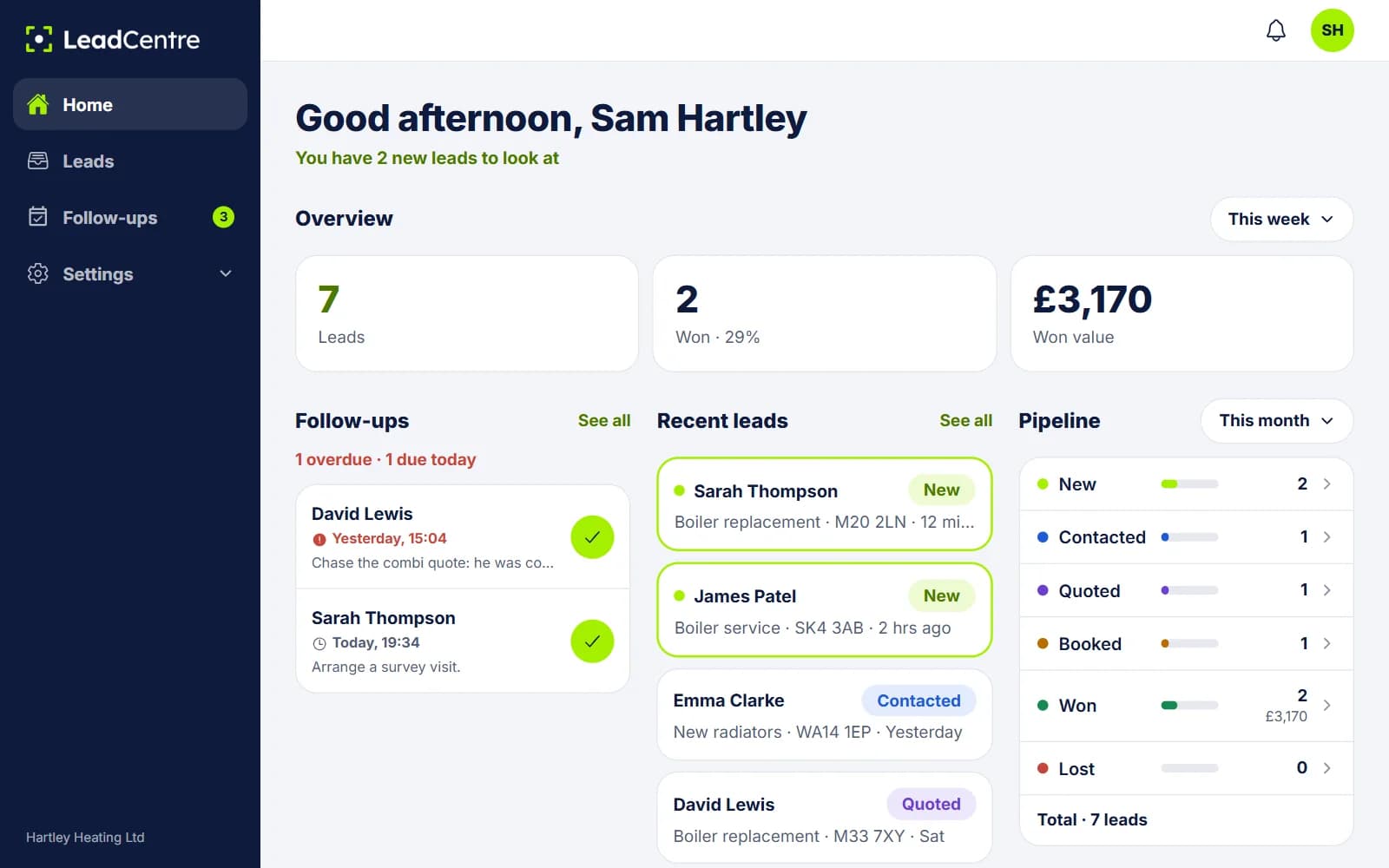
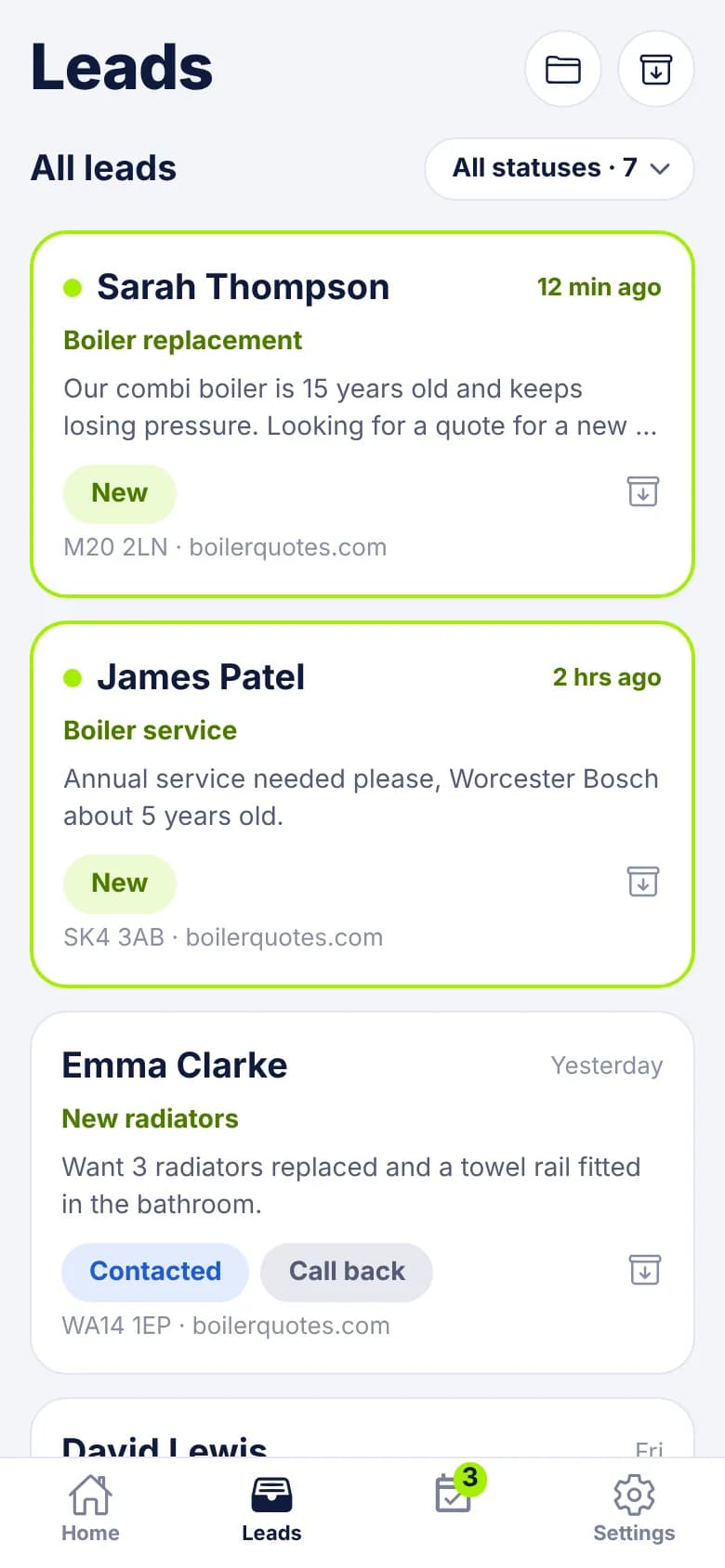
Give your team one place to pick up new enquiries, whether they come from an ad, a website form or a lead partner. See who is interested, what they need and where they came from, without piecing the story together across different inboxes.
- Bring enquiries from supported forms, ad platforms and other tools together
- Keep contact details and enquiry information with each lead
- Give your team a shared view of what needs attention
02
Get back to new enquiries faster
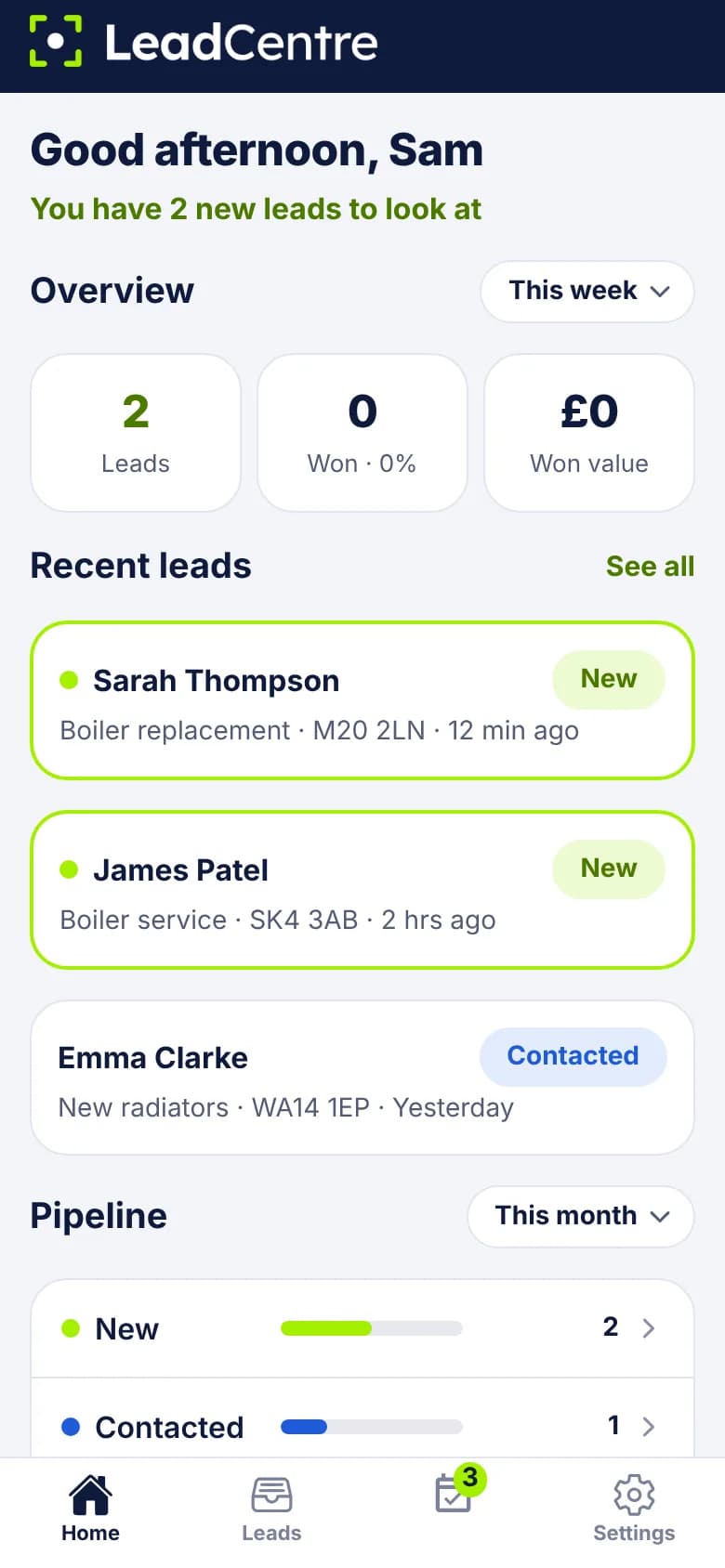
Make the most of the moment someone gets in touch. New lead alerts put the enquiry in front of your team, while contact shortcuts and personalised message templates make it easier to start the conversation wherever you are working.
- Reach new leads from the mobile app
- Start replies with personalised message templates
- Acknowledge enquiries automatically by email when you cannot reply straight away
03
Keep on top of your follow-ups
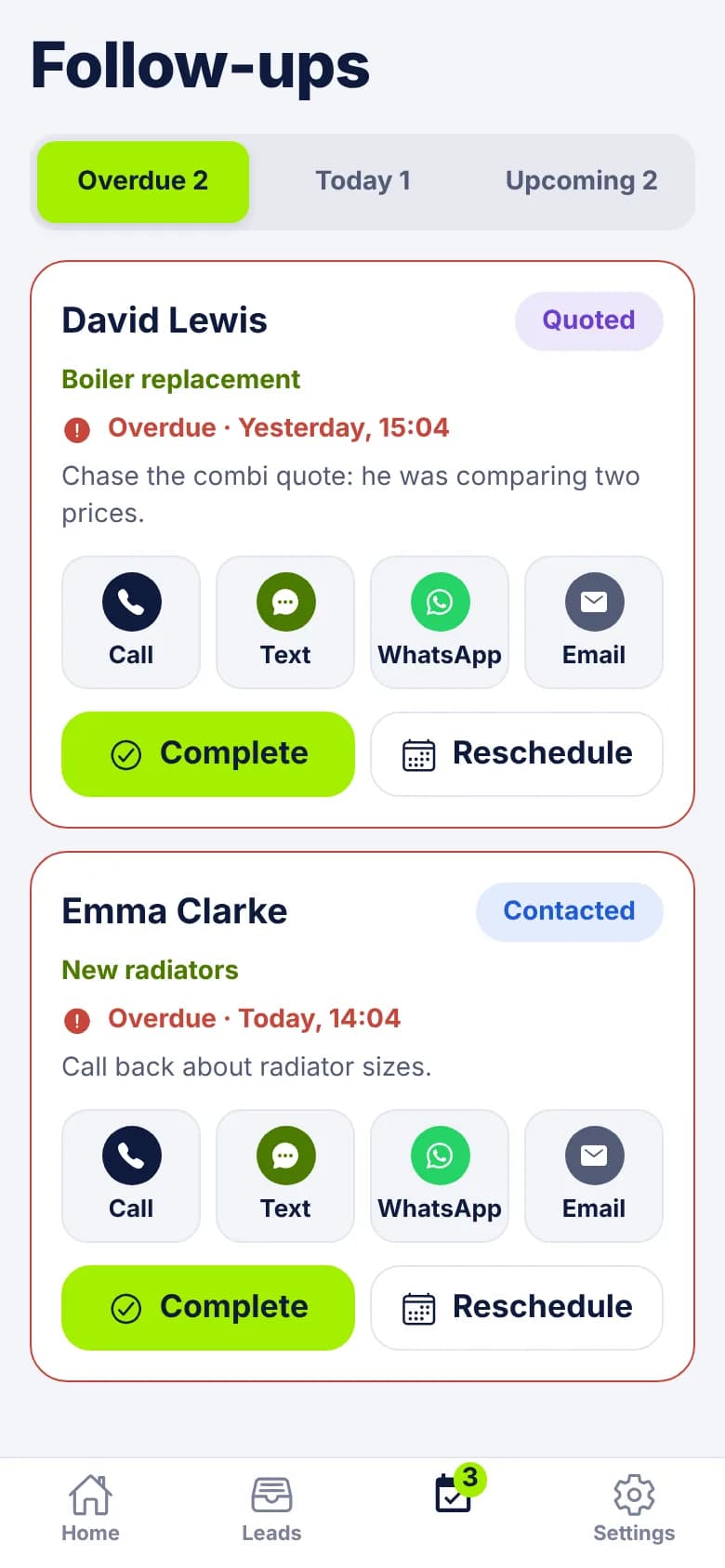
A first reply is only the start. Keep track of callbacks, proposals and enquiries that need more time, with a clear reminder for the next step. Your team can stay in touch without relying on memory or a separate spreadsheet.
- See overdue, today’s and upcoming follow-ups together
- Keep the reason for the next conversation with the lead
- Get a mobile reminder when it is time to follow up
04
See which leads turn into customers
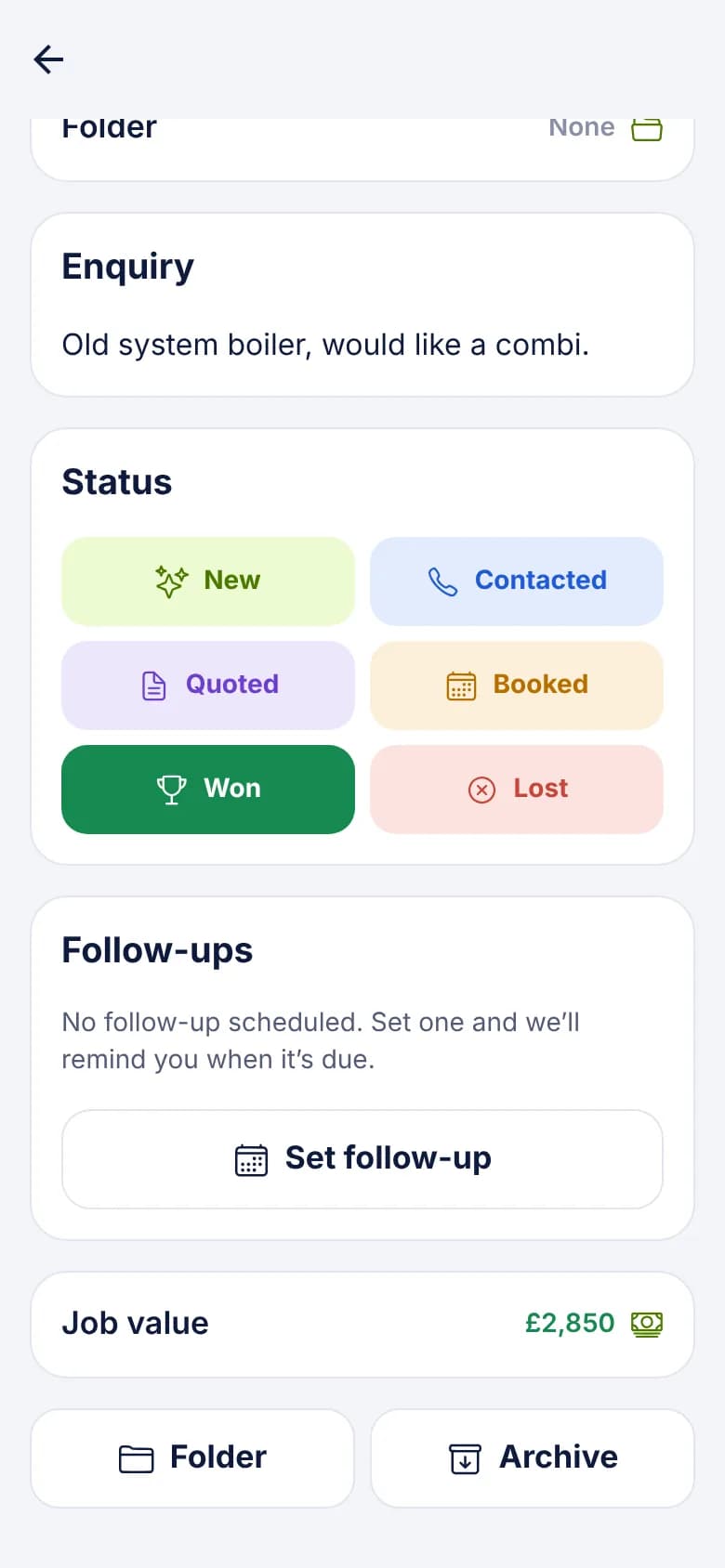
Understand what your enquiries are leading to. Track progress, record the value of the sales you win and see where opportunities are being lost. Businesses get a clearer view of their results, and agencies have more useful conversations with clients.
- Follow leads from new enquiry to won or lost
- Record the value of successful enquiries
- Review progress in the app and online dashboard
How it works
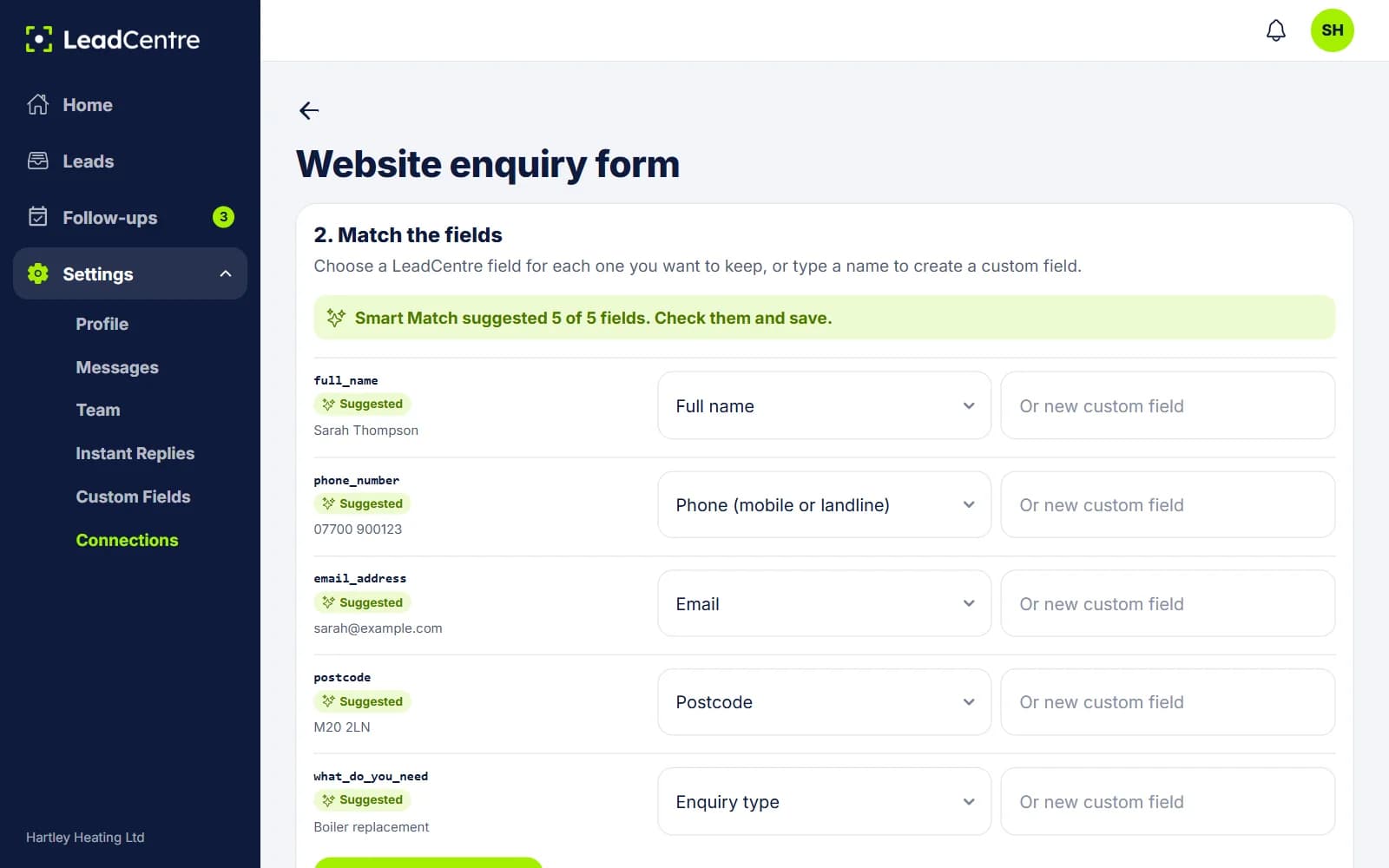
Connect the places your enquiries come from, then manage the response and follow-up in LeadCentre. Your team gets a simple process from first contact to the final outcome.
- 1
Bring your leads together
Set up Connections for your supported website forms, ad platforms and other tools.
- 2
Start the conversation
Get notified when a new lead arrives and contact them from the app.
- 3
Keep the next step moving
Assign the enquiry, keep useful notes and set a follow-up.
- 4
See the outcome
Record whether the enquiry became a customer and add the value of the sale.
The mobile app
Manage your leads wherever you’re working.
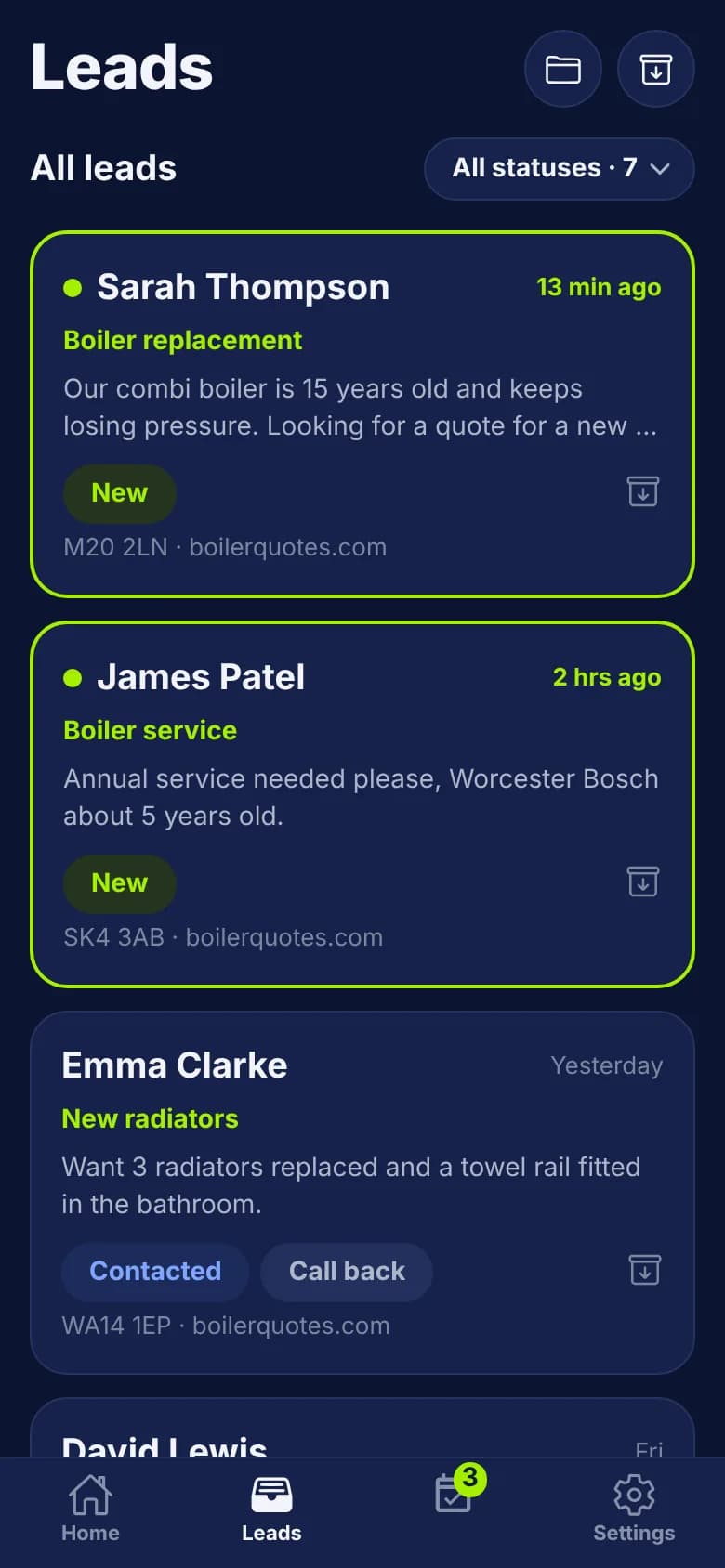
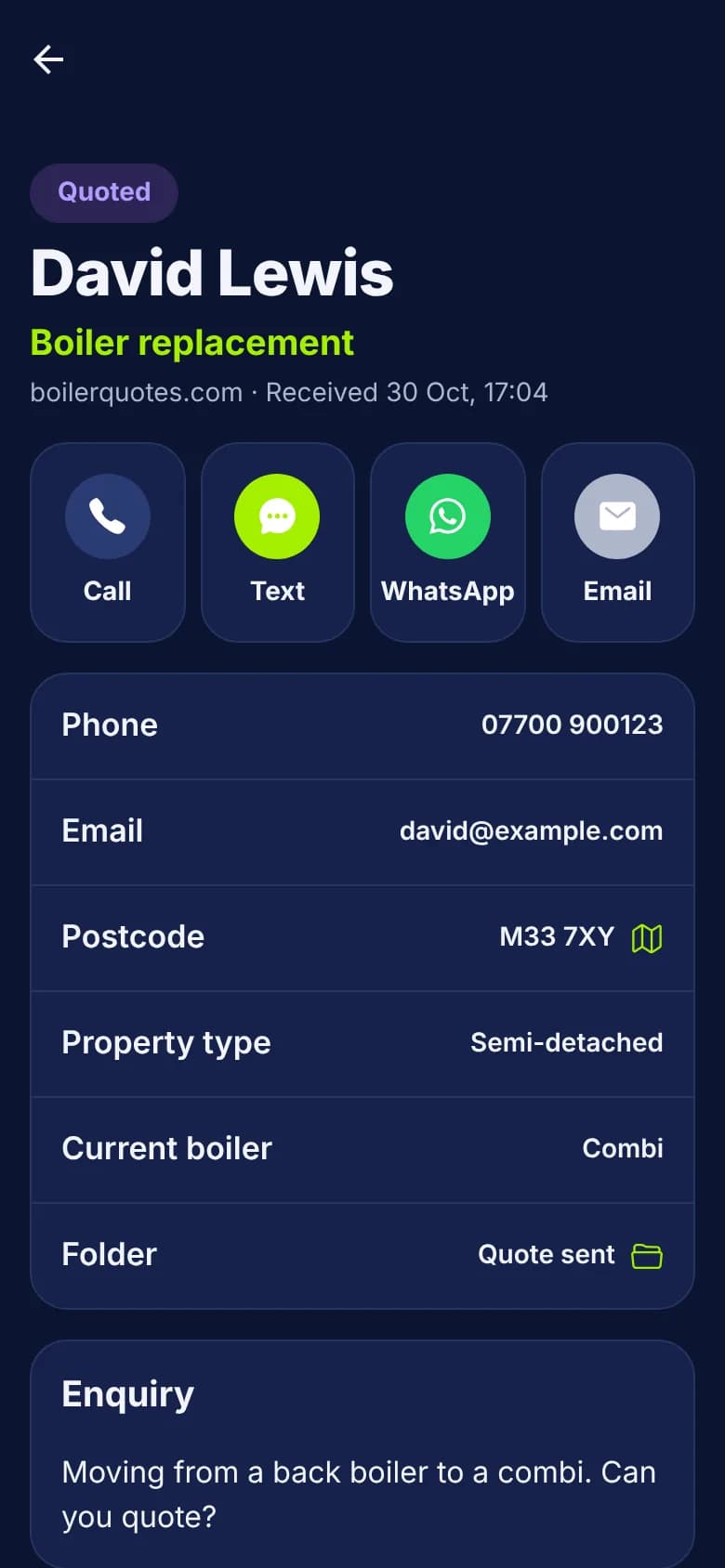
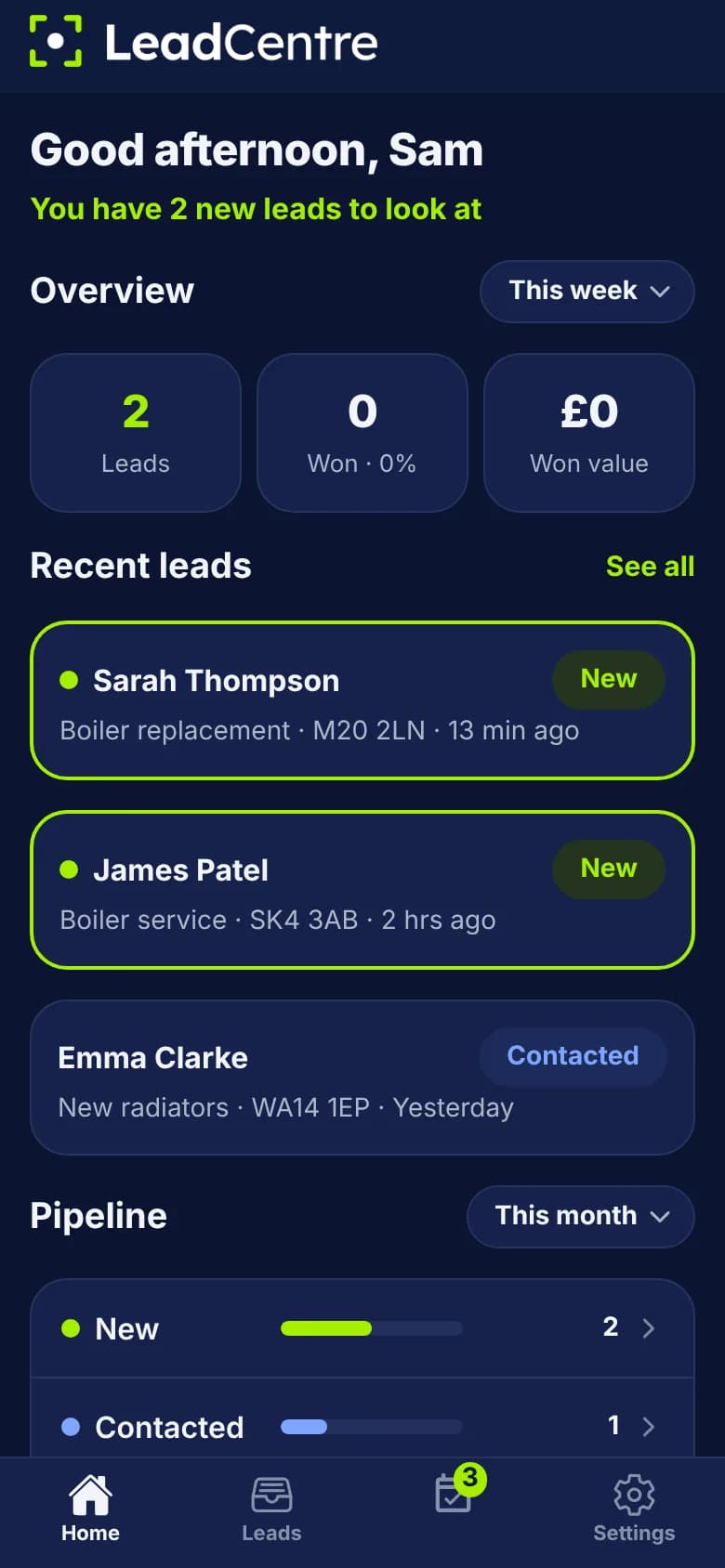
Keep sales conversations moving when you are away from your desk. Whether you are visiting a customer, travelling between meetings or working remotely, the LeadCentre app keeps enquiry details and follow-ups close at hand.
- 1A notification tells you a lead has arrived.
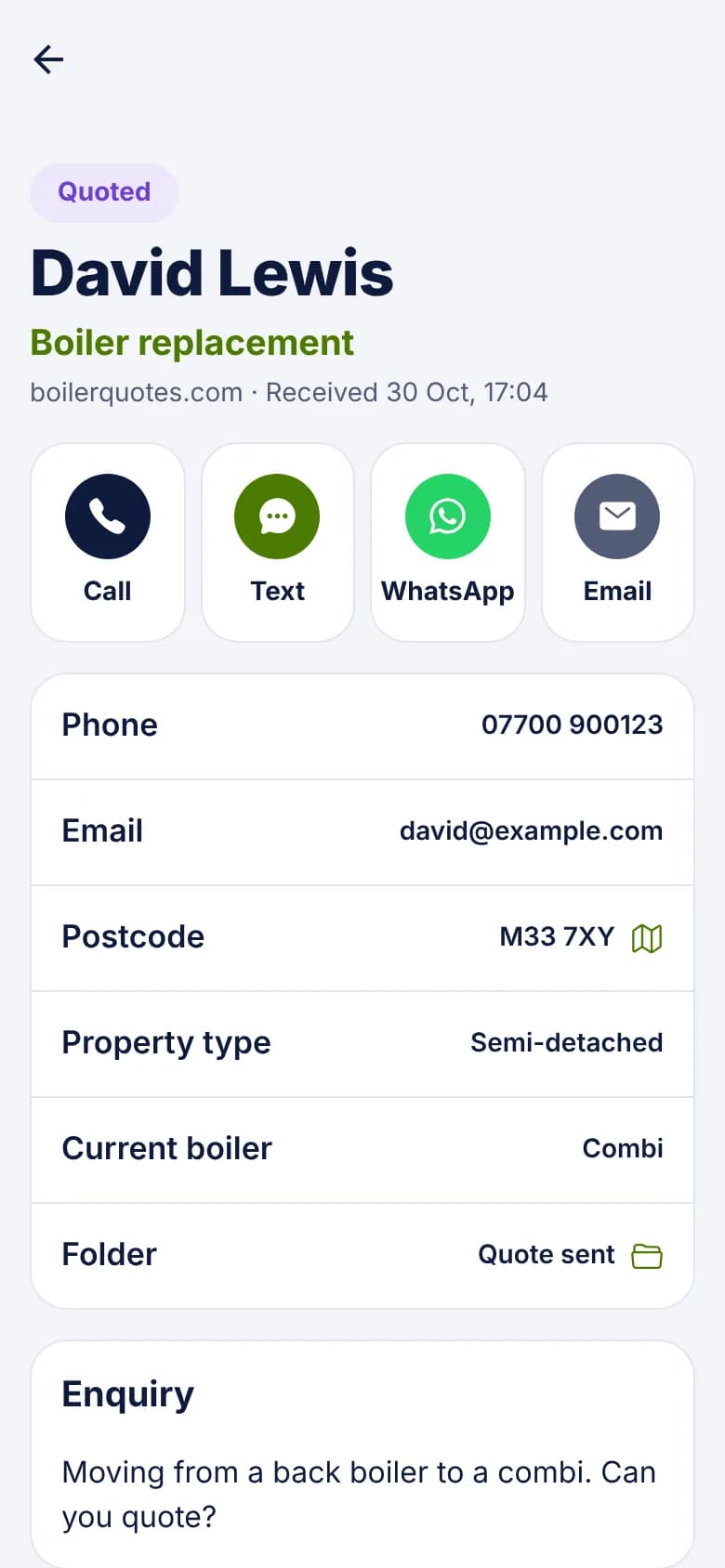
- 2Open it to call, text, WhatsApp or email them.
- 3Update the status, and set a reminder if it needs chasing.


Built for businesses that turn enquiries into customers
From a consultation request to a commercial proposal or a home improvement quote, every enquiry needs a clear next step. LeadCentre helps businesses and agencies keep those opportunities moving.
B2B businesses
Keep demo requests, commercial enquiries and sales follow-ups moving between first contact and a decision.
Professional services
Give consultation requests and prospective client enquiries a clear owner and next step.
Home services and home improvement
Respond to new enquiries, stay on top of quotes and keep track of the work you win.
Marketing and lead generation agencies
Help clients respond and follow up, then see what happened to the enquiries you generated.
Connect the places your leads come from
Make LeadCentre part of the way you already generate enquiries. Connect supported ad platforms, website forms and other tools, then give your team one place to manage the leads they bring in.
Meta Lead Ads
Google Ads Lead Forms
Webflow
WordPress
Webhooks
Zapier
Make
Google Sheets
TikTok Lead Forms
Unbounce
LinkedIn Lead Gen Forms
Snapchat Lead Generation
Methods: Built In Via Webhook Via Zapier/Make
Connections may be direct, through a webhook, or through Zapier or Make. See each guide for setup requirements and any third-party costs.
Plans and pricing
One plan for a single business and two for agencies, all billed monthly.
Business
Give your team one place to manage enquiries, follow up consistently and see which leads become customers.
£79+VAT/month
Monthly payment, cancel anytime
Get StartedAgency Starter
Help your first three clients manage leads and follow-ups, with separate accounts and one agency dashboard.
£99+VAT/month
Monthly payment, cancel anytime
3 client accounts, then £25+VAT/month each
Start Agency StarterBest value for growing agencies
Agency Scale
Roll LeadCentre out across 15 clients, with shared agency oversight and a lower price for additional client accounts.
£299+VAT/month
Monthly payment, cancel anytime
15 client accounts, then £15+VAT/month each
Start Agency ScaleCommon questions
What does LeadCentre do?
LeadCentre is lead management software for businesses and agencies. It brings enquiries together, helps your team respond and follow up, and records which leads become customers. You can work from the mobile app or online dashboard.
Is LeadCentre only for trades and home services?
No. LeadCentre can support B2B businesses, professional services and other teams that manage enquiries before a sale, as well as home services and marketing agencies. Explore the solution pages to see how it fits different businesses.
Does it replace my CRM?
LeadCentre focuses on managing enquiries from first contact to a recorded outcome. It can suit teams that want a simpler process for responding and following up, or work alongside a CRM used for other parts of the business.
How do leads get into LeadCentre?
Through supported Connections to forms, ad platforms and other tools. Depending on the source, the connection may be direct, by webhook or through Zapier or Make. You can also import existing leads from CSV or use your account's Email-to-Lead address. The connection guides explain the requirements for each option.
Does it work with Google Ads and Meta?
Yes. Google Ads lead forms can send enquiries through a webhook, and Meta Lead Ads can connect directly. Enquiries from landing pages can also come through a supported website form connection. See the relevant guide for setup requirements.
Is there a mobile app?
Yes. You sign in to the app with the same login as the online dashboard, which also works in any phone or computer browser.
How do follow-up reminders work?
Set a date, time and optional note against the enquiry. The follow-up appears in your list, and the mobile app can remind the responsible person when it is due. Overdue follow-ups remain visible until completed or rescheduled.
Can my team use it too?
Yes. You can add team members, give them the Admin or User role, and assign leads to them. A User sees the leads assigned to them plus any that aren't assigned yet. The Business plan includes three users.
What are agency accounts?
An agency plan lets a marketing agency create separate client accounts, each with its own leads, users, connections and pipeline. The agency can open any client to help out and see how its leads are doing. See LeadCentre for agencies.
How is my subscription billed?
Monthly, by card, through Stripe. Agencies paying in pounds can switch to monthly Direct Debit on the Billing page after signing up. Prices are in pounds sterling (GBP), plus VAT, which is added at checkout.
Is there a contract or minimum term?
No. LeadCentre is a monthly payment with no minimum term, so you can cancel anytime. Your plan stays active until the end of the month you've paid for, and you aren't charged again. There's no cancellation fee.
How do I cancel?
An Admin can cancel from the Billing page in the online dashboard, or you can email [email protected]. The cancellation terms are set out in our Terms of Service.
Ready to get more from your leads?
Give every new enquiry a clear next step, and your team a simpler way to turn interest into business.