
Home Improvement
Lead management for window, door, kitchen and bathroom companies
Stay in touch from the first enquiry to the final decision. LeadCentre helps window, door, kitchen and bathroom companies manage sales enquiries, follow up quotes and keep track of the projects they win.
A long buying cycle, in real terms
A typical enquiry says: "We're thinking of replacing 8 windows and the front door next spring. Can someone come and measure up?" Or: "Saw your showroom. Looking at a new kitchen, nothing decided yet." Neither wants a hard sell, but both expect a reply within a day or so.
The sale itself might involve a showroom visit, a design visit, a quote, a revised quote and a conversation about paying monthly. Those sales tend to slip in the same few places:
- A rep leaves a quote, and two weeks later nobody has rung because newer leads have arrived.
- "Not this year" gets written off, and next year they buy from someone else.
- What was said in the showroom stays in one person's head. When they're off or they leave, it's gone.
- The owner can't say how many kitchens came from last spring's ads.
Enquiry, site visit, quote, order
A home improvement sale can take weeks or months, and it usually passes through several hands. Keep what was said and the next follow-up on the lead at every stage, so whoever picks it up knows where it stands and when to speak next.
Arrange site and showroom visits in your diary and create quotes in the tools you use now, then track them on the lead: record the status, the quoted price and a follow-up for the next conversation. A typical sale runs like this:
- 1
Enquiry arrives
Reply the same day, and offer a showroom or home visit. The lead moves to Contacted when you tap Call. Assign it to the rep who'll handle it, and they get an alert.
- 2
Visit booked
Mark it Booked and move it to a folder called Site visits, Showroom visits or Design visits. Statuses don't have to go in order, so Booked can come before Quoted here.
- 3
Visit done
Add a follow-up straight away, while you remember: who decides, what they liked, what they're comparing.
- 4
Quote goes out
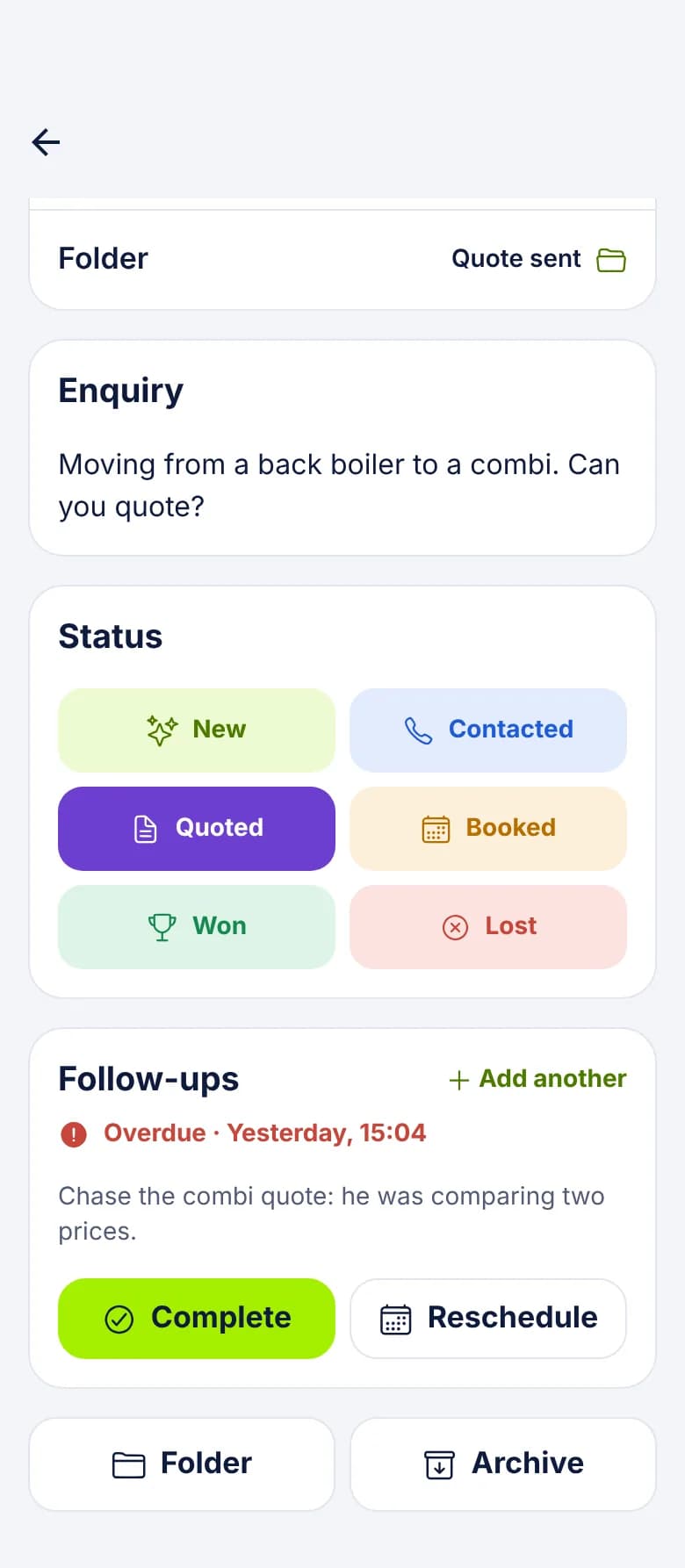
Mark it Quoted, put the price in Estimated value, and move it to Quotes out. Set a follow-up for Next week, and another further ahead if they've named a date.
- 5
They decide
Mark it Won and enter the order value. Or mark it Lost and record why. Went with another company and Not ready yet call for very different next steps.
Finance talks and quote notes
Paying monthly often comes up late, and it changes who needs to be in the room. LeadCentre gives you a place to record what was said, so nobody has to ask twice.
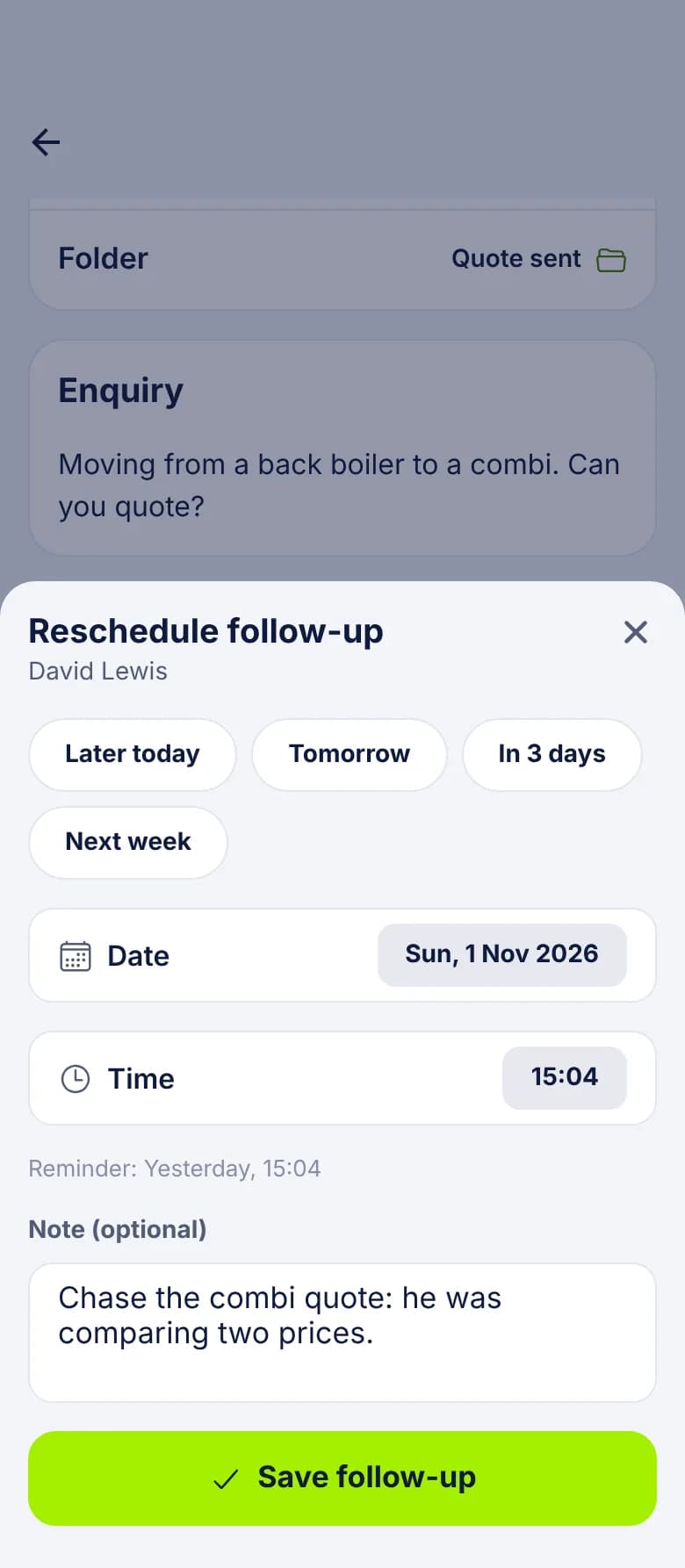
A follow-up note can hold up to 500 characters, enough for: "Wants monthly figures over 5 and 10 years. Partner decides. Ring Thursday after 6, she's home then." A custom field called Finance interest keeps the headline on the lead for anyone who opens it. Best time to call and Preferred contact are standard fields.
A window quote that waits until January
Setting it up around your reps
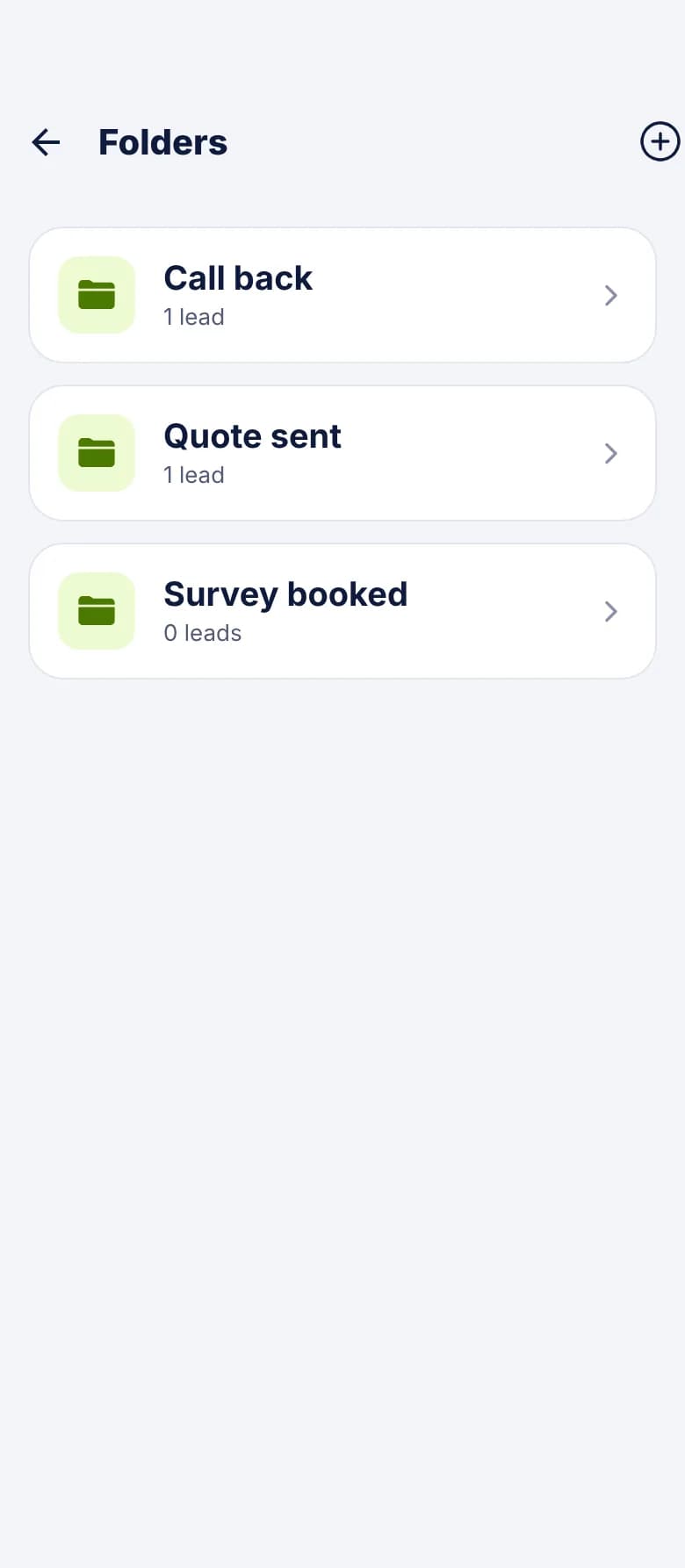
Folders suit where a lead is in your own process. Custom fields suit what stays true about the job. Roles decide who sees what.
- Custom fields: Product, Number of windows, Frame material, Room size, Budget range, Finance interest, Planned timing.
- Folders: Site visits, Showroom visits, Design visits, Quotes out, Finance discussions, Next year.
- Sales manager as Admin: sees all the leads and can reassign any of them.
- Reps as Users: see only the leads assigned to them, plus unassigned ones.
- If a rep leaves: an Admin reassigns their leads, and open follow-ups go with them.
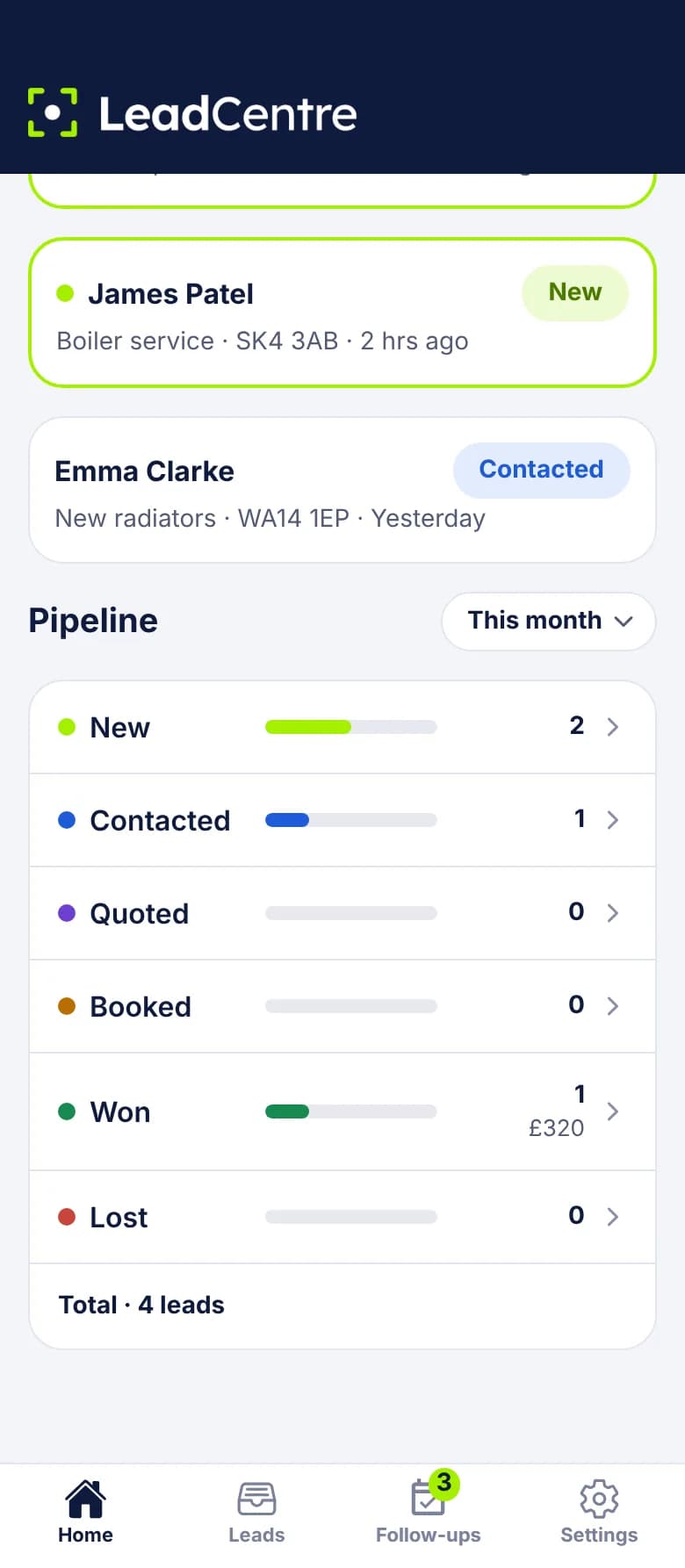
Seeing what slow sales were worth
The pipeline counts leads by the date they were received, which suits a long sale: an enquiry from January that's won in June counts in January. Look at Last year or This year, not just this month, or your win rate will look low only because recent leads haven't decided yet.
The figures add up Won jobs and what they were worth. Estimated value stays on each lead, so anyone who opens it can see what was quoted.
Common questions
Our sale can take six months. Will it keep reminding us?
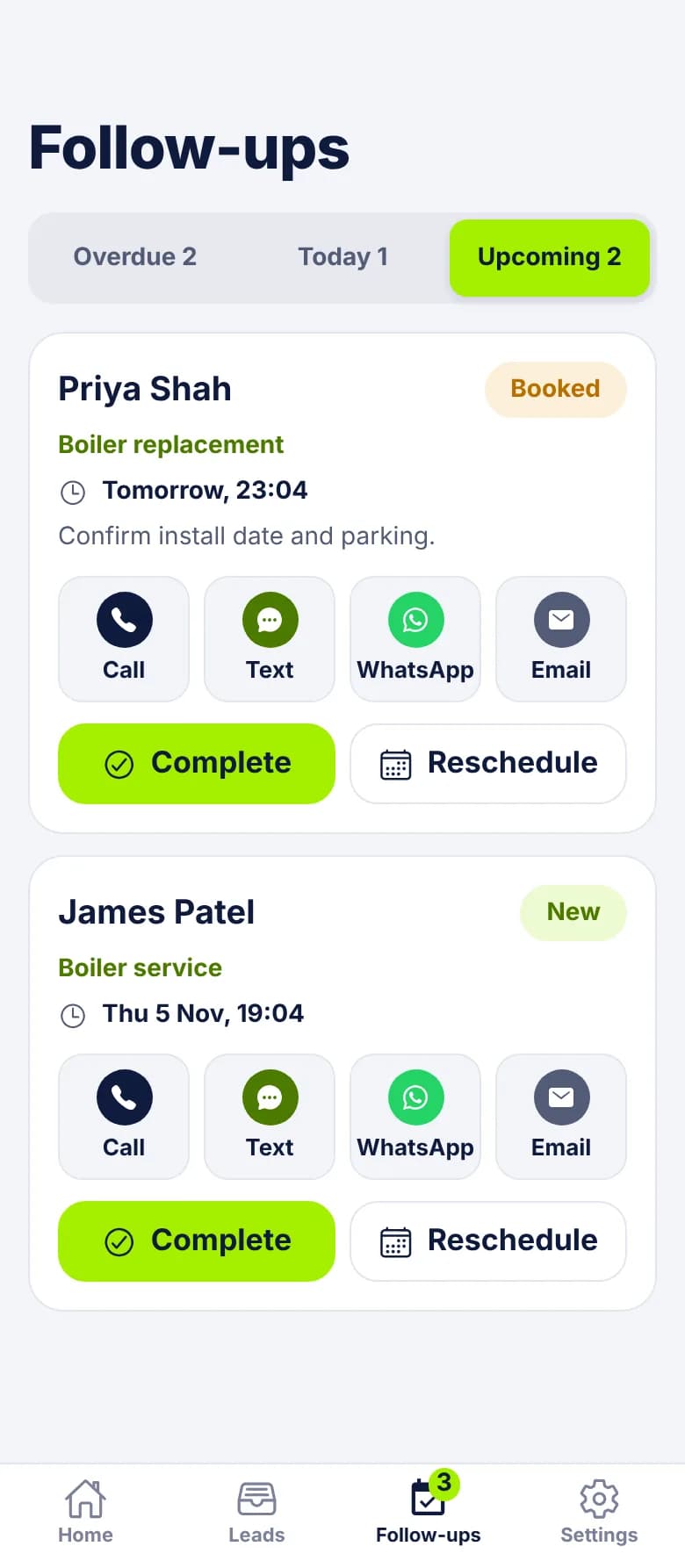
Each follow-up sends one reminder when it's due, then waits in Overdue until someone acts. Set the next one each time you speak to the customer. A lead can have several, with dates as far ahead as you need.
Can reps see only their own leads?
Yes. As Users they see leads assigned to them and unassigned ones. A sales manager set up as an Admin sees all of them.
Does it replace our design or quoting software?
It works alongside it. LeadCentre keeps track of the enquiry and when to speak next, and you write quotes wherever you write them now.
Keep slow sales from slipping away
Put a date and a note on each quote, and the reminder goes to whoever has the lead.