
Marketing Agencies
For marketing agencies: see what really happened to your clients' leads
You generate the enquiries, the client doesn't ring them back, and three months later the leads get the blame. LeadCentre gives each client a simple place to work their leads and lets you open that account to see what happened.
- Coming Soon Cross-client reporting
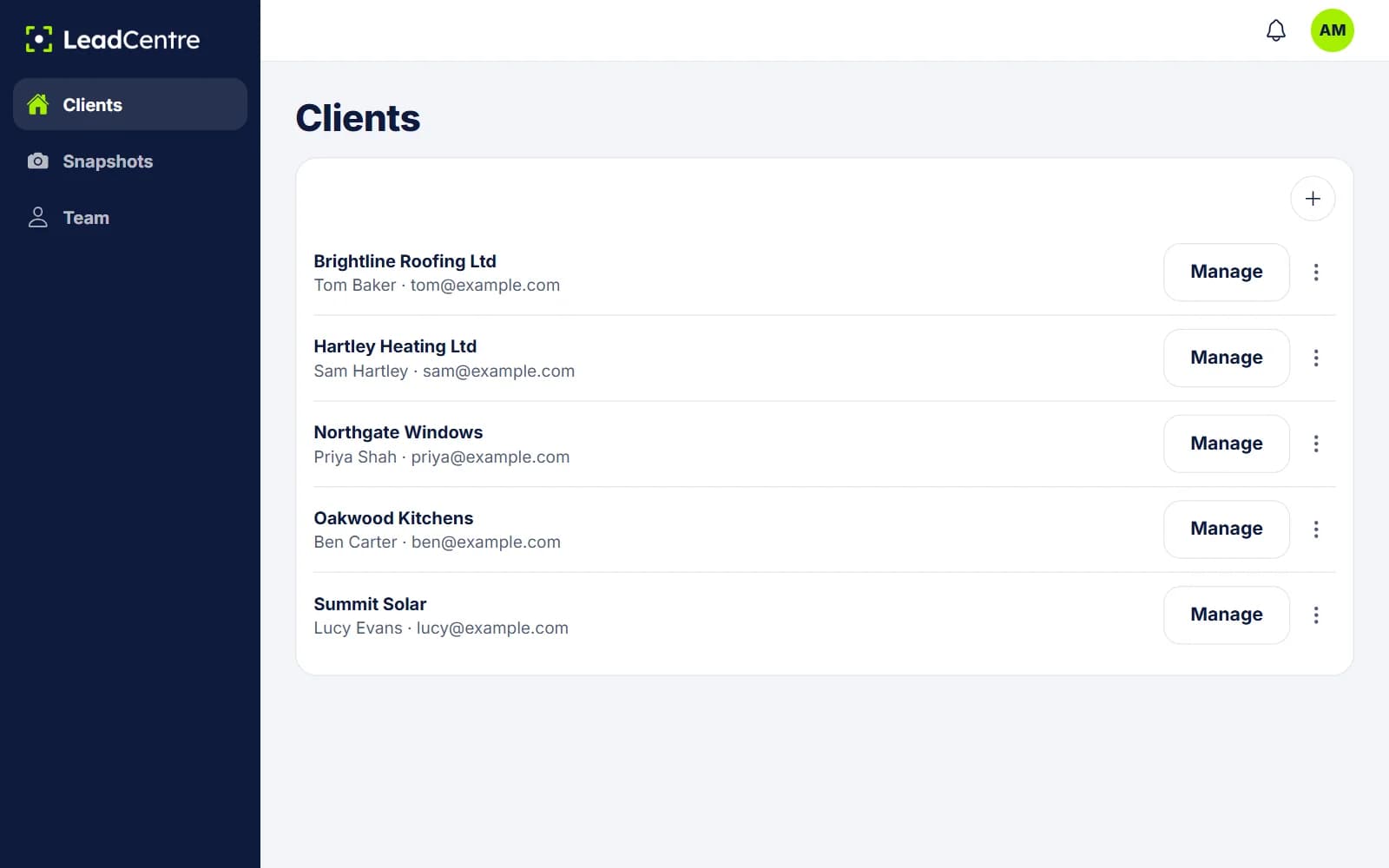
The conversation you're trying to avoid
"The leads were rubbish." It's hard to answer, because you can't see what happened after the form. Tap Manage on that client and you can look at the record:
- Leads still at New, and any with the lime marker. Lime means nobody has opened them, so read the list first: opening one yourself clears it.
- Follow-ups in Overdue, which shows who said they'd ring back and didn't.
- Lost reasons. Invalid lead, Outside our area and Not a service we offer point at your targeting. Price too high and Went with another company point at the sale. No response could be either.
- Won count and won value, in the client's own numbers.
Why this helps you keep clients
A client who only sees your invoice judges you on a feeling. A client who opens an app each day, sees enquiries come in and records what they were worth has something to look at.
It also cuts both ways. If the lost reasons say Invalid lead over and over, that's your campaign to fix, and you'll see it sooner. The record only shows what people entered, and some clients will never update a thing. But it gives you a better conversation than opinions. There's more in our guide on how agencies improve client lead conversion.
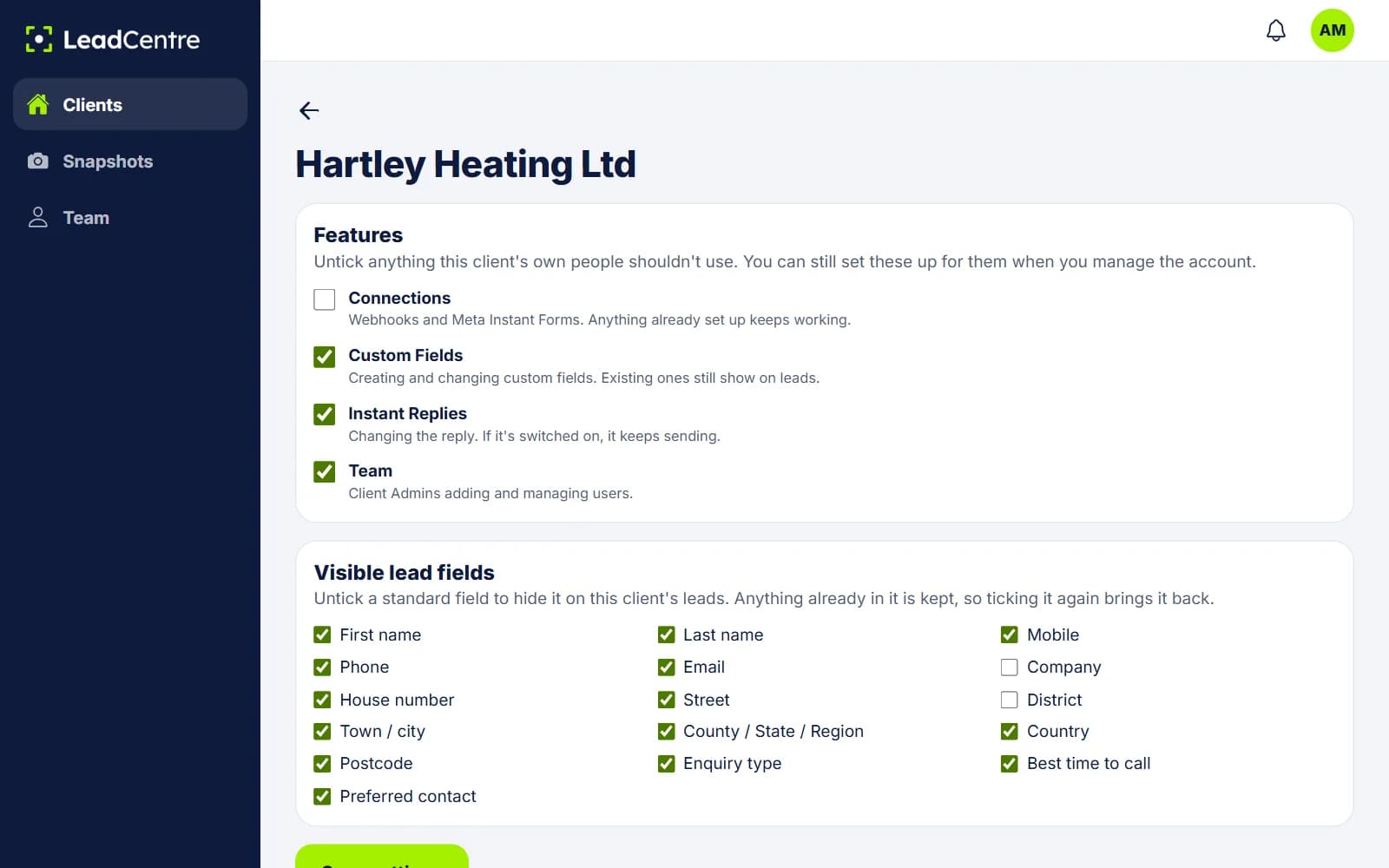
Setting up a client
- 1
Add the client
Enter the company, contact and email. Choose a snapshot to start from, or start blank. Email an invite now, or set it all up first and invite them later.
- 2
Connect their lead sources
Each client gets its own webhook URL. Meta lead forms go through your Zapier or Make account for now.
- 3
Decide what their people can touch
Untick Team, Instant Replies, Custom Fields or Connections for that client. What you've set up keeps working, and you can still change it. You can also hide standard fields they don't need.
- 4
Show them three things
The alert, the status buttons and the follow-up. That's most of what they need, and it's what makes your reporting possible.
Snapshots: set up the first client once
If most of your clients are in the same trade, set one up properly, save it as a snapshot and apply it to the next. Each client's data stays separate.
- Carried across: custom fields, message templates and business hours, Instant Reply wording, client settings, and the names and field matching of webhook keys.
- Not carried across: leads, users and webhook URLs. Each new client gets its own URLs, and replies use its own email.
- Folders aren't part of a snapshot, so set those up on each account.
Include it in your retainer, or charge for it
You pay LeadCentre for your agency plan, and the pricing page shows what's included and what extra client accounts cost. What you charge your clients is up to you. Two common shapes:
Include it in the retainer. It's simple to sell, and the client doesn't have a separate line to question when they review costs. You carry the cost, so it has to fit your margin.
Charge it as a line of its own. You set the price and the client sees what it costs, which also makes it an easy line for them to question.
Either way, be clear about who does what. If you're updating statuses for them, that's a service with a cost. If they're doing it, say so at the start.
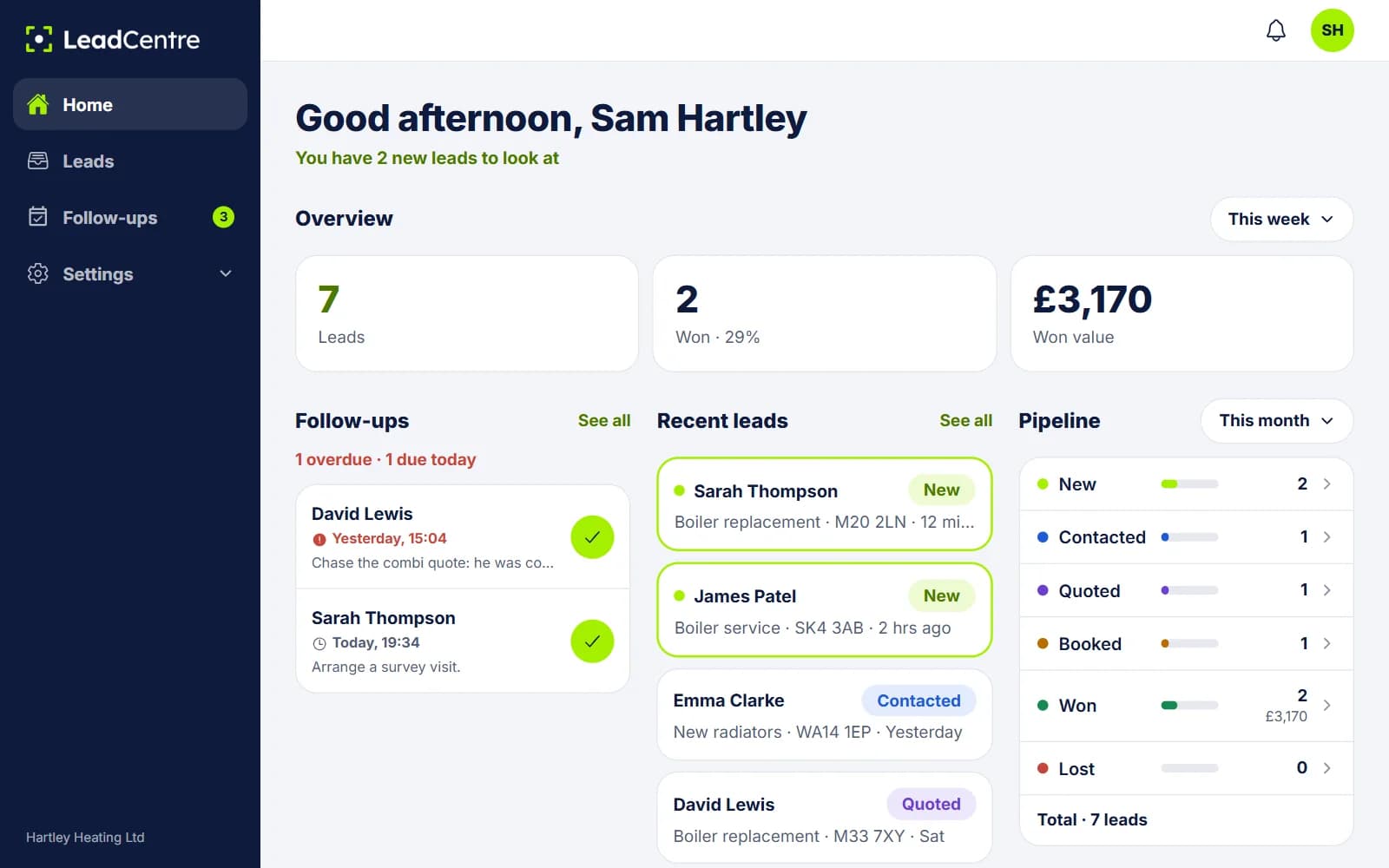
Running it across clients
Client accounts are separate. Each has its own leads, users, connections, pipeline, app access and figures.
- Agency Admins can add clients, open any client, change client settings and assign staff.
- Agency Users only see and manage the clients assigned to them.
- New lead alerts go to the people on that client's account. Your agency staff won't get a push for every client's lead.
- Today you see figures by opening one client at a time. Cross-client reporting is Coming Soon.
- If a client leaves, you can delete the account. That happens 24 hours later, and you can cancel it until then.
Common Questions
Can I white-label it with my agency's name?
No. The app and portal carry the LeadCentre name. You can present it as a tool you provide, but it won't show your logo.
Will my clients see each other's data?
No. Each client has a separate account with its own leads, users and figures. Your Agency Users only reach the clients assigned to them.
Do I have to work the leads for my clients?
No. Their people get the alerts and work the leads. You can open the account to check or help whenever you like.
What if a client never updates statuses?
The record will show that too: leads sitting at New with no outcome. It won't fix the habit, but it gives you something specific to raise.
Is there one report across all my clients?
Not yet. Cross-client reporting is Coming Soon. See the agency reporting page for what you can see per client today.
Have the next results call with the facts
Give each client their own account, and see what happened to the leads you sent them.