
Stay on Top of Every New Enquiry.
Keep your enquiries organised, respond while interest is fresh and stay in touch until a decision is made. LeadCentre gives business owners and teams one place to manage leads from their website, ads and other sources, on their phone and at their desk.
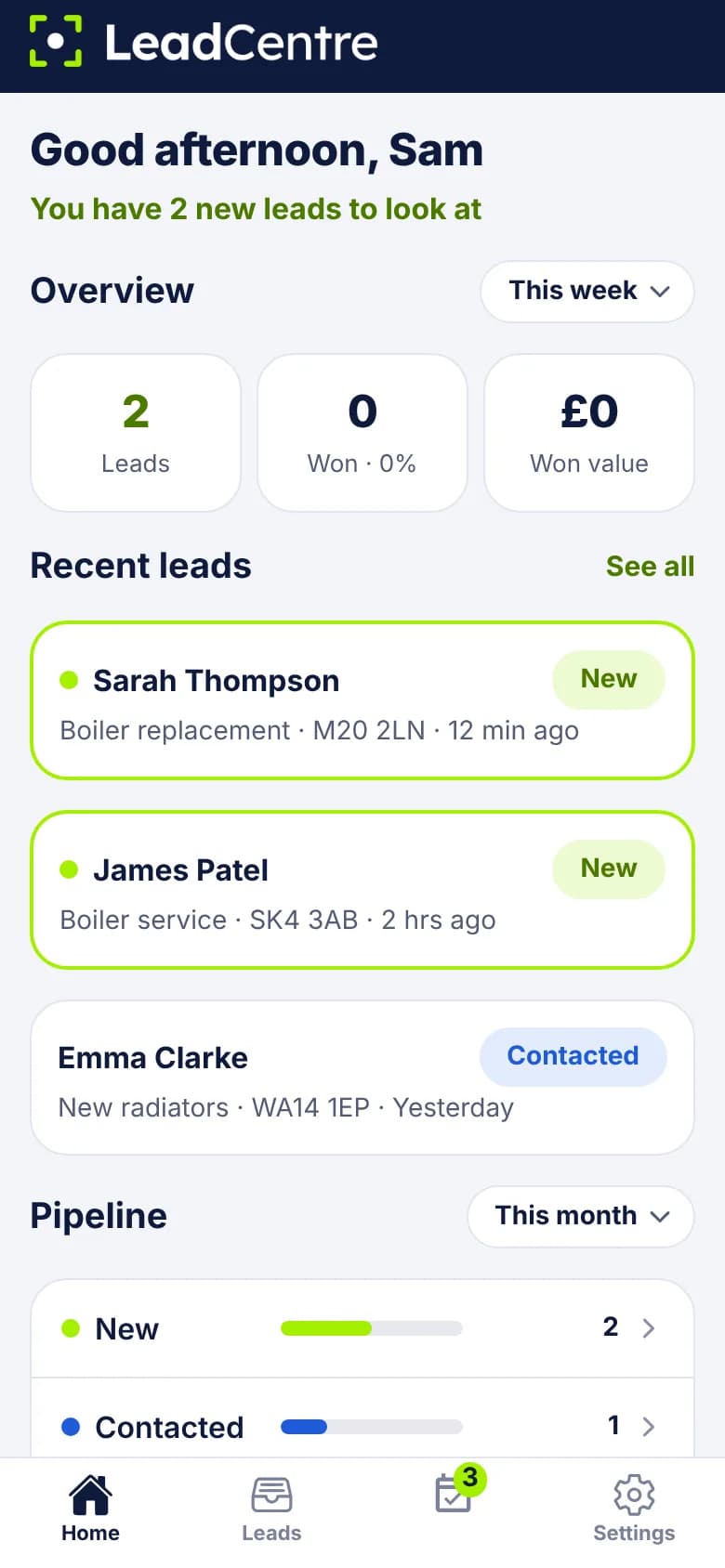
A simpler way to manage new business
When you need to respond to enquiries and keep sales conversations moving, the essentials should be easy to find. LeadCentre brings contact details, notes, ownership and follow-ups together, so your team can focus on the next conversation.
Keep your enquiries together
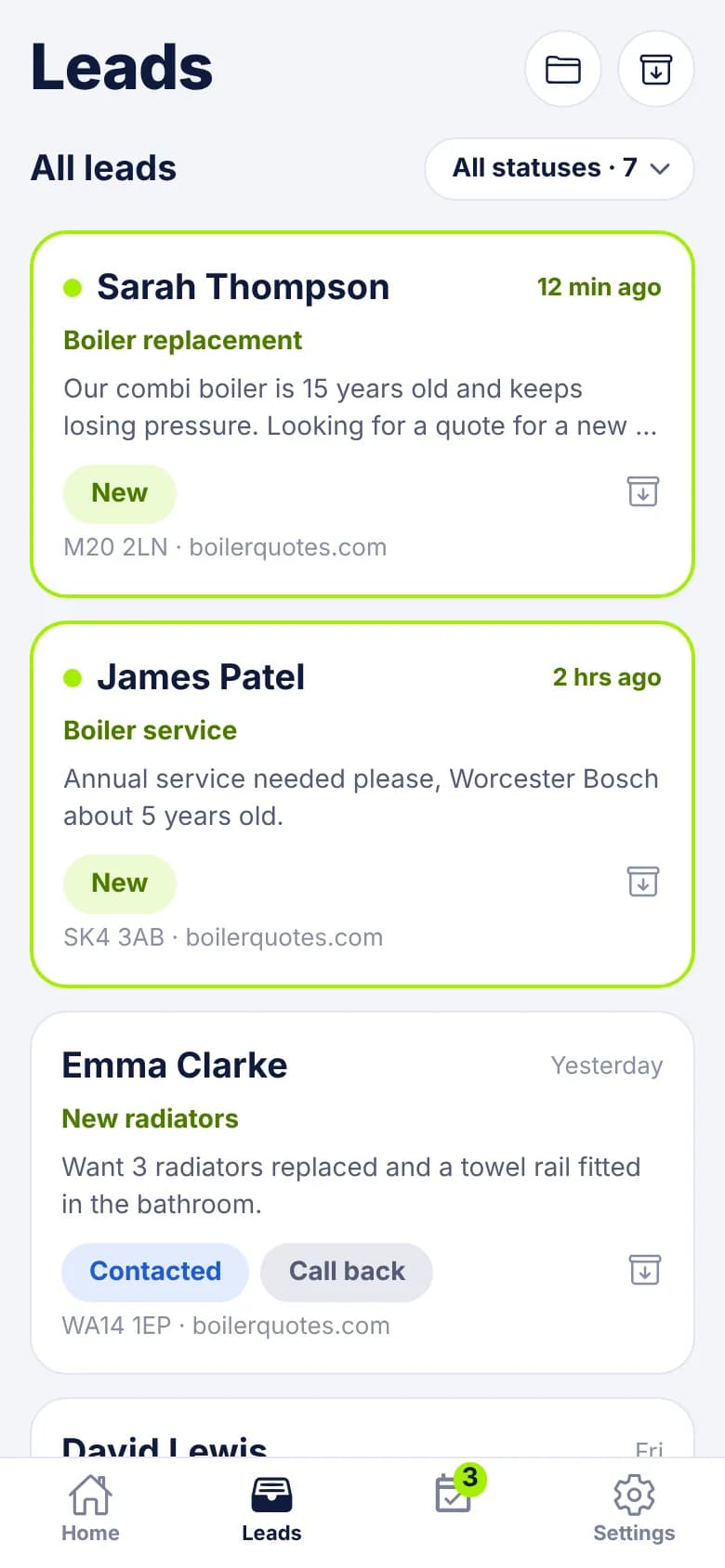
Bring leads from supported forms, ads and other sources into one list. Give your team the context to pick up the conversation and see what still needs attention.
- Website forms, ad platforms and lead providers
- See where each lead came from
- Filter the list by status
Respond wherever you work
New lead alerts help you pick up enquiries between meetings, while visiting customers or when you are away from your desk.
Make the first reply easier
Start calls and messages from the lead, with personalised templates to help your team reply clearly and consistently.
- Different messages for during and after your business hours
- An optional automatic email reply when a lead arrives
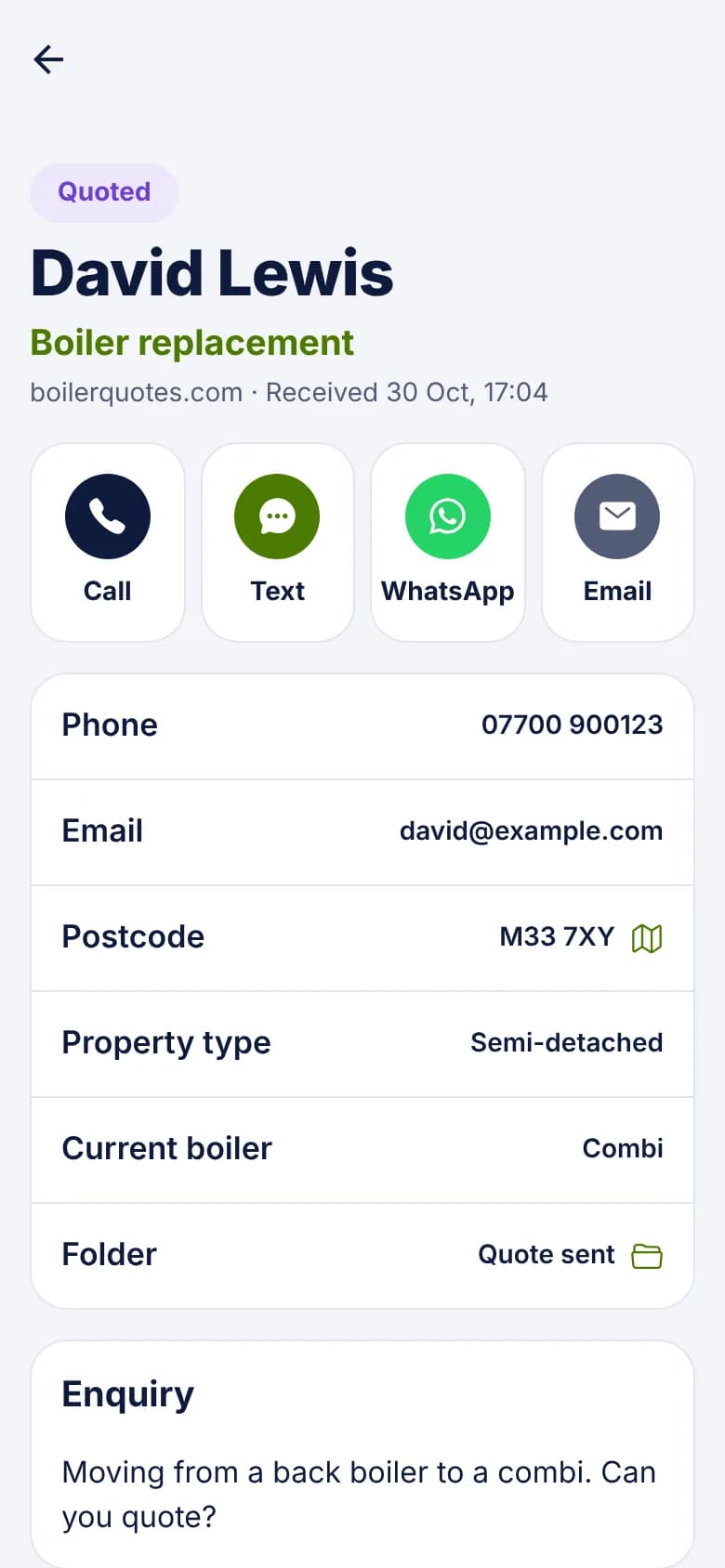
Know where each enquiry stands
See which leads are new, which have progressed and which became customers. Clear statuses give everyone a shared view of the next step.
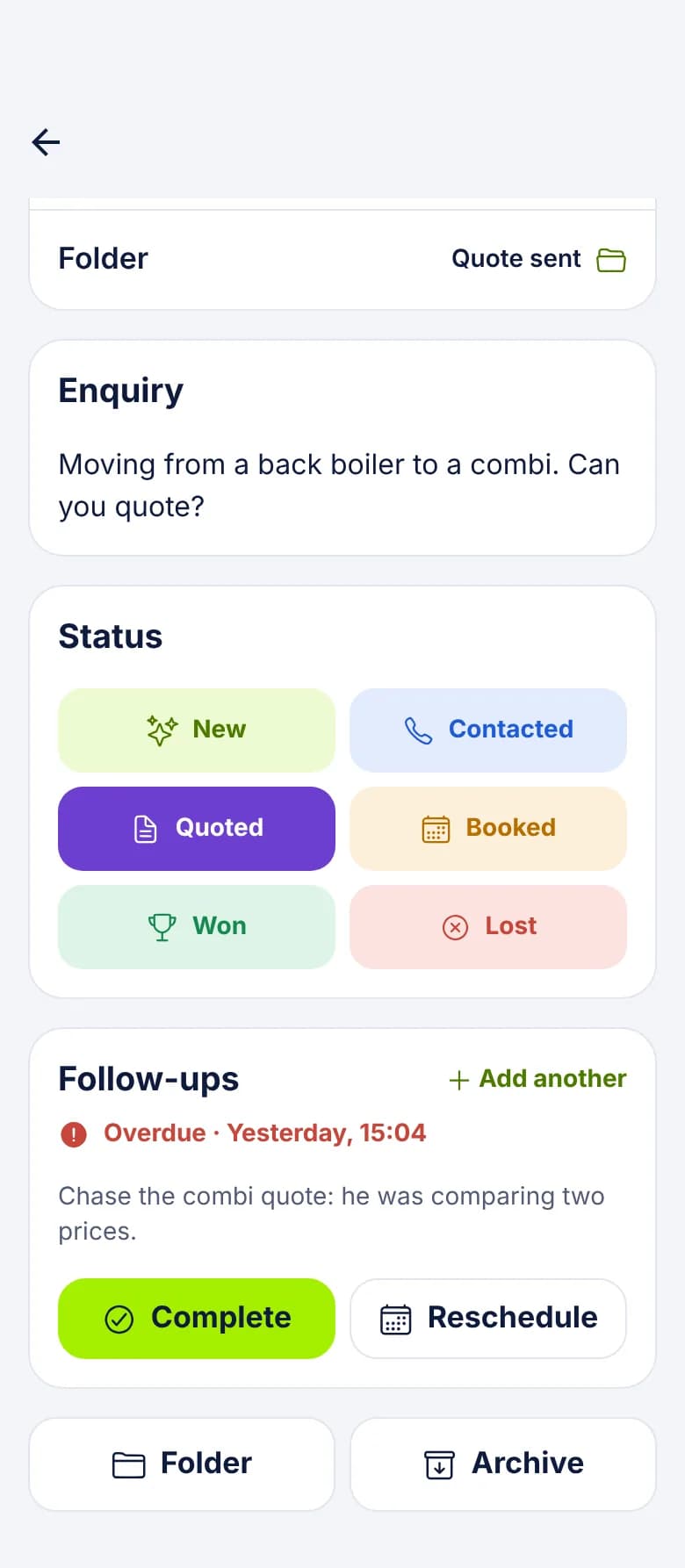
Keep promising conversations moving
Set follow-ups for callbacks, proposals and customers who need more time. Keep the context with the enquiry, so the next conversation starts in the right place.
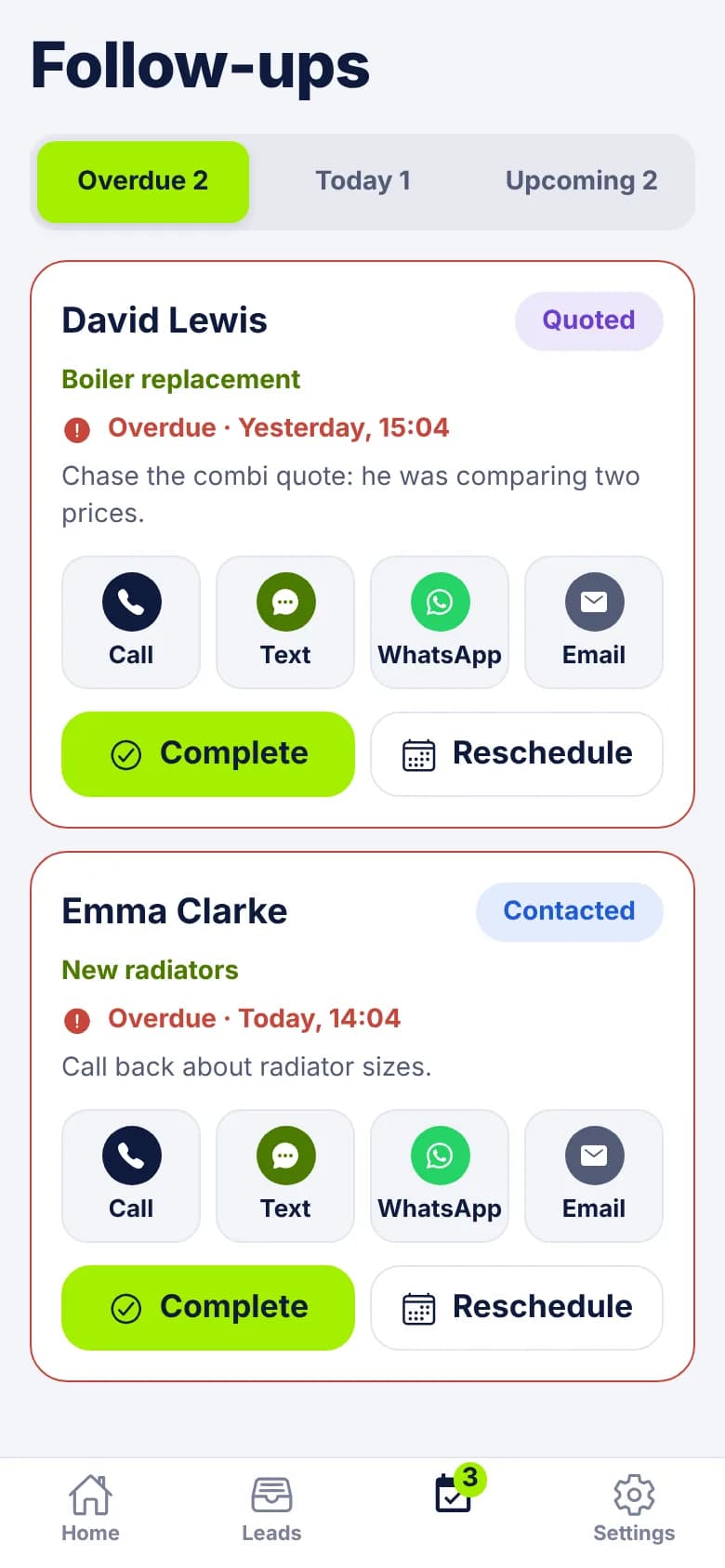
See what needs attention
Review your pipeline to find enquiries waiting for a first response or a next step, and focus your team where it matters.
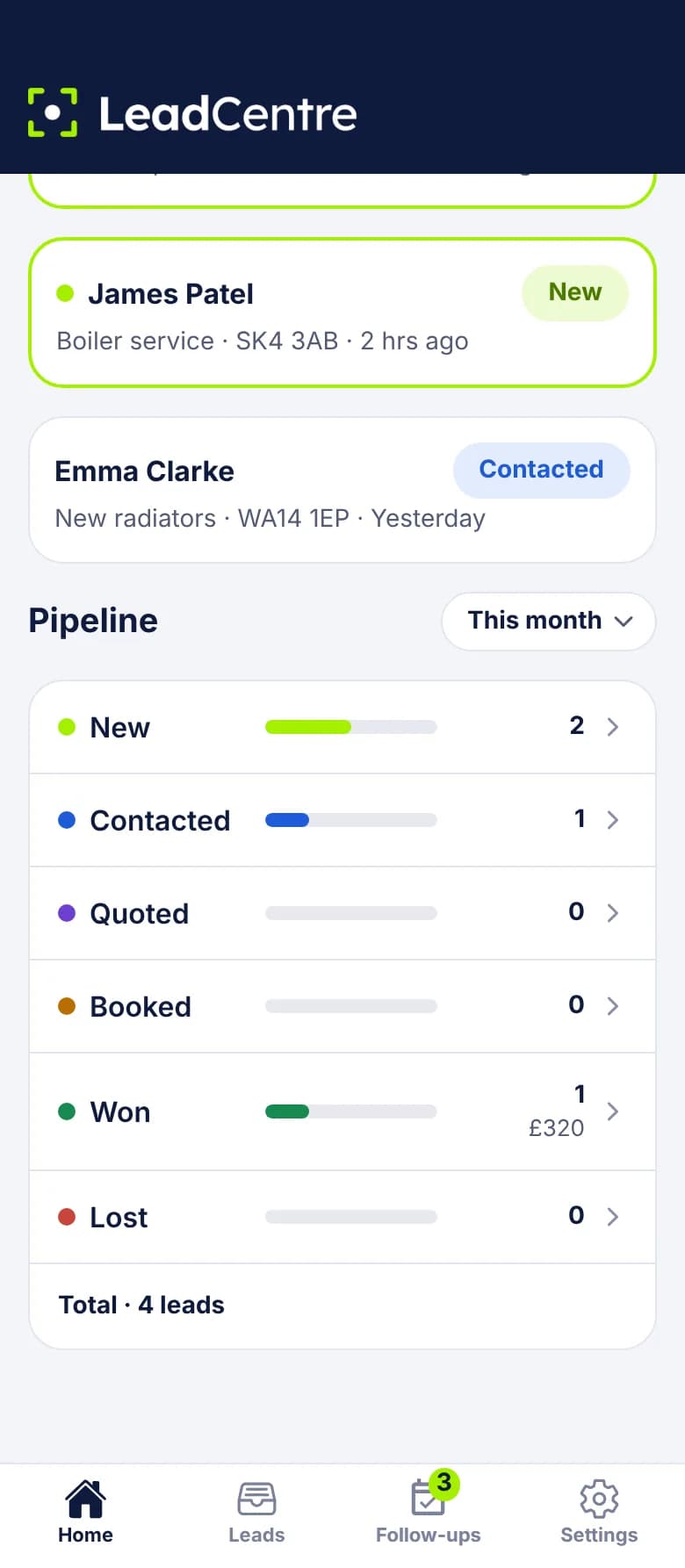
See which enquiries become customers
Record successful enquiries and their sales value, so you can see what your leads are contributing to the business.
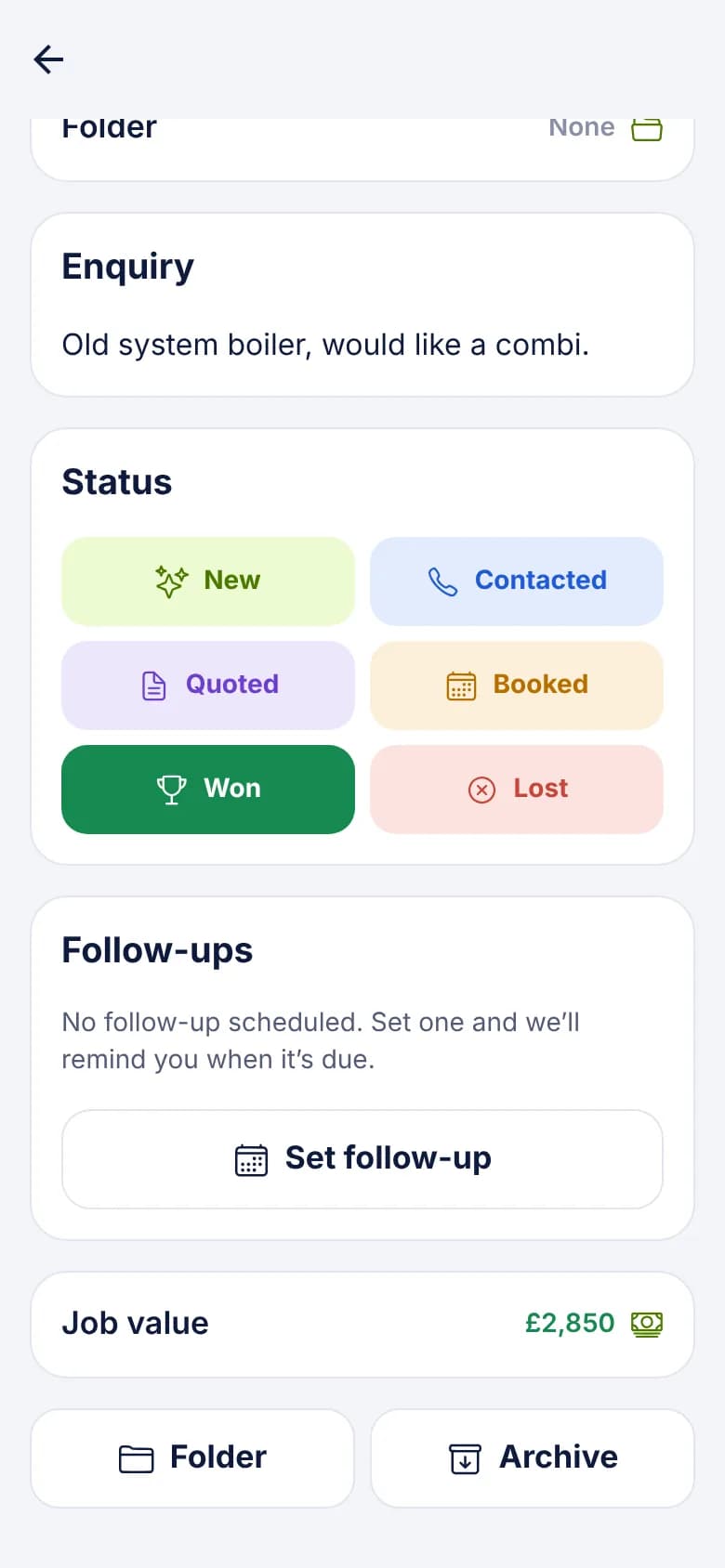
On your phone and at your desk
Work from the mobile app or online dashboard, with the same lead information available to your team in both.


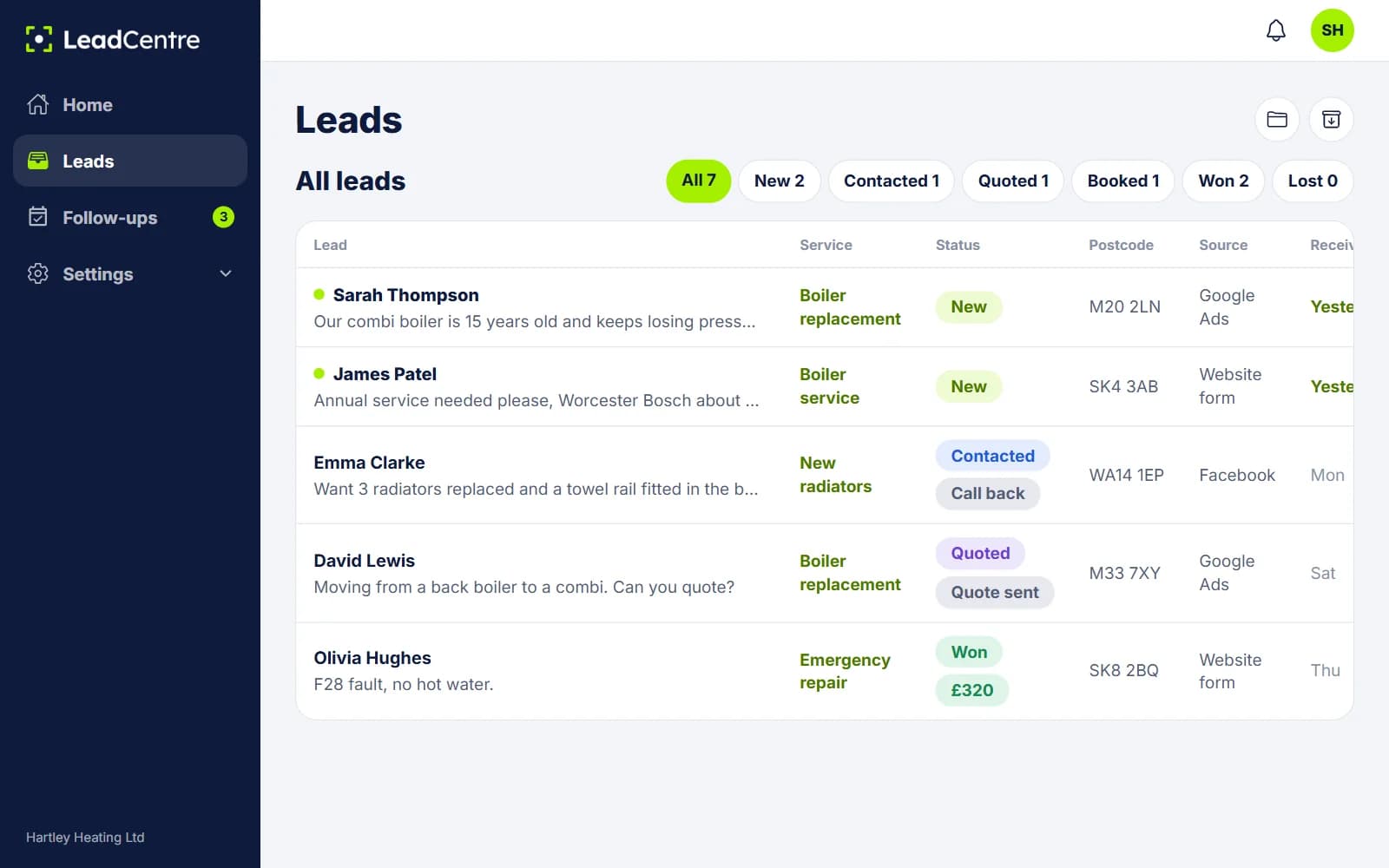
LeadCentre suits businesses that manage enquiries before a sale, from IT providers and training companies to consultants, surveyors and home improvement firms. Explore how it works for B2B businesses, professional services and home services.
Common questions
How long does it take to learn?
LeadCentre is designed around everyday tasks: reviewing enquiries, making contact and setting the next follow-up. Connection guides explain the initial setup, and optional done-for-you setup is available if you would like help getting started.
Can I use it on my computer too?
Yes. Everything also works at dashboard.leadcentre.com in any browser, with the same login.
Will it work with my website?
If your website form can send a webhook, or connect through Zapier or Make, yes. Have a look at the website form guide, or the guides for Webflow and WordPress. If you’re not sure, ask whoever looks after your website, or ask us.
Can I get leads from Google and Facebook?
Yes. Google Ads lead forms connect by webhook, and Facebook and Instagram lead ads connect directly: press Add New Connection in Settings > Connections, choose Meta Instant Forms and connect your Meta account, then choose the Pages to share.
My staff need access too. Is that OK?
Yes. The Business plan includes three users. You can assign a lead to someone, and they’ll get an alert.
Keep your enquiries together and your follow-ups on track.
Give your team one place to manage new enquiries, keep follow-ups on track and see the business you win. The Business plan includes one business account, three users, the mobile app and online dashboard.