
Lead Generation Agencies
For lead generation agencies: deliver to several buyers and keep a record
If you sell leads to several buyers, each one wants them fast and may argue about quality later. LeadCentre gives each buyer a separate account with an app and alerts, and lets you open that account to see what happened to what you sent.
- Coming Soon Cross-client reporting
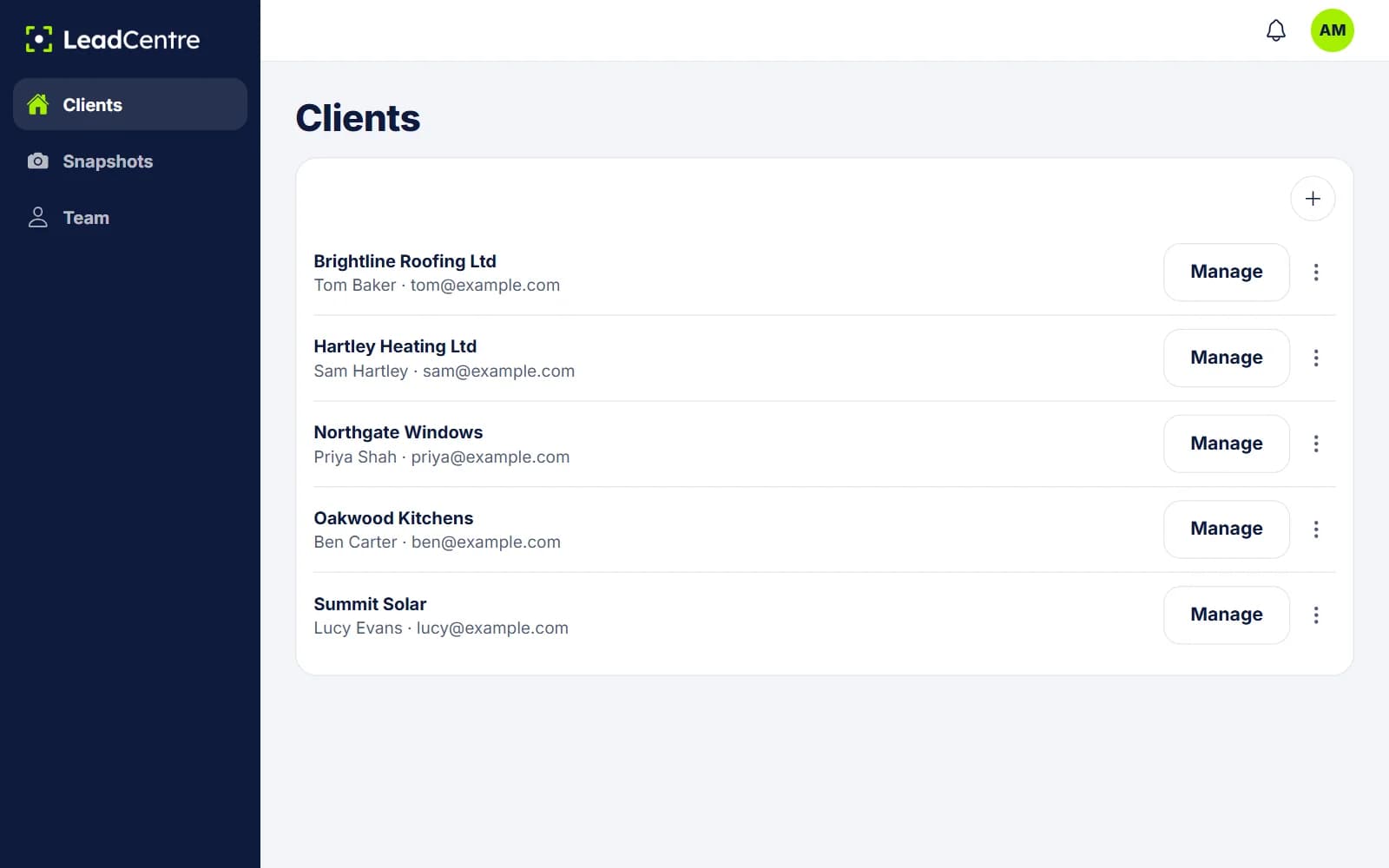
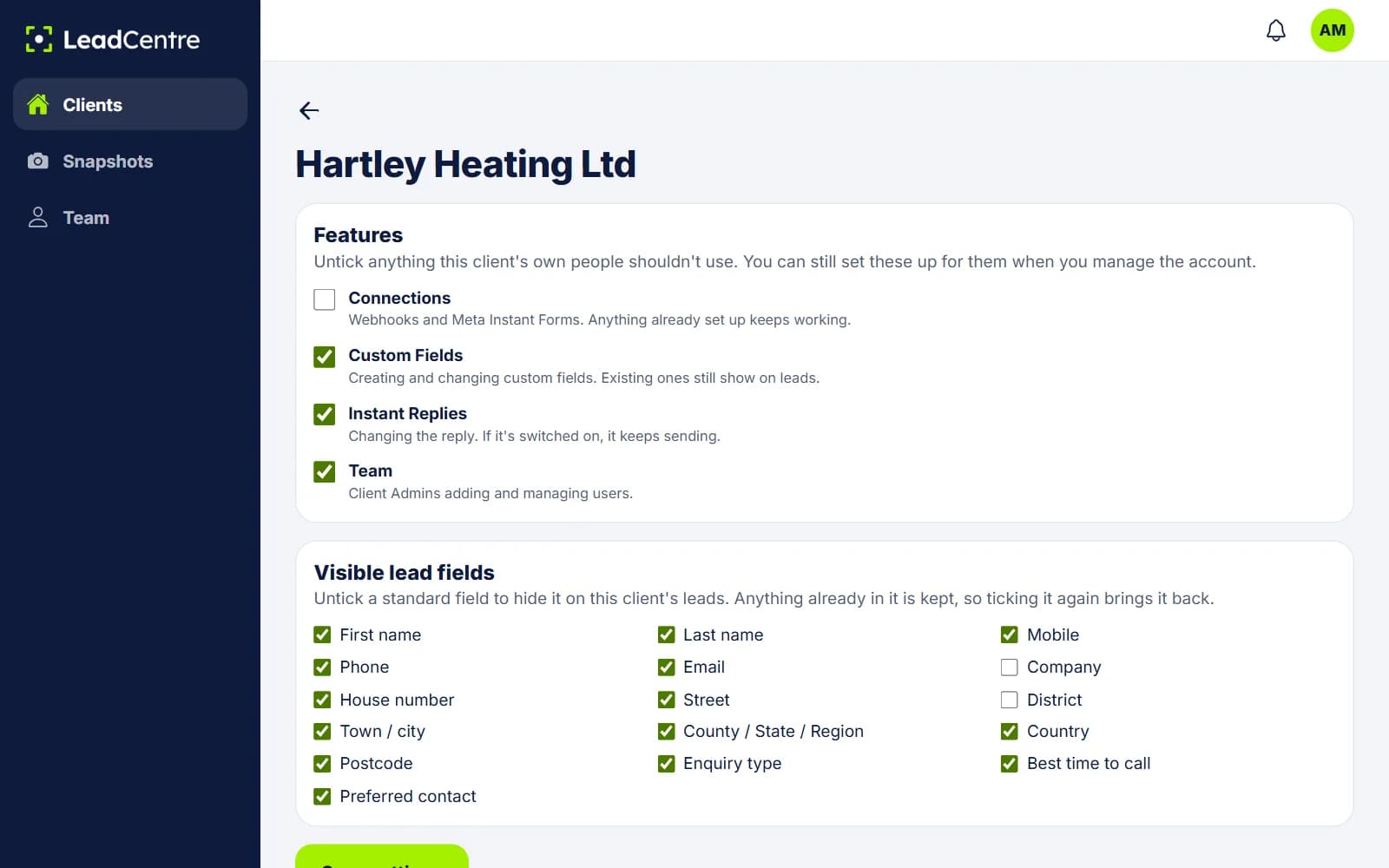
One account per buyer
Each buyer is a client account with its own leads, users, connections, pipeline, app access and figures. Buyers can't see each other, and your Agency Users only reach the buyers assigned to them.
Snapshots save repeating yourself. Set up one buyer with your custom fields, templates and field matching, save it, and apply it to the next. Each new buyer gets its own webhook URL.
How a lead reaches a buyer
- 1
Your system decides who gets it
Your form, Zapier step or own software picks the buyer. LeadCentre doesn't route, cap or auction leads.
- 2
You post it to that buyer's URL
A JSON object, a JSON array of up to 25 objects, or a form post, up to 64 KB per post and 120 posts a minute per key. Multipart form data isn't read.
- 3
LeadCentre matches the fields
The matching you saved for that key turns the post into a lead. If it hasn't been saved yet, posts are held and become leads once it is.
- 4
The buyer's phones get a push
Everyone on that buyer's account with the app and alerts on gets it. They can tap Call straight from the lead.
Selling the same lead to several buyers
Post it to each buyer's URL. Each account gets its own separate copy, and each buyer works it without seeing the others. Status, value and notes stay with that buyer's copy.
If a lead is exclusive, that's your own rule to keep. LeadCentre doesn't check whether you've sent the same person to two accounts.
Proof of delivery: what you can point to
LeadCentre doesn't produce a signed delivery receipt or a delivery report you can send to a buyer. Here's what you do have:
- The response to your post. Each post gets a reply saying what happened to each lead. Store that in your own system, as it's your best timestamped record.
- The lead in the buyer's account. Tap Manage and it's there, with the date received. Map Date received if you want your own timestamp used.
- A Lead source you control. Send your brand or campaign name, so the buyer sees where it came from.
- A mapped Unique ID. Retrying a post to the same buyer won't create a second lead, so a retry can't double-deliver.
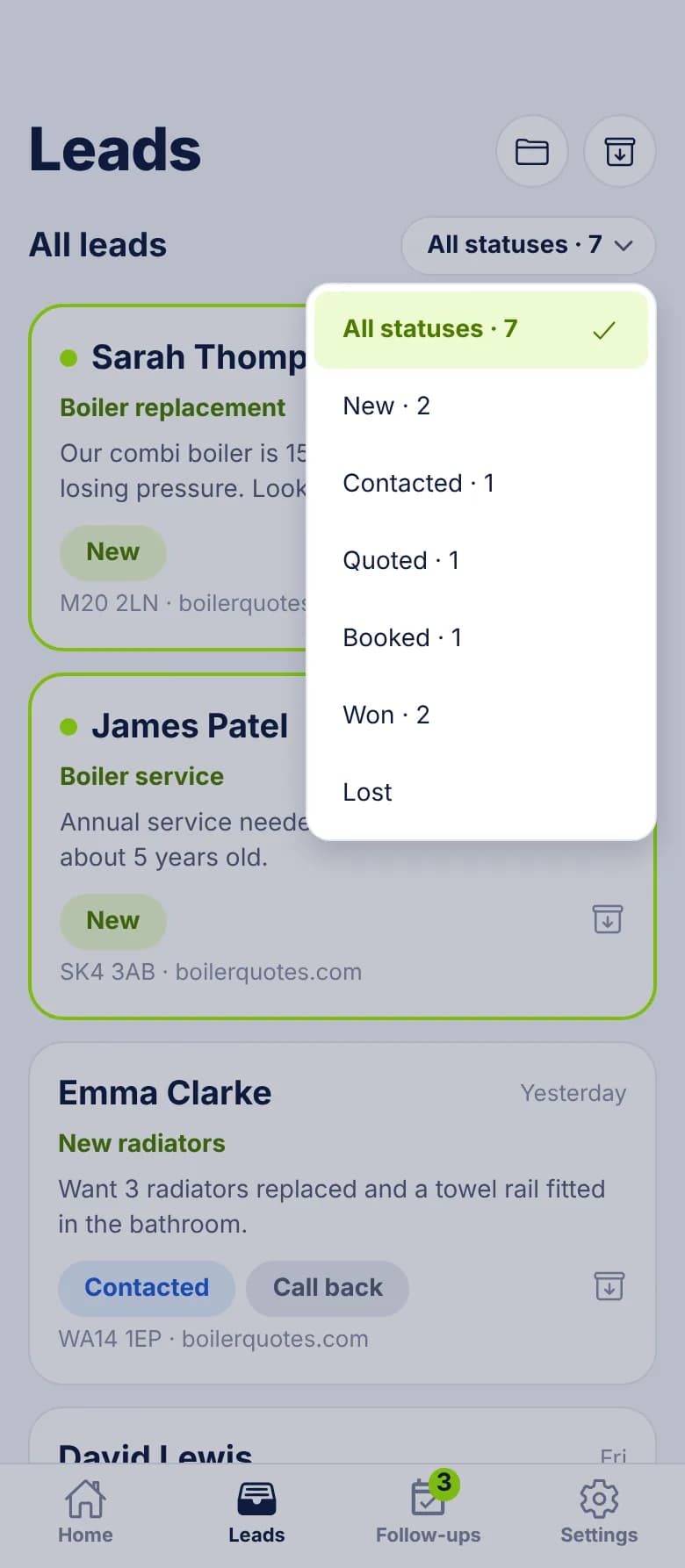
- The lime marker. It shows nobody has opened the lead yet. Once it's gone, someone has, but it doesn't say who or when. Opening a lead yourself through Manage clears it too, so read the list first.
- What happened next. Status, follow-ups, job value and, in the portal, the lead's history of changes.
A worked example
When a buyer disputes quality
The Lost reasons give a buyer a way to say what was wrong: Invalid lead, Outside our area or Not a service we offer. You can read them by opening their account. It's a record for the conversation, and there's no returns or credit process built in. Whether a lead gets replaced or refunded is between you and your buyer.
To stop a buyer changing things that would break delivery, untick Connections for that account. Anything already set up keeps working, and you can still change it yourself when you manage the account.
What you still run yourself
LeadCentre is the buyer's end of the delivery. See webhooks for the technical detail, and pricing for what extra client accounts cost.
- Routing, geography, daily caps and any auction logic.
- Billing buyers per lead, and handling returns or credits.
- Totals across buyers. Today you open one account at a time. Cross-client reporting is Coming Soon.
- Your own record of what was sent to whom. There's no export from LeadCentre today.
Common Questions
Can LeadCentre route leads to buyers for me?
No. It receives whatever you post to a buyer's URL. Choosing the buyer happens in your own form logic, Zapier, Make or software.
Can I send the same lead to more than one buyer?
Yes. Post it to each buyer's URL and each account gets its own separate copy.
Can one buyer see another's leads?
No. Each client account is separate. Only you, as the agency, can reach more than one, and Agency Users only reach the accounts assigned to them.
Can I bill buyers per lead through LeadCentre?
No. There's no per-lead billing for your buyers. You invoice them yourself, however you do today.
What happens if I start sending before a buyer's fields are matched?
Those posts are held. Once matching is saved, they become leads. A lead rejected for having no contact details can be recovered the same way.
Give each buyer an account you can open
Post leads to separate accounts, put alerts on your buyers' phones and see what they did next.