
For Lead Gen Agencies
Lead management software for lead generation agencies
You delivered the leads. Which ones turned into work?
Give every client a clearer way to receive, respond to and follow up the enquiries you supply. Deliver leads into their own account, help their team take the next step and see which opportunities become customers.
From £99+VAT/month for 3 client accounts. Cancel anytime.
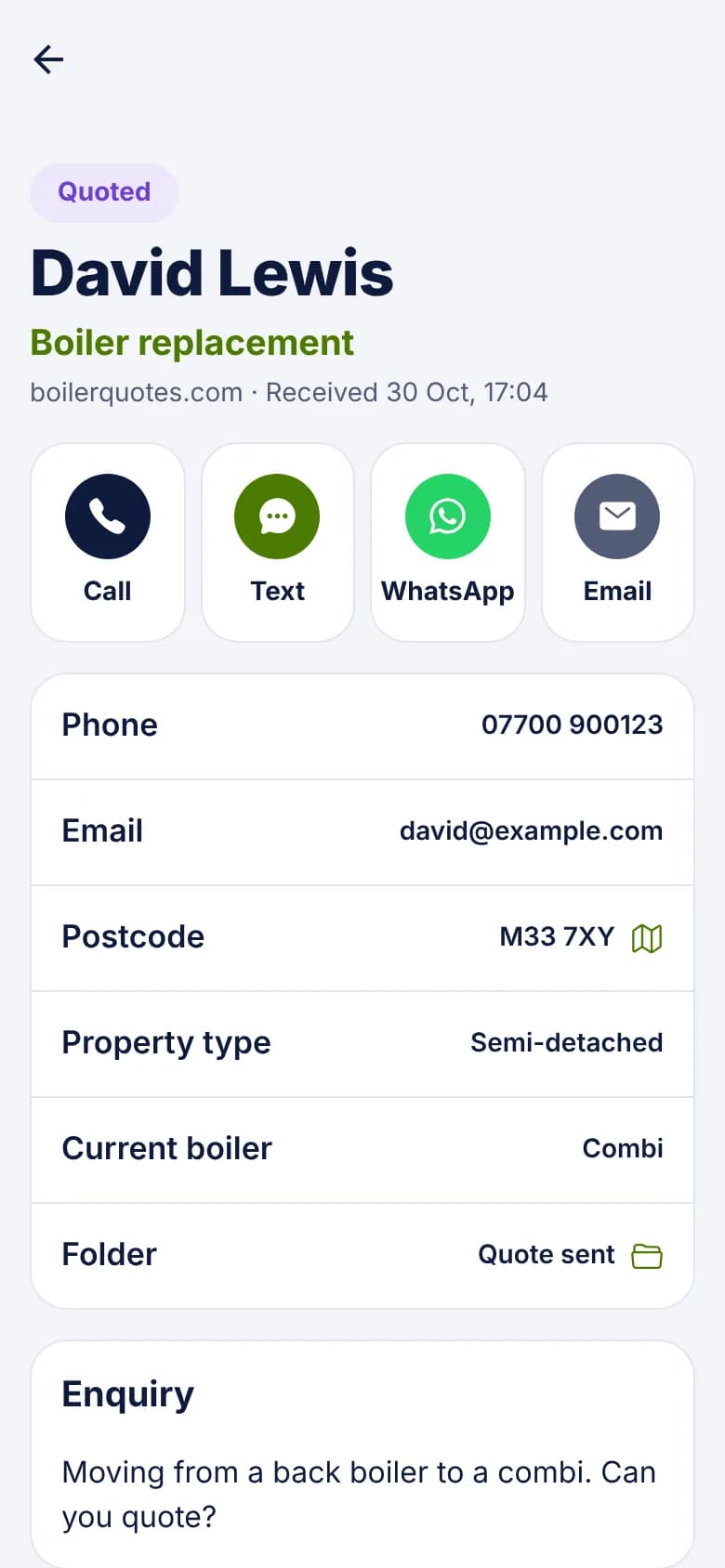
When a client says “the leads were poor”, which leads do they mean?
You send a client 30 enquiries. At the end of the month they tell you the leads weren’t great. Which ones were outside their area? Which customers asked for a quote? Which enquiries are still waiting for someone to update them? A delivery spreadsheet usually gives you a name and a date. It rarely gives you the rest of the story.
With LeadCentre, you and your client can open the individual enquiries together. An out-of-area postcode might mean changing a landing page. Several quotes with no decision might mean it’s time for a follow-up. Those are two different conversations, and you can point to the leads behind each one.
An example
From a new enquiry to a recorded outcome
Your agency generates commercial IT support enquiries for a managed service provider.
- 1
Step 1: The enquiry reaches the client
A prospect submits your enquiry form. The connected client account receives their details and service requirements.
- 2
Step 2: The team gets an alert
The person handling new business reviews the enquiry and starts the conversation.
- 3
Step 3: The client records progress
A proposal is sent, the lead is marked Quoted and a follow-up is set. If the proposal is accepted, the client records the lead as Won and adds the agreed sales value.
- 4
Step 4: Your agency can review the outcome
Open the individual enquiry or review the client’s recorded results before the next account meeting.
Give every client their own lead inbox
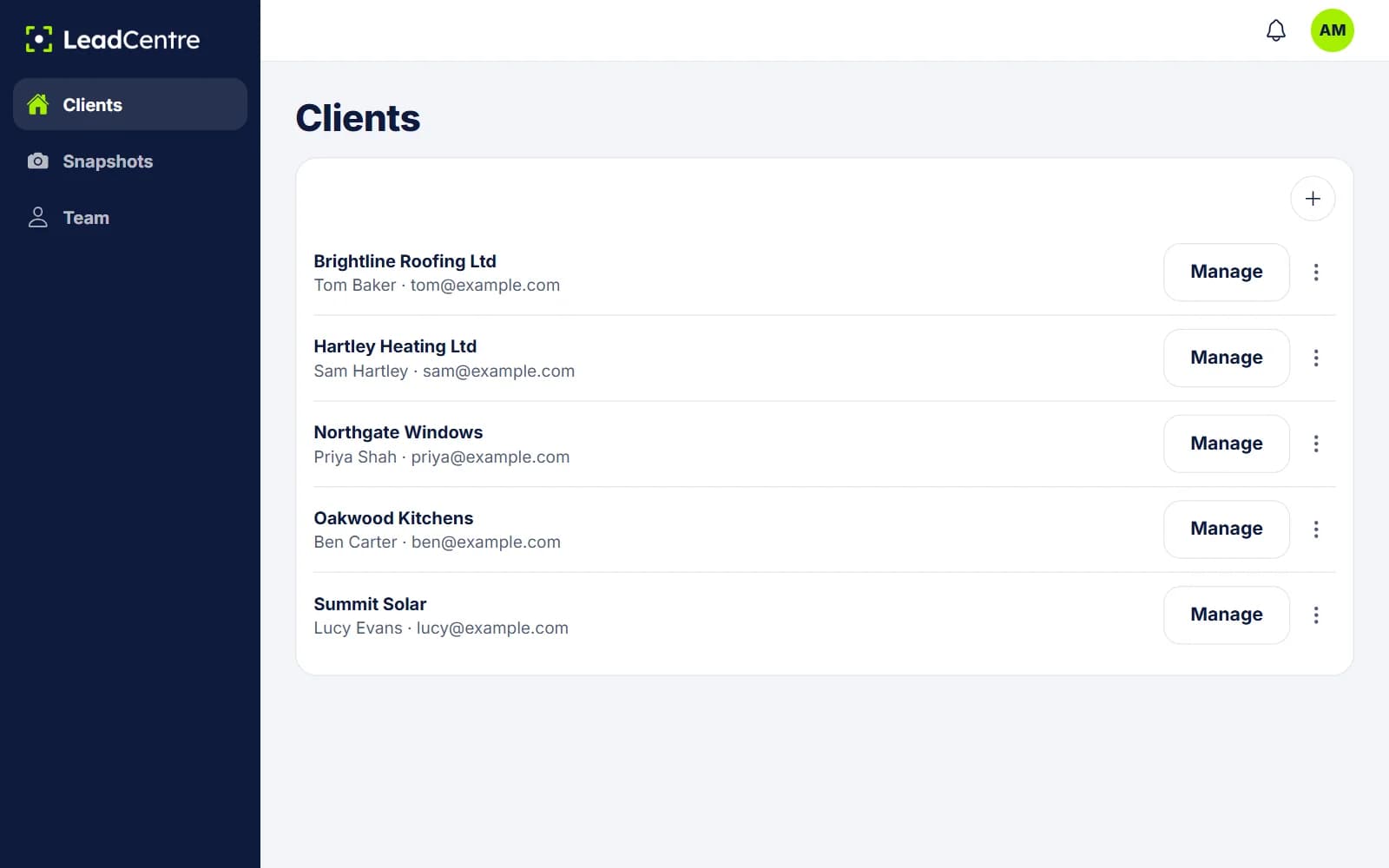
Lead Gen Agencies may work with several industries and different types of enquiry. Give each client a separate account for their leads, users and pipeline, then set up the Connections intended for that business. Your agency can manage those accounts from one dashboard.
Each client works in their own account. Your agency can move between the accounts it manages without asking clients to forward emails or share their spreadsheets. Leads go to the account whose connection they arrive through, and inside that account an automation can assign them to the right person.
Set up the Connections you already use
| Connection | How it reaches your client |
|---|---|
| Facebook and Instagram Instant Forms | Connect a Meta account in the client’s account and add the forms meant for that client. |
| LinkedIn Lead Gen Forms | Connect LinkedIn in the client’s account, add the ad account and choose its forms. |
| Website and landing page forms | Use the guide for the form platform, the client’s webhook, or an existing Zapier or Make workflow. |
| Other lead providers | Where the provider can post leads, send them to the client’s webhook and match the incoming fields. |
Keep the details your client needs to make the first call, such as service requested, postcode and preferred contact time. Use custom fields for questions specific to that client’s campaign.
Give clients a practical way to follow up
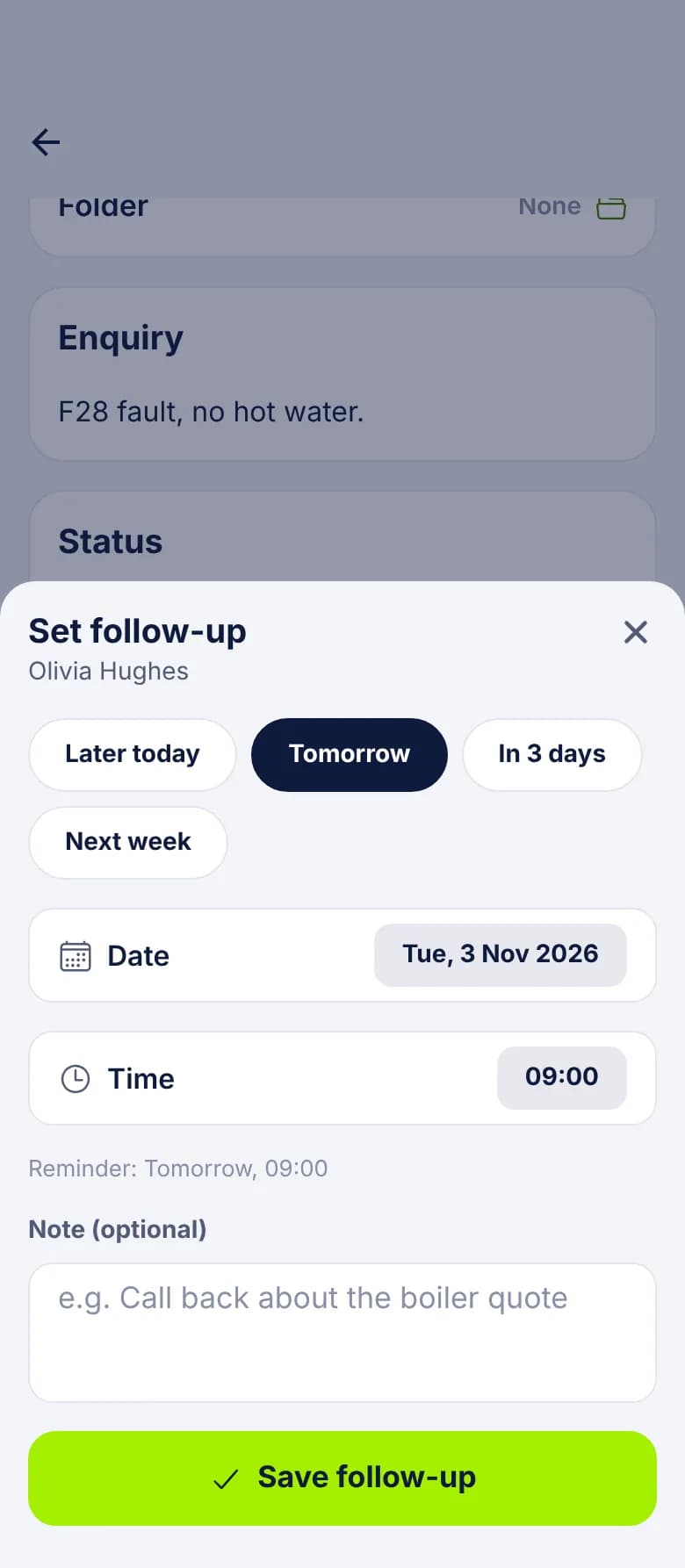
Your client may be in a meeting, speaking to another customer or away from their desk when a lead arrives. Mobile alerts, contact shortcuts and follow-up reminders help their team pick up the enquiry and keep the conversation moving.
For a client with an office team, use Automations to assign the enquiry, send an acknowledgement email or create a follow-up for someone to call back. An AI Intent step can read what the enquiry asks for, such as a price, examples of past work or a callback, and send each kind down its own path. For UK clients who want automatic texts or two-way SMS from a dedicated business number, Respond is available as an optional add-on.
Bring the actual enquiries to your next client review
Start with the number of leads received, then look at what the client recorded. How many reached a quote? How many became won jobs? Were several enquiries lost for the same reason? Open the relevant records so you can agree what to change next month.
| Question | What to look at |
|---|---|
| What did we deliver? | The leads received in the client’s account, with the source where one was supplied. Agency Reports counts them for each client. |
| Which leads need an update? | The New backlog in the client follow-up report, then the client’s leads filtered by New, and the follow-ups their team has set. |
| Were the enquiries a good fit? | Lost reasons the client recorded, such as Outside our area, Invalid lead or Not a service we offer. The follow-up report groups them, and each lead shows its own. |
| What work did the client win? | Leads marked Won and the job values the client entered: won jobs and won value in Reports, and by source in the follow-up report. |
How many reached a quote is on the client’s own pipeline: open their account and read the Quoted and Booked counts. The figures reflect what the client records. A tap on Call shows an attempt. The customer may have answered or the call may have gone to voicemail.
Running the client’s paid campaigns too? See how PPC agencies use LeadCentre to track campaign outcomes.
Agency plans for 3 clients, 15 clients and beyond
Your agency pays for the plan. Each client gets their own account and app access. Include LeadCentre in your monthly service or agree a separate charge with your client.
Agency Starter
Help your first three clients manage leads and follow-ups, with separate accounts and one agency dashboard.
£99+VAT/month
Monthly payment, cancel anytime
3 client accounts, then £25+VAT/month for each additional client account
Start Agency Starter- Three client accounts
- Separate client data and users
- Core LeadCentre functionality for each account
- Automations for every client
- Agency dashboard
- Client setup and management
- Each client's dashboard and pipeline
- Cross-client reporting
- Reusable account snapshots
- Add more client accounts
Best value for growing agencies
Agency Scale
Roll LeadCentre out across 15 clients, with shared agency oversight and a lower price for additional client accounts.
£299+VAT/month
Monthly payment, cancel anytime
15 client accounts, then £15+VAT/month for each additional client account
Start Agency Scale- 15 client accounts
- Everything in Agency Starter
- A larger account allowance
- Additional client accounts at a lower price
- Cross-client reporting
An example
Agency Scale is £299+VAT a month for 15 client accounts. With all 15 in use, that works out at £19.93+VAT per client per month.
This assumes every included client account is in use. With fewer clients, the cost per client is higher.
Want help connecting your first client forms?
Optional done-for-you setup is available when you sign up, or set everything up yourself for free.
About Done-for-you SetupQuestions from lead generation agencies
Can I use LeadCentre if I charge clients per lead?
Yes. You can deliver enquiries into each client’s account and review what happened to them. You agree the price per lead with your client and handle invoicing through your existing billing process. LeadCentre doesn’t bill your clients per lead.
Can I deliver exclusive leads to one client?
Yes. Set up the relevant form as a Connection in that client’s account. Leads arriving through that connection appear in their account, and your other clients can’t see them. Your agency controls where it sends enquiries from the original source.
Does each client need to buy their own subscription?
No. Your agency subscribes and creates the client accounts. Each client gets their own login and works with their own leads. You decide how to include the service in your commercial agreement.
Can clients receive leads from more than one source?
Yes. A client account can receive enquiries from several connections. For example, a website quote form and a Meta Instant Form can both feed the same client’s leads.
Can we see whether the client contacted a lead?
You can review the lead’s status and what has been recorded on it. A tap on Call, Text, WhatsApp or Email in the app or portal is recorded as an attempt, and the client follow-up report shows how quickly the first one happened. If the client rings from their own phone without opening the lead, or doesn’t update it, that conversation won’t appear.
Can we reuse the same setup for another client?
Yes. Agency plans include snapshots: save one client’s setup, such as custom fields, message templates and automations, and use it as the starting point for a new client. Then connect the new client’s own forms and send a test enquiry to check it arrives.
Give your next client a better way to receive leads
Connect their first form, send a test enquiry and show them how to follow it from the first alert to the final outcome.
View Agency Plans