
Lead management for PPC and lead generation agencies
See what happens to the leads you generate.
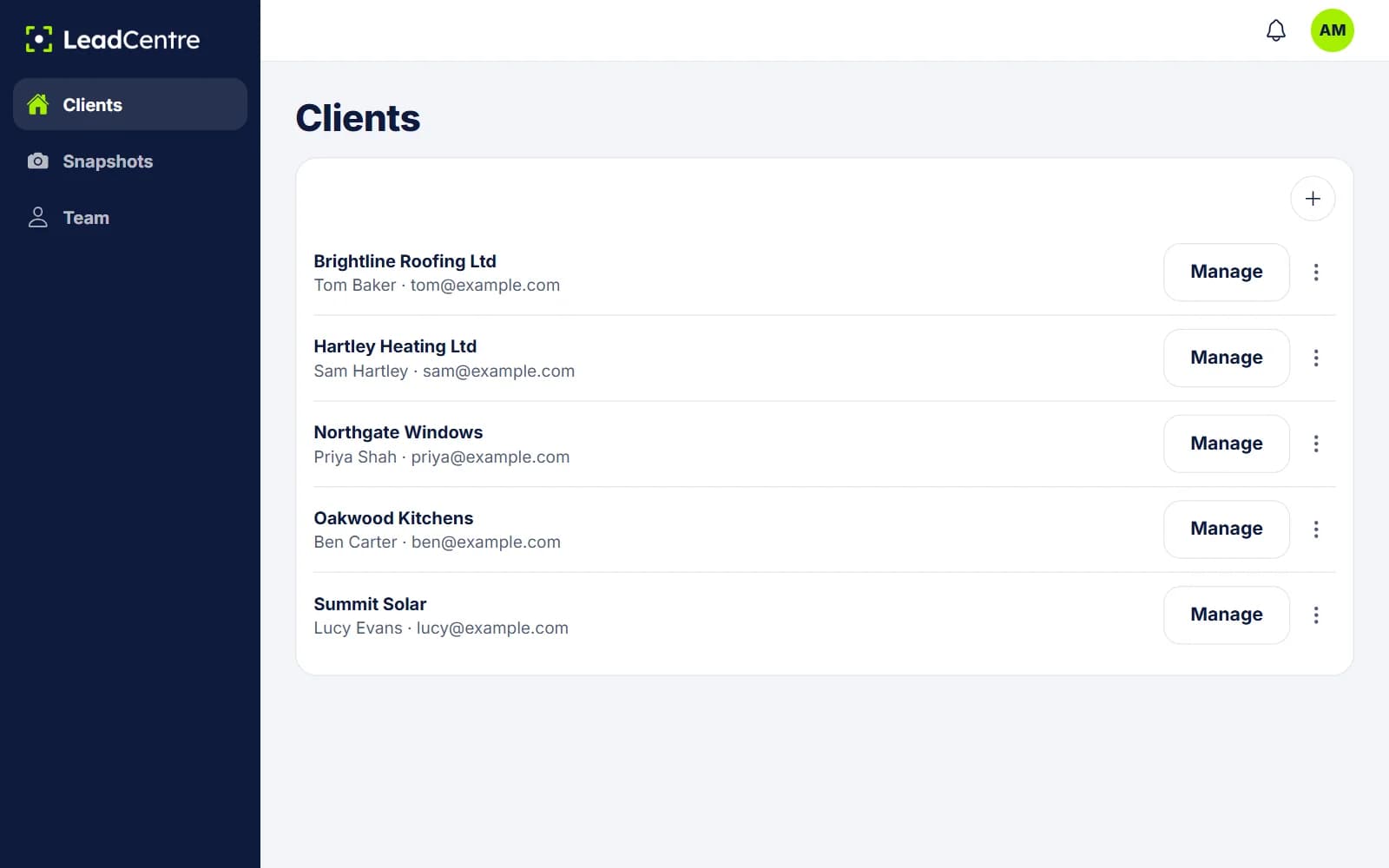
Give each client their own LeadCentre account and see from your agency dashboard how every enquiry is progressing. Each lead’s progress goes back to Google, Microsoft Ads, Meta, LinkedIn and TikTok, so their ads optimise towards real customers.
Agency Starter from £99+VAT/month for 3 client accounts. Monthly payment, cancel anytime.
Client reviews
When a client says the leads were poor
Lead quality and lead follow-up are different problems. LeadCentre gives you a shared record of individual enquiries, so client reviews can focus on what happened, what is still open and what to improve next.
Which enquiries are still marked New?
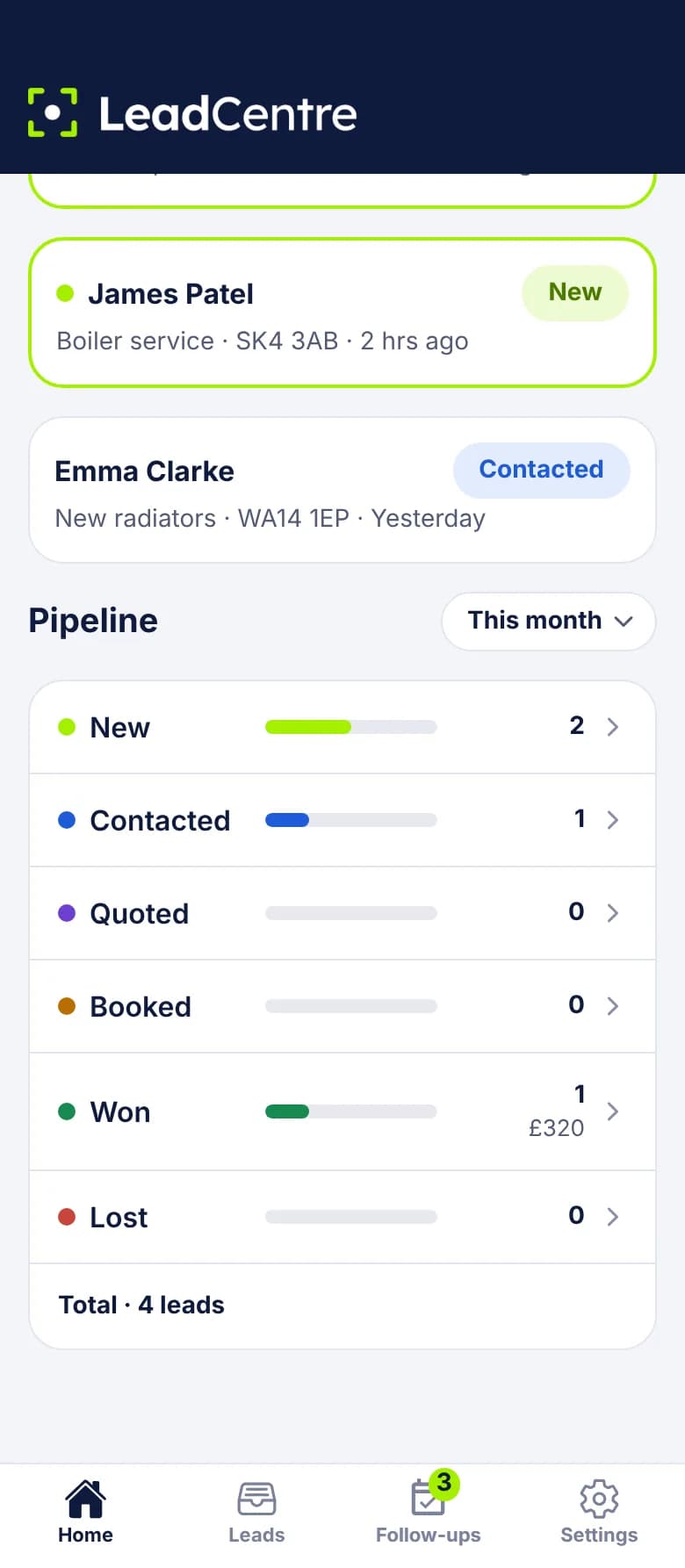
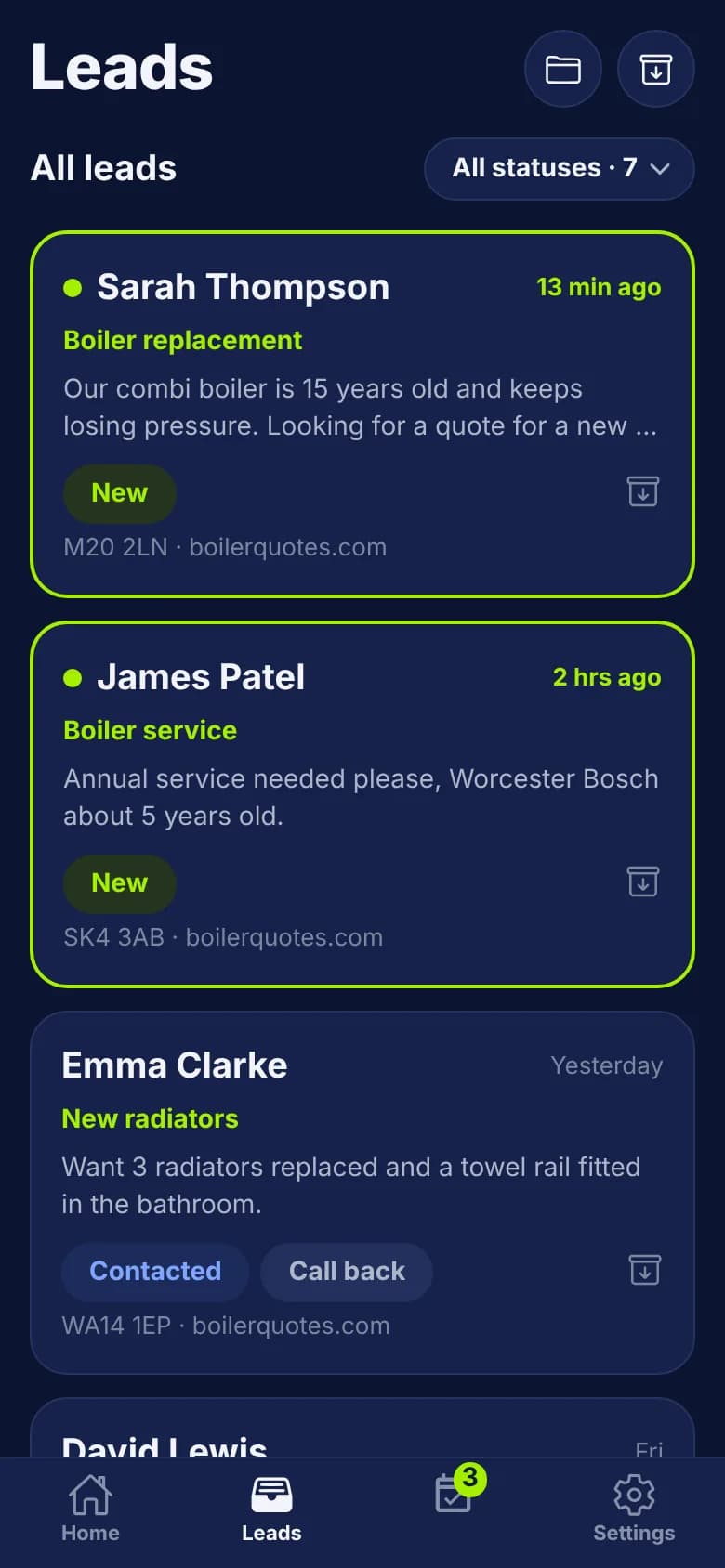
Every lead has a status, and a New lead stands out in the list until someone opens it. These are the enquiries to talk through first.
Which leads reached the quote stage?
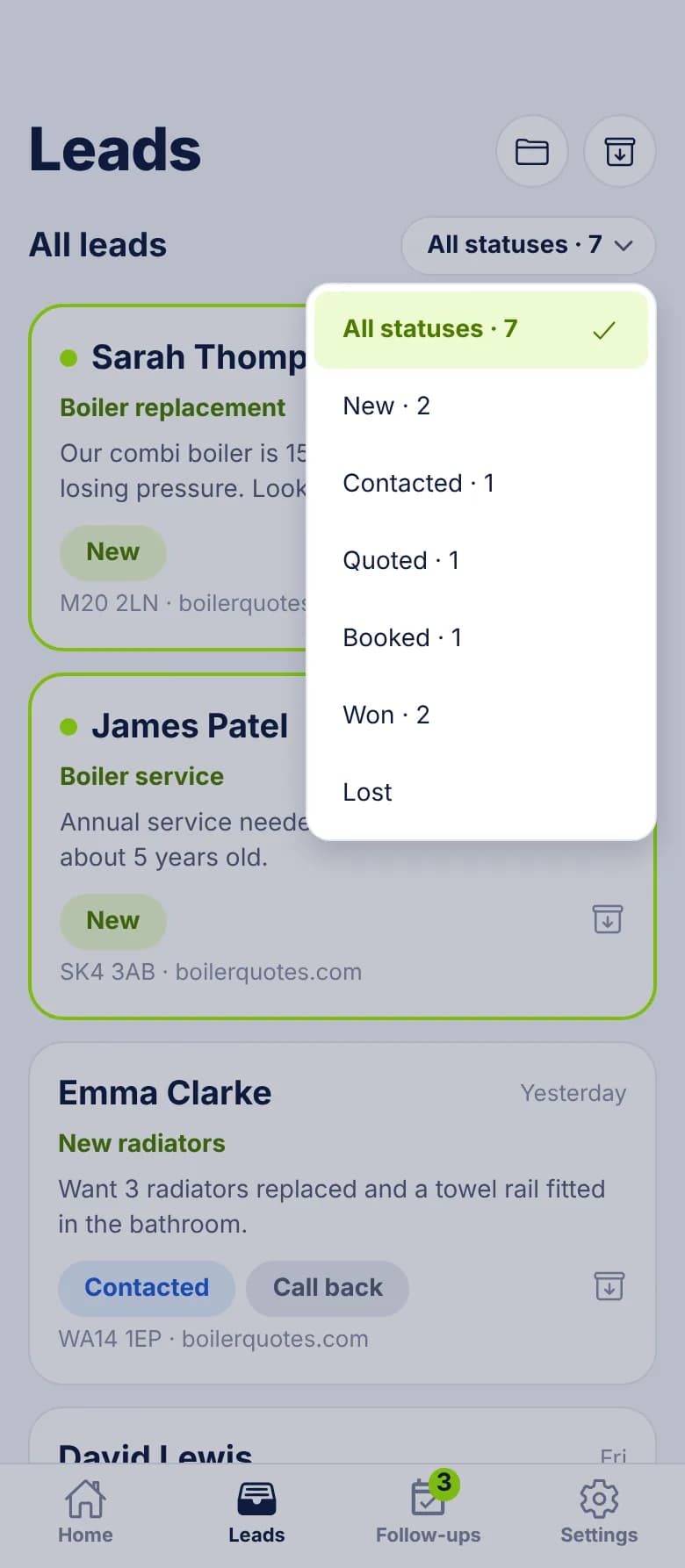
Filter the client’s leads by Quoted or Booked to see how many got as far as a price or a booking, and which of those still need a next step.
Which customers did the client win, and what were they worth?
When a lead is marked Won, the app asks what the sale was worth. Wins and won value add up on the client’s Home and in your agency reports.
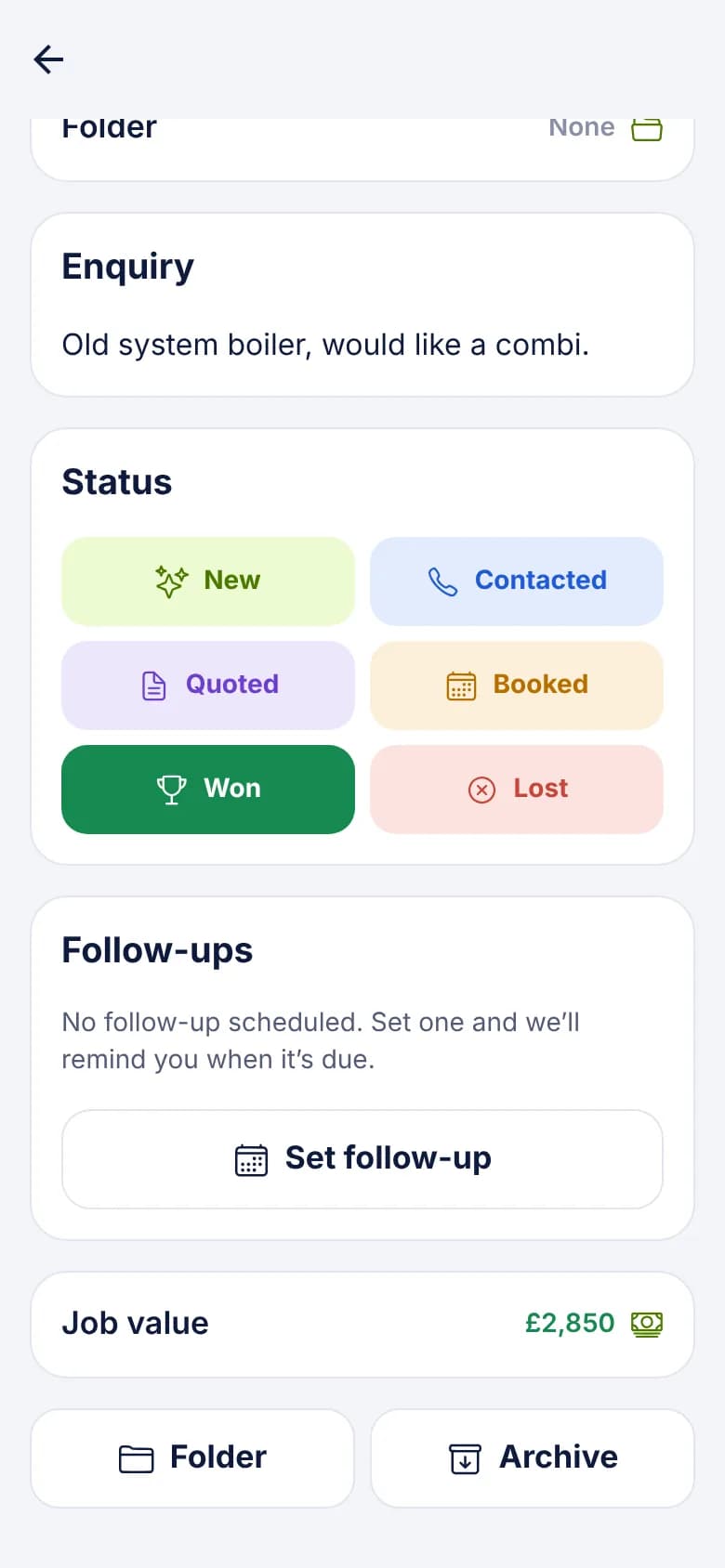
A note on reading statuses: they are your client’s own record. A lead still marked New may have been rung from a mobile and never updated, and Contacted shows that someone tried, not that a conversation took place. Treat both as questions to ask in the review.
Review it together
Open the client’s account from your agency dashboard and go through the leads with them on the call. Agree which enquiries were genuinely poor, which still need a call back and which became customers. The client follow-up report puts the New backlog, how quickly someone first tried to make contact, lost reasons and wins by source on one page, so you can see where your support can make a difference.
Google, Microsoft Ads, Meta, LinkedIn and TikTok conversion feedback
Give supported ad platforms feedback beyond the initial enquiry. When conversion tracking is configured, LeadCentre can send recorded lead stages and won values back to Google, Microsoft Ads, Meta, LinkedIn and TikTok, helping connect campaign activity with the outcomes your clients record, so the ad platforms can learn which leads become customers.
Speed to lead
The faster your client replies, the better their chances
A lead is most useful when someone follows it up. Whether your client sells consultancy, IT services or home improvements, a prompt reply helps turn initial interest into a conversation. LeadCentre puts new enquiries in front of their team so they can respond faster, follow up consistently and record the sales they win.
On your client’s phone
How LeadCentre closes the gap
- 1
An alert on their phone
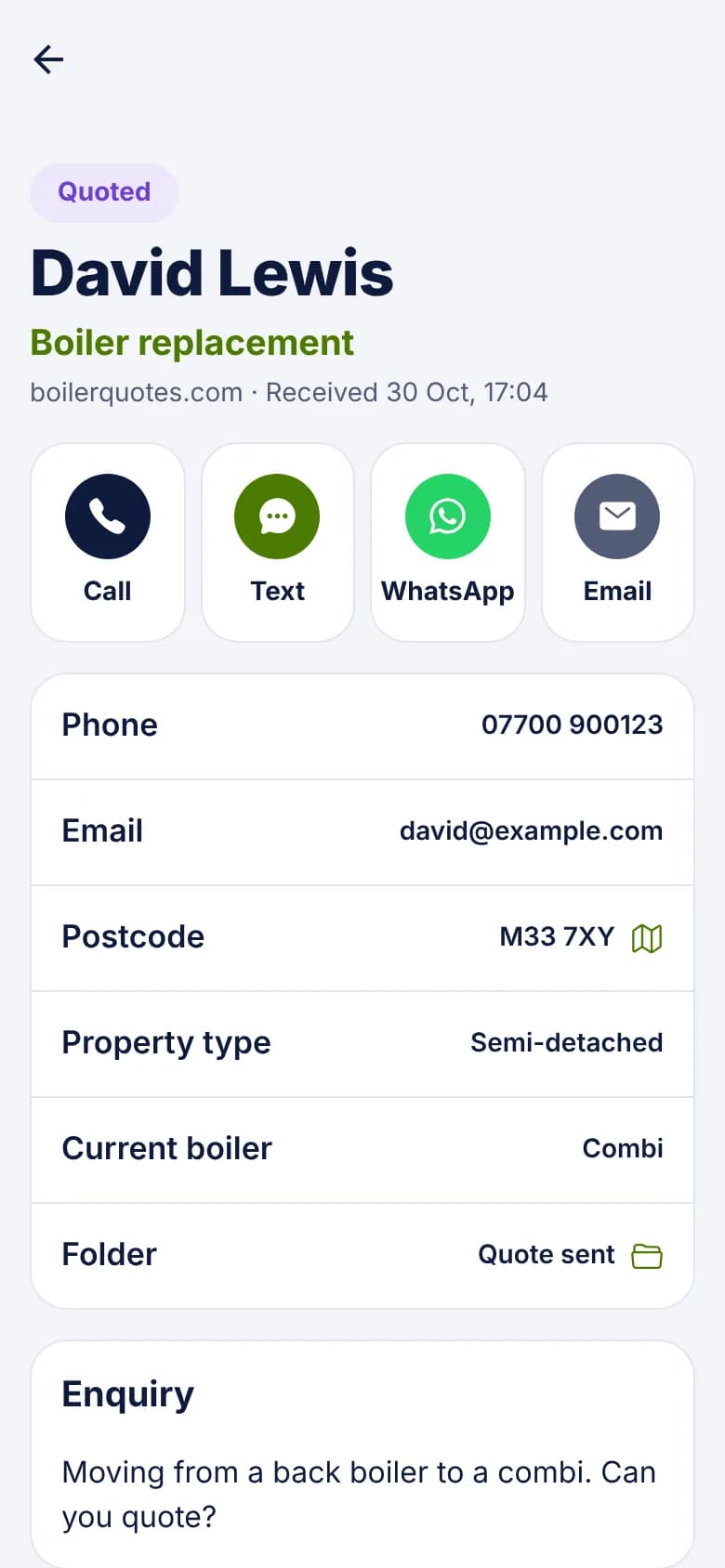
Instant lead notifications put the enquiry type, name and postcode on your client’s phone. Tap the alert and the lead opens, ready to call. You or your client choose who on their team gets it.
- 2
One tap to reply
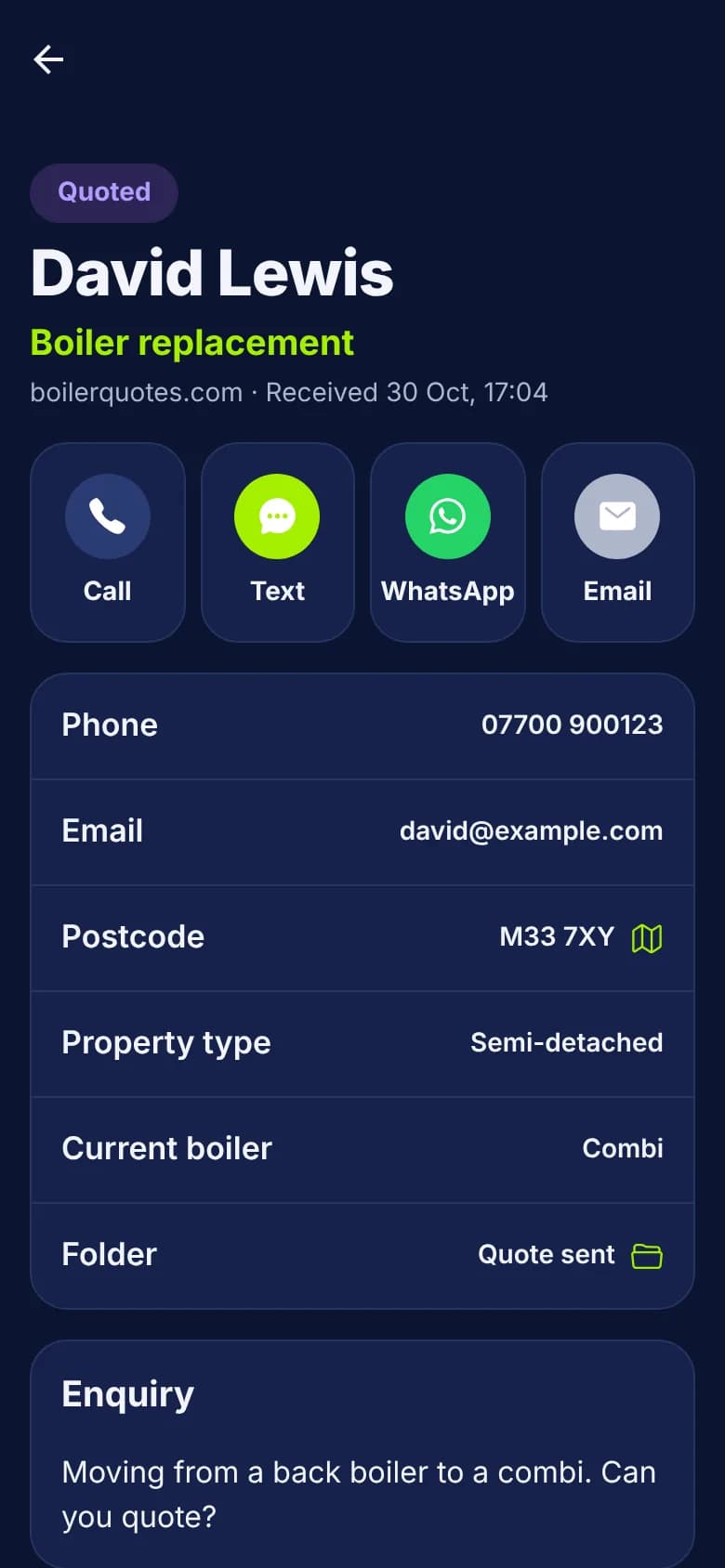
Call, text, WhatsApp and email buttons sit on the lead, with a message already written using the customer’s name and what they asked about.
- 3
Acknowledged when the team is busy
An automatic acknowledgement email can let the prospect know their enquiry has arrived, while the team follows up personally. Optional Respond adds supported automated SMS replies.
- 4
A reminder if they don’t get through
A follow-up reminder brings the lead back when it’s due, so a missed call needn’t become a lost customer. New leads also stand out in the list until someone has opened them.
Client retention
Clients who win more work are more likely to stay
Make your contribution easier to understand. When clients can see enquiries progressing into customers, reviews become a conversation about results and the next opportunity to improve. LeadCentre gives you a clearer record to support those discussions.
Results your client can see
When a client marks a lead Won, LeadCentre asks what the sale was worth, and their win rate and won value build up in the app. The customers your campaigns brought in are there every time they open it.
A bigger part of how they work
Give clients a practical process they can use every day, from the first alert to the final outcome. Your agency can help improve follow-up as well as lead generation, with a clearer view of where support is needed.
Give each client a clearer way to manage leads
- 1
Create their account
Keep each client’s enquiries, users and results separate.
- 2
Set up their Connections
Bring supported forms and campaigns into their account.
- 3
Help their team get started
Give them a practical process for responding and following up.
- 4
Review the results together
See recorded outcomes and agree what to improve next.
One agency account, with a separate account for each client
You subscribe, then create an account for each client from your agency dashboard. Each client has its own leads, users and Connections, and uses the LeadCentre app and online dashboard.
You manage the accounts from one place. You pay LeadCentre and decide how to charge your own clients, for example by including it in your monthly fee. Agency Admins can add clients, open any account and choose what each client’s people can change, while Agency Users only see the clients assigned to them.
You can set a client’s account up before inviting them, and a saved snapshot copies one client’s setup, tags included, to the next. Each client has its own webhook keys and field matching, so their leads only reach their account.
Reporting across all clients
See leads, wins, win rate and won value for every client in one report, or open any client for its own dashboard.
Supplying enquiries to several businesses? See how Lead Generation Agencies deliver leads to each client’s account.
- Separate leads
- Separate users
- Its own Connections
- Its own pipeline
- Its own mobile app access
- Its own reporting
Agency plans
Each client gets the same core product on either plan. Agency Starter includes 3 client accounts and Agency Scale includes 15, and you can add more to both.
Agency Starter
Help your first three clients manage leads and follow-ups, with separate accounts and one agency dashboard.
£99+VAT/month
Monthly payment, cancel anytime
3 client accounts, then £25+VAT/month for each additional client account
Start Agency Starter- Three client accounts
- Separate client data and users
- Core LeadCentre functionality for each account
- Automations for every client
- Agency dashboard
- Client setup and management
- Each client's dashboard and pipeline
- Cross-client reporting
- Reusable account snapshots
- Add more client accounts
Best value for growing agencies
Agency Scale
Roll LeadCentre out across 15 clients, with shared agency oversight and a lower price for additional client accounts.
£299+VAT/month
Monthly payment, cancel anytime
15 client accounts, then £15+VAT/month for each additional client account
Start Agency Scale- 15 client accounts
- Everything in Agency Starter
- A larger account allowance
- Additional client accounts at a lower price
- Cross-client reporting
Optional add-on
Respond
Keep enquiries moving when your team is busy. Respond adds a dedicated UK business mobile number, two-way SMS, automatic text replies and optional AI conversations, with replies available in LeadCentre Messages.
£39+VAT/month per client using it
See What Respond IncludesOptional, one-off
Done-for-you setup
We configure your first client accounts and their Connections, test lead delivery and walk your team through it. Paid once with your first month, and it never renews.
Agency Starter
£99+VAT one-off
Agency Scale
£299+VAT one-off
Include it in your retainer, or charge for it
Build LeadCentre into your management fee, or bill it to clients as a separate monthly charge. You pay us either way, and what you charge your clients is up to you.
An example
Agency Scale is £299+VAT a month for 15 client accounts. With all 15 in use, that works out at £19.93+VAT per client per month.
This assumes every included client account is in use. With fewer clients, the cost per client is higher.
Agency questions
Can I add multiple clients?
Yes. Agency Starter includes 3 client accounts and Agency Scale includes 15. You add a client from your agency dashboard, and you can set the account up before inviting them.
Does each client receive a separate account?
Yes. Each client has its own leads, users, connections, pipeline and figures. One client can't see another's data.
Can each client have multiple users?
Yes. Each client account can have its own team, with Admin and User roles. You can also decide whether a client's own people are allowed to manage their team.
Can each client have its own Connections?
Yes. Connections belong to the client account, so each client has its own webhook keys and field matching. See Connections.
Do clients pay LeadCentre directly?
No. The agency holds the subscription and pays LeadCentre. What you charge your clients, if anything, is between you and them.
Can I resell LeadCentre?
Yes. You can include it in your retainer or charge a monthly software fee on top. The product carries the LeadCentre name.
Can I view my clients' lead activity?
Yes. Open any client from your agency dashboard and you see their dashboard, leads, statuses, follow-ups and won values. Cross-client reporting also gives you one report across every client you can reach: leads, won jobs, win rate and won value over a chosen time frame, client by client.
What does the Contacted status tell me?
That someone tried. In the app, tapping a contact button on a New lead's screen moves it to Contacted, whether or not the person answered. Other statuses are set by your client. Treat them as your client's own record, and a good starting point for a conversation with them.
Can LeadCentre send conversions back to Google Ads, Microsoft Ads, Meta, LinkedIn or TikTok?
Yes. LeadCentre sends each lead's progress back to Google, Microsoft Ads, Meta, LinkedIn and TikTok, from Contacted through to Won with the value of each won job, matched by the Google click ID, Microsoft click ID, Meta lead ID, LinkedIn form response or TikTok lead ID kept on the lead. The ad platforms can then learn which leads become customers. You choose which stages go back under Settings > Conversions. It's included on every plan.
Can I add more client accounts later?
Yes. You can add accounts on both agency plans at the monthly price shown on the pricing page.
Do I need to use HighLevel?
No. LeadCentre doesn't depend on HighLevel or any other platform. If you already use one, it can send leads to LeadCentre by webhook where it supports that.
Can I use LeadCentre alongside my existing systems?
Yes. Your ad accounts, landing pages and CRM stay as they are. LeadCentre takes a copy of each lead through a connection and gives your client somewhere to work it.
See what happens to the leads you generate.
Follow one enquiry from a Facebook ad to your client’s phone and into your agency dashboard. Example data, no sign-in.